AI agent for business unit managers
Quarterly Planning Assumption Check Agent
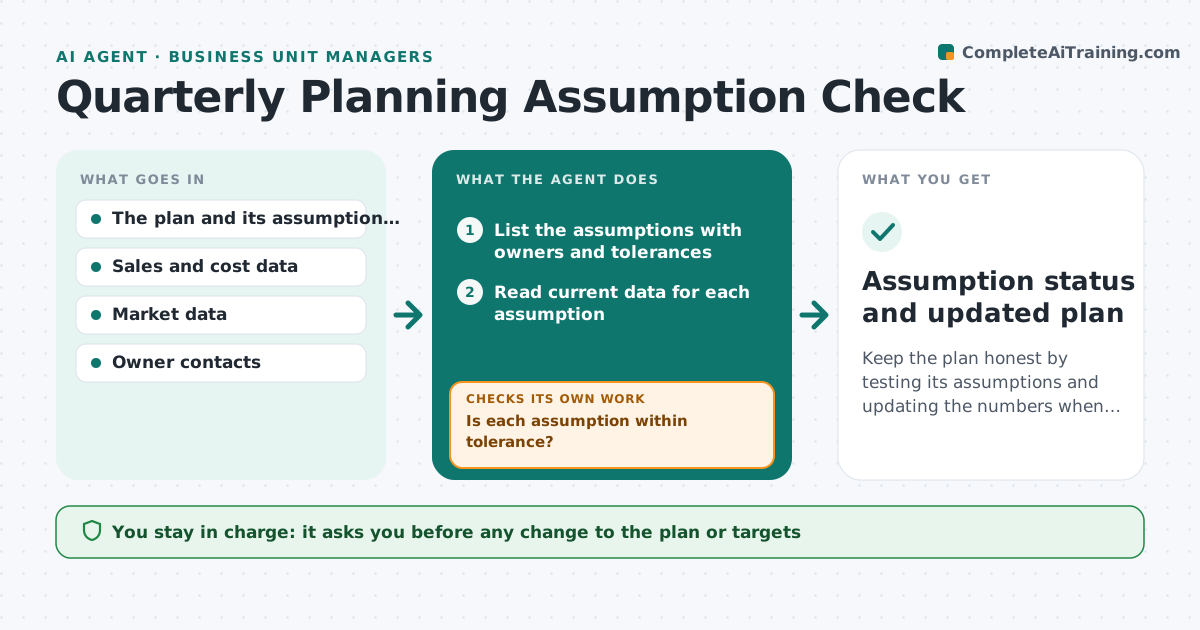
Keep the plan honest by testing its assumptions and updating the numbers when they break.
What it does
A quarterly plan assumes things such as a 5% price rise holding, a customer renewing or a supplier delivering on time. By mid-quarter some have changed and no one updated the plan. This agent lists the assumptions behind the plan and checks each against new data: sales, prices, supplier status and market figures. It flags broken ones, reruns the plan with updated numbers and shows the effect on targets. It repeats after owners reply. The manager approves any plan change. Edge case: an assumption that cannot be checked because no data exists is listed as untested and given an owner.
How it works
Follow the arrows from top to bottom. The orange dashed arrow is the loop: when a check fails, the agent goes back and tries again.
Read the steps as a list
- Quarterly plan is approved
- List the assumptions with owners and tolerances
- Read current data for each assumption
- Is each assumption within tolerance?If not: Mark it as broken and ask the owner for a revised value. Back to step 2.
- Rerun the plan numbers with the revised values
- Compare the new result with the targets
- Draft options if a target is at risk
- Manager approves any plan changeThe agent waits here for your OK.
- Do the updated owner replies change any assumption?If not: Recheck and rerun the plan. Back to step 2.
- Assumption status and updated plan
How it decides
Compares each assumption to current data; one that is off by more than its tolerance is broken and triggers a plan rerun.
- Tolerance default is 10% of the assumption value
- Untested assumptions get an owner and a date
- Two broken assumptions in one area trigger a full review
- Plan changes require manager approval
Make it yours
Every agent is a starting point. You choose these settings for your own situation.
- Tolerance per assumption (default 10%)
- Check frequency (default 2 weeks)
- Data sources
- Owners
- Targets to track
What keeps you in control
It always asks you first
- Any change to the plan or targets
- Any message to owners
- Any change to an assumption owner
Hard limits
- Never change the plan itself
- Never remove an assumption
It stops when
- Done: all assumptions tested and plan current
- Stop: quarter ends
- Stop: plan replaced
Set it up
We guide you through the set-up, step by step
Members get the full set-up guide for this agent. No technical skills needed: you copy, paste and upload.
- One set of instructions to paste into your AI, with the clicks for ChatGPT, Claude, Microsoft 365 Copilot, Gemini and Grok
- The agent then walks you through connecting your own data, one source at a time
- A downloadable copy with the flow chart, the rules and the full guide