AI agent for online course creators
Question Bank Ambiguity Agent
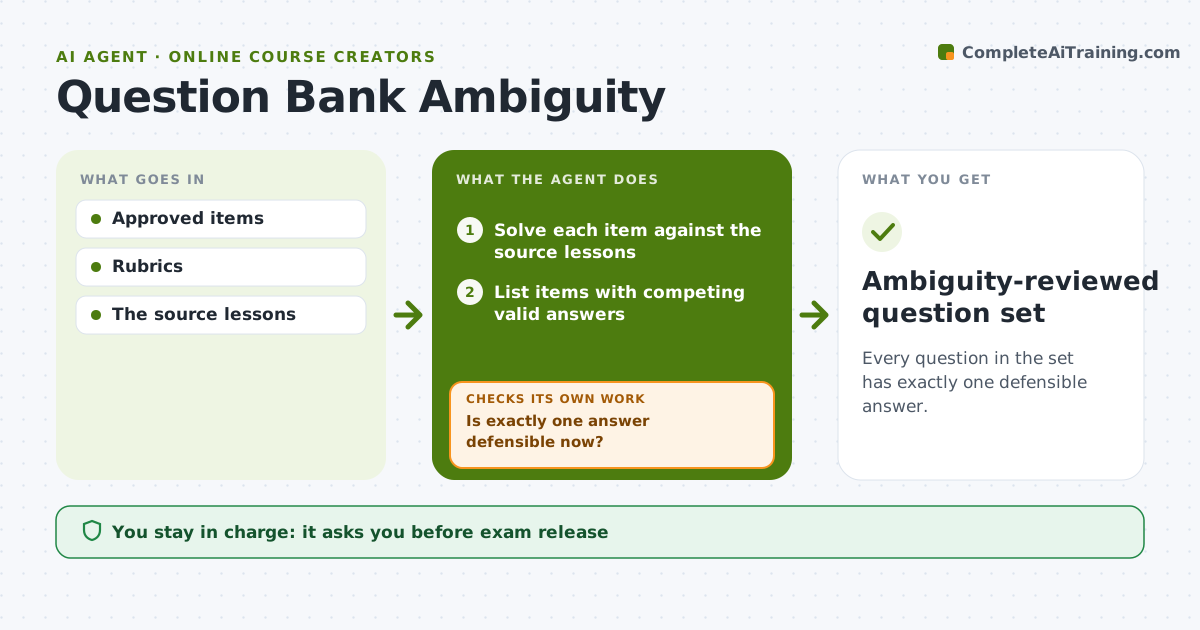
Every question in the set has exactly one defensible answer.
What it does
Question banks sometimes contain items with more than one defensible answer, which leads to complaints and unfair grading. This agent solves each item in a prepared set against the source lessons and lists items where two or more answers can be defended. For each, it drafts the smallest repair: adding a qualifier, changing an answer option, or adding a context sentence. It then solves the repaired item again. If more than one answer is still defensible, it tries another repair. After two failed repairs, it pulls the item from the draft set until an editor decides. The assessment editor approves the final set. Edge case: an item that is correct but tests something the lessons never taught is also flagged.
How it works
Follow the arrows from top to bottom. The orange dashed arrow is the loop: when a check fails, the agent goes back and tries again.
Read the steps as a list
- Question set prepared
- Solve each item against the source lessons
- List items with competing valid answers
- Draft the smallest repair for each
- Solve the repaired item again
- Is exactly one answer defensible now?If not: try another repair; pull the item after two tries. Back to step 4.
- Assessment editor approves the setThe agent waits here for your OK.
- Ambiguity-reviewed question set
How it decides
It flags items where it can defend two answers from the source lessons, chooses the smallest wording change that removes the second reading, and re-solves; still-ambiguous items are pulled.
- Ambiguous: two answers defensible from the lesson.
- Repair type: qualifier, option change or context sentence.
- Pull: after two failed repairs.
Make it yours
Every agent is a starting point. You choose these settings for your own situation.
- Repairs allowed (default qualifier, option change, context sentence)
- Repairs tried before pulling an item (default 2)
- Source lessons used to judge answers
- Output format (default item, issue, repair and rationale)
- Who approves the set (default the assessment editor)
What keeps you in control
It always asks you first
- Exam release
- Grading policy
Hard limits
- Never changes grading of past exams.
It stops when
- Done: all items unambiguous or pulled.
Set it up
We guide you through the set-up, step by step
Members get the full set-up guide for this agent. No technical skills needed: you copy, paste and upload.
- One set of instructions to paste into your AI, with the clicks for ChatGPT, Claude, Microsoft 365 Copilot, Gemini and Grok
- The agent then walks you through connecting your own data, one source at a time
- A downloadable copy with the flow chart, the rules and the full guide