AI agent for laboratory managers
Radioactive and Chemical Inventory Audit Agent
Make inventory records match what is stored, in date and safely located
What it does
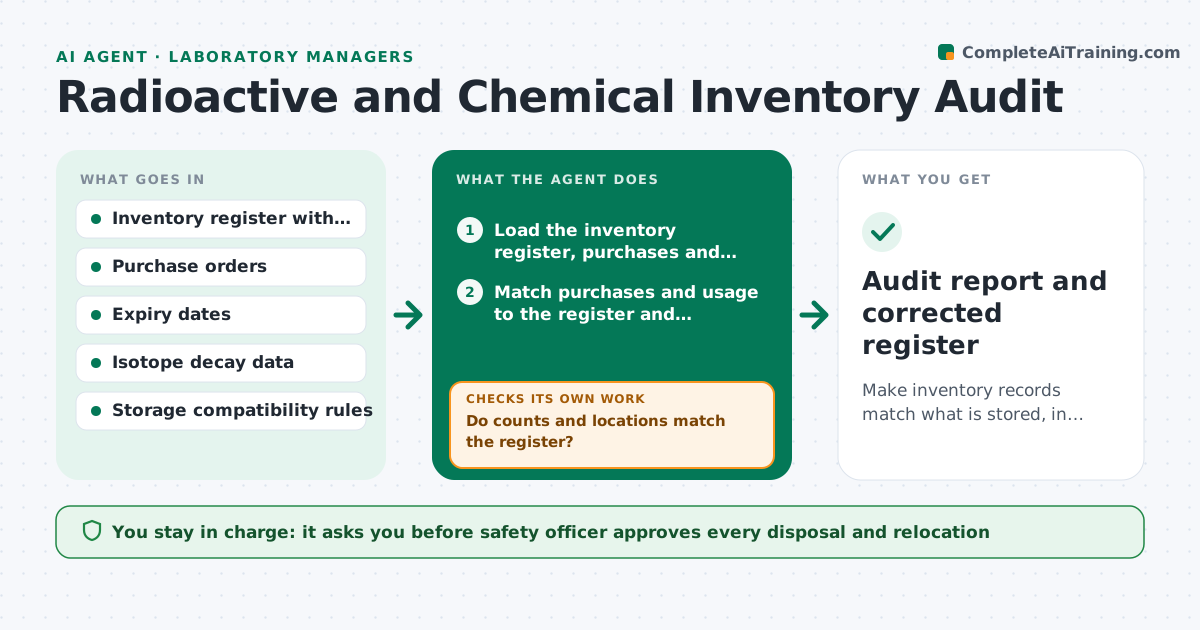
The chemical inventory says a flammable solvent is in cabinet A, but it is in a drawer, a radioisotope stock decayed to a different activity and three expired bottles sit on a shelf. An inspection finds it first. This agent audits. It compares the chemical and isotope inventory with purchase records, expiry dates and storage rules, flags missing, expired or incompatible items, such as acids next to bases, and requests a physical check by location. After recounts it rechecks the records and the storage rules. The safety officer approves disposals. Edge case: an isotope's activity has decayed below the limit. The agent updates the decay calculation and the disposal route.
How it works
Follow the arrows from top to bottom. The orange dashed arrow is the loop: when a check fails, the agent goes back and tries again.
Read the steps as a list
- Quarterly audit or inspection planned
- Load the inventory register, purchases and storage rules
- Match purchases and usage to the register and calculate expected quantities
- Calculate isotope decay and remaining activity
- Flag missing, expired and incompatible items by location
- Create a physical check list for each location
- Record the counts from the walk-through
- Do counts and locations match the register?If not: Request recounts for mismatches and review usage logs. Back to step 4.
- Are all expired and incompatible items resolved or scheduled?If not: Add them to the disposal or move list and recheck after action. Back to step 5.
- Safety officer approves disposals and movesThe agent waits here for your OK.
- Audit report and corrected register
How it decides
It compares each purchase and use record with the register, flags items not seen, expired or stored with incompatible materials, and asks for physical verification by location.
- Items past expiry go to the disposal list
- Incompatible storage is a high-priority fix
- A difference above 5 percent in quantity needs a recount
- Isotope disposal follows the decay-in-storage rules
Make it yours
Every agent is a starting point. You choose these settings for your own situation.
- Audit frequency (default quarterly)
- Quantity difference threshold (default 5 percent)
- Storage rules to apply
- Locations in scope
- Who receives the report
What keeps you in control
It always asks you first
- Safety officer approves every disposal and relocation
Hard limits
- Never disposes of anything itself
- Treats unaccounted radioactive material as an urgent safety event
It stops when
- Done: register matches and all issues resolved
- Stop: an unaccounted radioactive source is found, notify the safety officer and stop the audit
Set it up
We guide you through the set-up, step by step
Members get the full set-up guide for this agent. No technical skills needed: you copy, paste and upload.
- One set of instructions to paste into your AI, with the clicks for ChatGPT, Claude, Microsoft 365 Copilot, Gemini and Grok
- The agent then walks you through connecting your own data, one source at a time
- A downloadable copy with the flow chart, the rules and the full guide