AI agent for dental hygienists
Radiograph Interval Agent
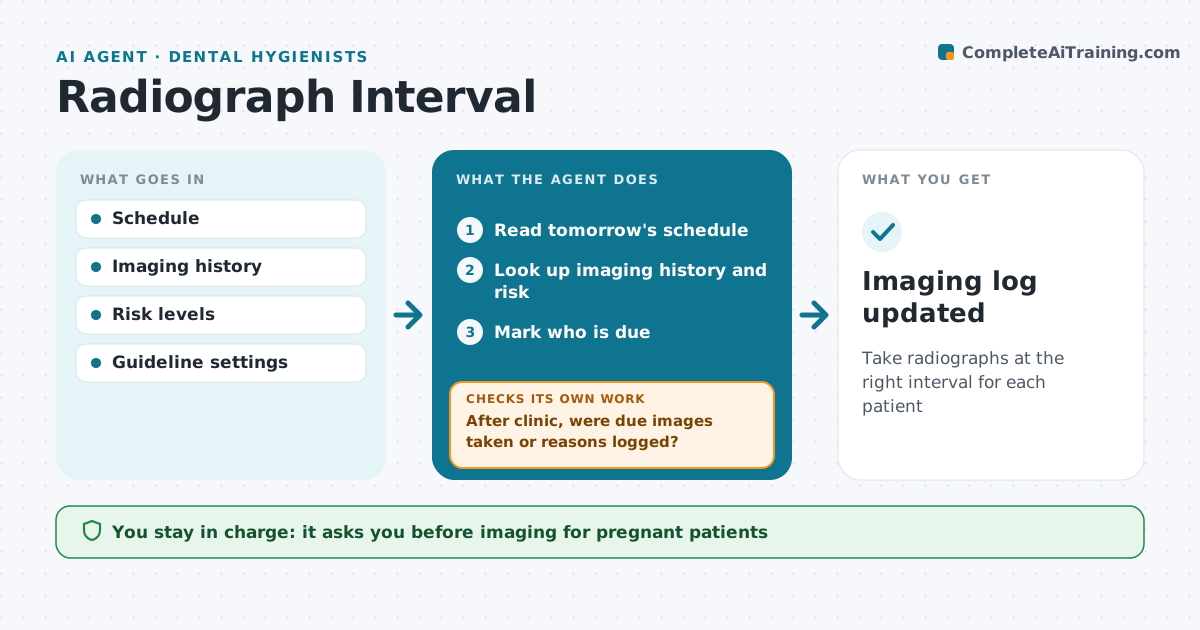
Take radiographs at the right interval for each patient
What it does
Dental radiographs should follow intervals based on age and caries risk, not habit, but checking every chart before clinic is tedious. This agent reads the next day's schedule and looks up each patient's last bitewings and full mouth series, risk level and age. It marks who is due according to the practice's guideline. It also flags patients who had images taken elsewhere recently and drafts requests for those copies. The hygienist sees the list before the day starts. After clinic, it checks that due images were taken or that a reason was logged, such as the patient declining. Anything left open is noted for the next visit. The dentist approves the guideline settings. Edge case: pregnant patients are marked for dentist review before any imaging is taken.
How it works
Follow the arrows from top to bottom. The orange dashed arrow is the loop: when a check fails, the agent goes back and tries again.
Read the steps as a list
- Day before clinic
- Read tomorrow's schedule
- Look up imaging history and risk
- Mark who is due
- Dentist approves imaging for flagged casesThe agent waits here for your OK.
- After clinic, were due images taken or reasons logged?If not: note for next visit. Back to step 4.
- Imaging log updated
How it decides
Intervals depend on risk and age. Images from outside offices count if received.
- High risk bitewings every 6-12 months
- Low risk 24-36 months
- Outside images requested first
Make it yours
Every agent is a starting point. You choose these settings for your own situation.
- Interval guideline
- Risk categories
- Report time
- Outside image requests
What keeps you in control
It always asks you first
- Imaging for pregnant patients
- Guideline settings
Hard limits
- No imaging decisions by the agent
It stops when
- Done: day logged
- Stop: patient declines, note
Set it up
We guide you through the set-up, step by step
Members get the full set-up guide for this agent. No technical skills needed: you copy, paste and upload.
- One set of instructions to paste into your AI, with the clicks for ChatGPT, Claude, Microsoft 365 Copilot, Gemini and Grok
- The agent then walks you through connecting your own data, one source at a time
- A downloadable copy with the flow chart, the rules and the full guide