AI agent for chemical engineers
Reactor Model Calibration Agent
A reactor model that predicts plant results within tolerance
What it does
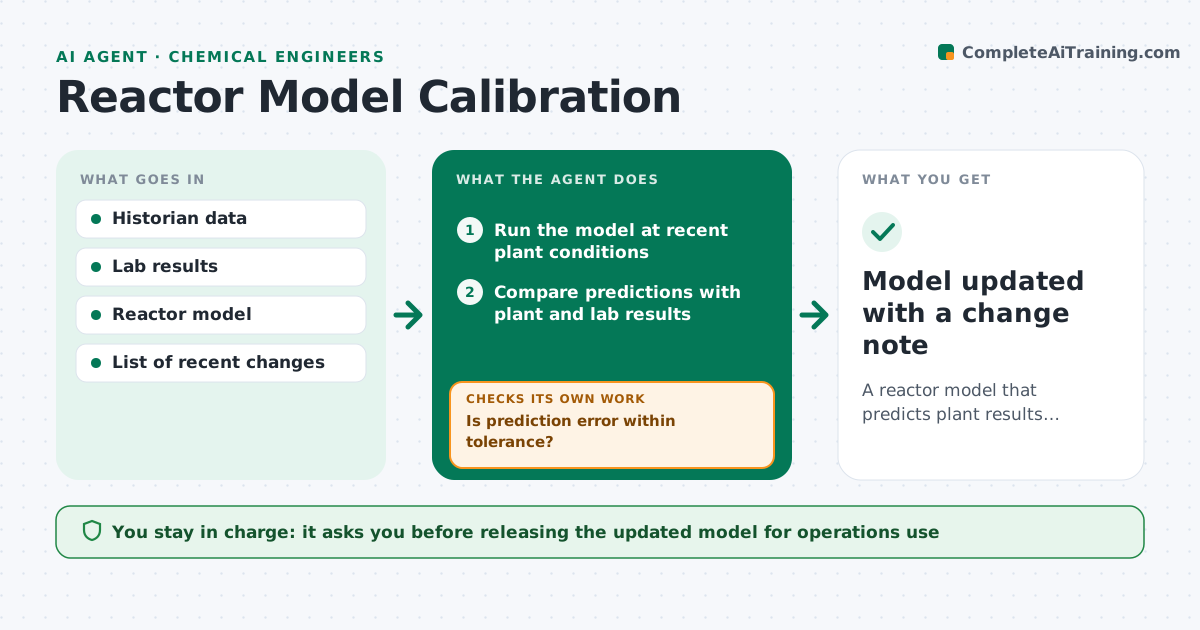
Reactor models only help if they still match the plant, and they drift as catalyst ages and conditions change. Each month this agent runs the model at recent operating conditions and compares predicted conversion, selectivity and bed temperatures with plant and lab data. When the error is above your tolerance, it fits a small set of parameters, such as an activity factor or heat transfer coefficient, to one recent period. It then tests the updated model on a separate period it did not fit. If the update does not hold, it tries a different parameter set or reports that the model structure may need work. It flags shifts that line up with a catalyst change or feed switch instead of fitting them away. The engineer approves any model update. Edge case: a sudden shift right after a feed switch goes to the engineer.
How it works
Follow the arrows from top to bottom. The orange dashed arrow is the loop: when a check fails, the agent goes back and tries again.
Read the steps as a list
- Monthly model check
- Run the model at recent plant conditions
- Compare predictions with plant and lab results
- Is prediction error within tolerance?If not: move on to recalibration. Back to step 3.
- Fit selected parameters to one period
- Test the updated model on a separate period
- Does the update predict the separate period well?If not: try another parameter set or report a structural issue. Back to step 5.
- Engineer approves the model updateThe agent waits here for your OK.
- Model updated with a change note
How it decides
It recalibrates only when prediction error passes the tolerance, and accepts new parameters only if they also predict a separate period well.
- Recalibrate only above the error tolerance
- Validate on data not used for fitting
- Flag shifts that line up with catalyst or feed changes
Make it yours
Every agent is a starting point. You choose these settings for your own situation.
- Error tolerance (default 1.5%)
- Parameters allowed to change
- Fit and validation period length
- Check schedule
What keeps you in control
It always asks you first
- Releasing the updated model for operations use
Hard limits
- Never changes the production model without approval
- Keeps every prior model version
It stops when
- Done: model updated or confirmed
- Stop: no steady period available; report and wait
Set it up
We guide you through the set-up, step by step
Members get the full set-up guide for this agent. No technical skills needed: you copy, paste and upload.
- One set of instructions to paste into your AI, with the clicks for ChatGPT, Claude, Microsoft 365 Copilot, Gemini and Grok
- The agent then walks you through connecting your own data, one source at a time
- A downloadable copy with the flow chart, the rules and the full guide