
AI agent for language teachers
Reading Text Leveling Agent
Texts at the right level with meaning kept
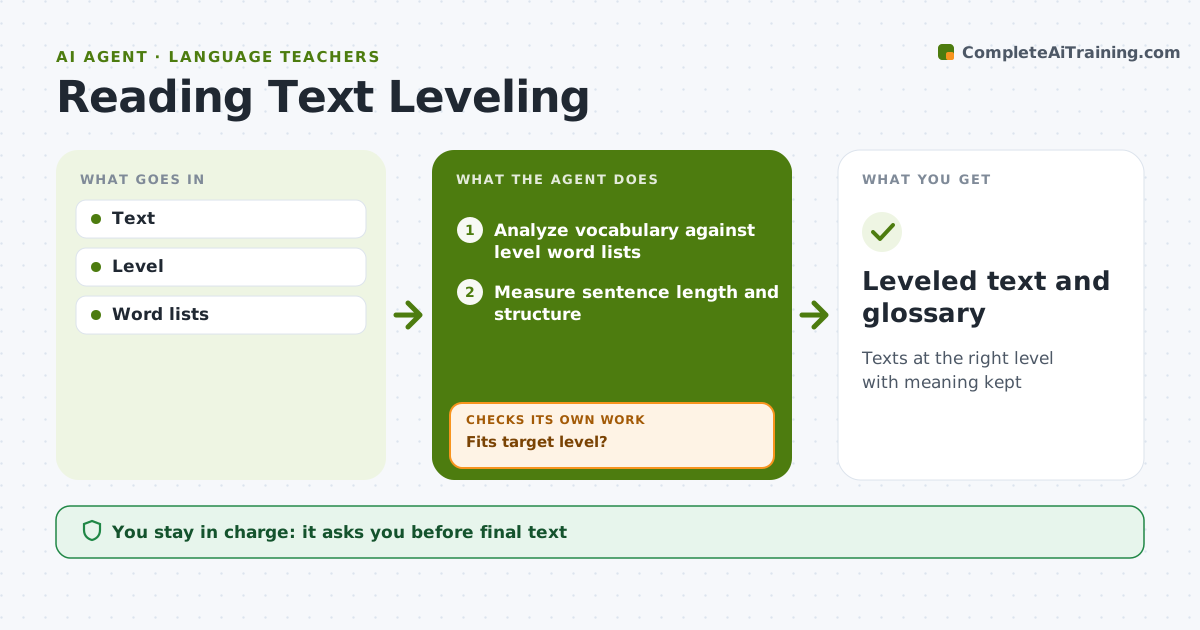
What it does
Authentic texts like news articles motivate language learners but are often above their level, and simplifying them by hand takes time. This agent takes a text and a target level. It checks vocabulary against level word lists and measures sentence length and structure. It rewrites the hardest parts in simpler language while keeping the meaning. It then checks the result again and repeats until the text fits the level. Words that must stay, like names or key topic terms, are kept and added to a glossary. The teacher reviews and approves the final text before students see it. Edge case: if a text cannot be leveled without losing its meaning, it says so and suggests a shorter extract instead.
How it works
Follow the arrows from top to bottom. The orange dashed arrow is the loop: when a check fails, the agent goes back and tries again.
Read the steps as a list
- Text submitted with a target level
- Analyze vocabulary against level word lists
- Measure sentence length and structure
- Rewrite hard parts and keep key terms
- Fits target level?If not: rewrite again or add glossary entries for words that must stay. Back to step 4.
- Build the glossary
- Teacher approvesThe agent waits here for your OK.
- Leveled text and glossary
How it decides
Share of words above level.
- 95% known words
- Short sentences
- Key terms glossed
Make it yours
Every agent is a starting point. You choose these settings for your own situation.
- Level
- Word list
- Glossary style
- Length
What keeps you in control
It always asks you first
- Final text
Hard limits
- Source credited
It stops when
- Done: approved
- Stop: cannot level without losing meaning
Set it up
We guide you through the set-up, step by step
Members get the full set-up guide for this agent. No technical skills needed: you copy, paste and upload.
- One set of instructions to paste into your AI, with the clicks for ChatGPT, Claude, Microsoft 365 Copilot, Gemini and Grok
- The agent then walks you through connecting your own data, one source at a time
- A downloadable copy with the flow chart, the rules and the full guide



