AI agent for regulatory affairs specialists
Recall and Field Action Trace Agent
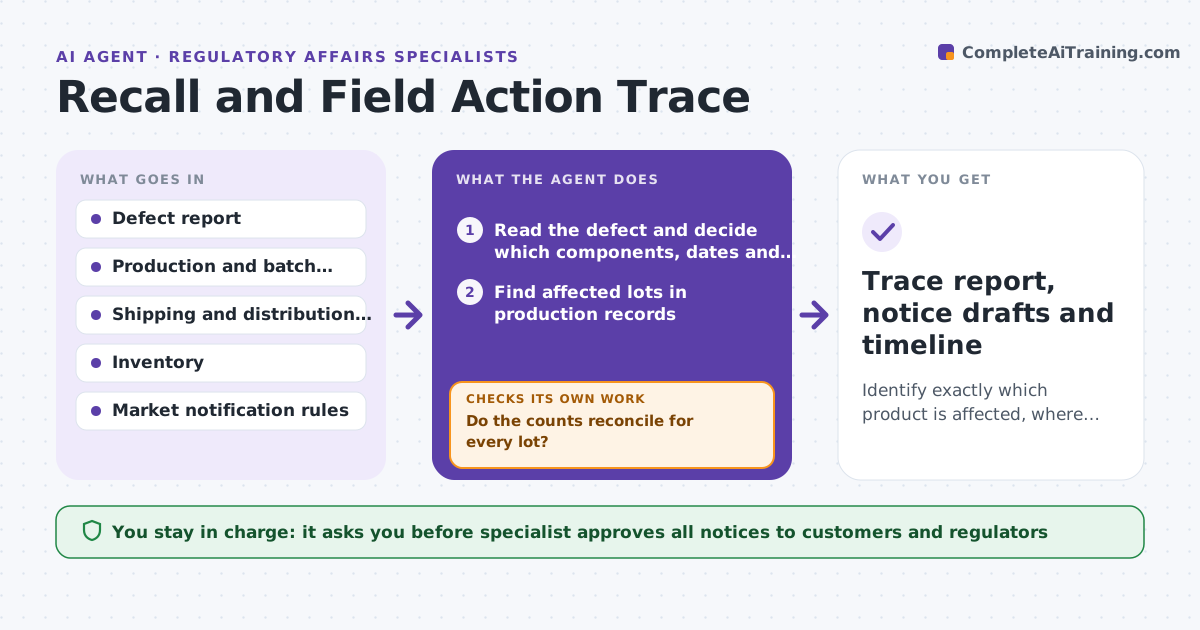
Identify exactly which product is affected, where it went and who must be notified, with counts that add up.
What it does
When a defect is reported, the company must decide fast which lots are affected, who received them and which regulators and customers must be told. Recalling too little leaves risk in the field, and recalling too much is costly. From the defect report, the agent finds affected lots in production and shipping records, lists customers and countries, and checks the notification rules for each market. It reconciles counts against inventory, so units made, held, shipped and returned add up. When they do not, it searches again for the gap. It drafts notices and a timeline. The specialist approves all notices. Edge case: 1,200 units were made but only 1,150 are accounted for, so the agent finds 50 in a distributor transfer.
How it works
Follow the arrows from top to bottom. The orange dashed arrow is the loop: when a check fails, the agent goes back and tries again.
Read the steps as a list
- Defect report escalated
- Read the defect and decide which components, dates and lots may be affected
- Find affected lots in production records
- Trace shipments to customers and countries
- Reconcile units made, held, shipped and scrapped
- Do the counts reconcile for every lot?If not: Search distributor transfers, returns and samples for the missing units. Back to step 3.
- Check notification rules and deadlines for each market
- Draft notices and a timeline
- Specialist approves all notices and the timelineThe agent waits here for your OK.
- Did new information change the scope?If not: Re-run the trace and update the notices. Back to step 2.
- Trace report, notice drafts and timeline
How it decides
A lot is affected if it shares the defect cause, component or period. A trace passes only when units made equal units held plus shipped plus scrapped. Gaps are searched before notices are drafted.
- Include every lot made with the suspect component or in the suspect period
- Counts must reconcile before notices are finalized
- Notification deadlines are listed per market from the first day
- A scope change triggers a re-run
Make it yours
Every agent is a starting point. You choose these settings for your own situation.
- Markets and rule sets
- Look-back period for lots
- Deadline alerts
- Record systems used
What keeps you in control
It always asks you first
- Specialist approves all notices to customers and regulators
Hard limits
- Never sends notices or contacts a regulator
- Never narrows the scope without the specialist
It stops when
- Done: notices approved and sent by the specialist
- Stop: unreconciled units remain, so the specialist is told the gap
Set it up
We guide you through the set-up, step by step
Members get the full set-up guide for this agent. No technical skills needed: you copy, paste and upload.
- One set of instructions to paste into your AI, with the clicks for ChatGPT, Claude, Microsoft 365 Copilot, Gemini and Grok
- The agent then walks you through connecting your own data, one source at a time
- A downloadable copy with the flow chart, the rules and the full guide