AI agent for fundraisers
Recurring Gift Failed Payment Recovery Agent
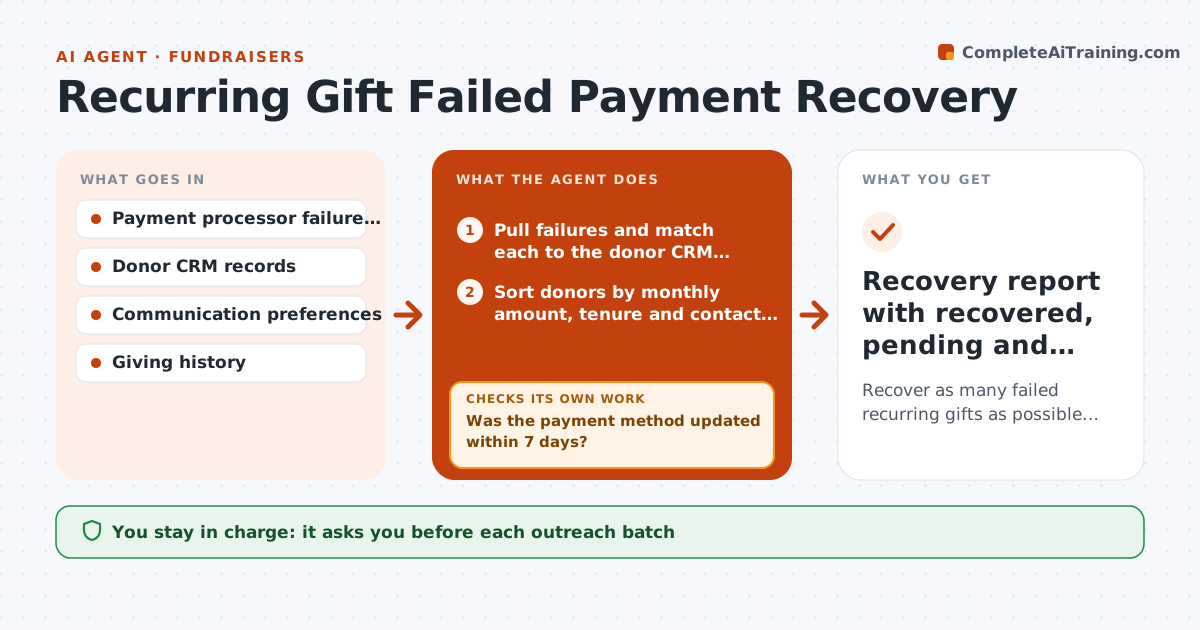
Recover as many failed recurring gifts as possible within 30 days without over-contacting donors
What it does
Monthly donors are the steadiest income a nonprofit has, but every month some cards expire or get declined. A fundraiser usually finds out weeks later, if at all. This agent checks the payment processor each day for failed or soon-to-expire recurring gifts, matches each one to the donor record and reads giving history. It sorts donors by value and length of giving, then drafts the right message: a short card update note for most, a personal call script for long-time or high-value donors. After the first message it watches whether the card was updated. If not, it schedules a second, different contact and, after the last try, moves the donor to a lapsed list for the reactivation work. You approve every outreach batch and call list. Edge case: a donor who asked not to be emailed only gets a mailed letter draft.
How it works
Follow the arrows from top to bottom. The orange dashed arrow is the loop: when a check fails, the agent goes back and tries again.
Read the steps as a list
- Processor posts failed and expiring recurring gifts
- Pull failures and match each to the donor CRM record
- Sort donors by monthly amount, tenure and contact preference
- Draft update emails, letters and call scripts per segment
- Fundraiser approves the outreach batch and call listThe agent waits here for your OK.
- Send approved messages and log contacts in the CRM
- Was the payment method updated within 7 days?If not: draft a second contact through a different channel, up to three tries. Back to step 4.
- Do recovered gifts show a successful charge?If not: recheck the processor and flag the record for manual review. Back to step 2.
- Recovery report with recovered, pending and lapsed donors
How it decides
Donors giving 25 dollars or more a month or for over three years get a personal call first; others get an email with a secure update link. Contact stops after three tries.
- Monthly gift of 25 dollars or more, or tenure over three years, gets a personal call first
- No more than three contacts per failure, at least 7 days apart
- Donor preferences always override channel choice
- After the third try the donor moves to the lapsed list
Make it yours
Every agent is a starting point. You choose these settings for your own situation.
- Value threshold for personal calls (default 25 dollars a month)
- Maximum contacts per failure (default 3)
- Days between contacts (default 7)
- Message tone (default warm and brief)
What keeps you in control
It always asks you first
- Each outreach batch
- Call list for high-value donors
Hard limits
- Never stores or handles card numbers
- Never contacts a donor who has opted out of that channel
It stops when
- Done: all failures recovered or moved to the lapsed list
- Stop: processor report missing or donor ids do not match the CRM
Set it up
We guide you through the set-up, step by step
Members get the full set-up guide for this agent. No technical skills needed: you copy, paste and upload.
- One set of instructions to paste into your AI, with the clicks for ChatGPT, Claude, Microsoft 365 Copilot, Gemini and Grok
- The agent then walks you through connecting your own data, one source at a time
- A downloadable copy with the flow chart, the rules and the full guide