AI agent for food scientists
Reformulation Cost and Specification Change Agent
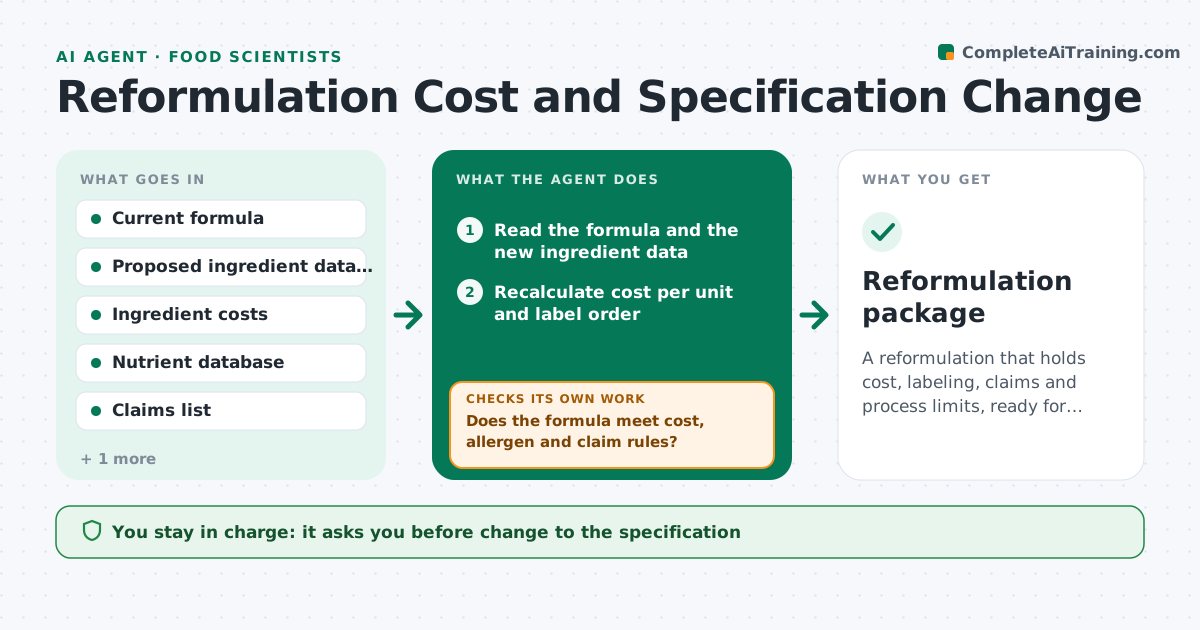
A reformulation that holds cost, labeling, claims and process limits, ready for specification change
What it does
Swapping one ingredient can fix a shortage or a cost problem and quietly break something else. For each proposed swap, this agent recalculates the formula cost, the order of ingredients on the label and the nutrition panel. It checks allergen and claim implications, such as a new soy or a lost clean label. It then tests process limits like viscosity, pH and water activity against the specification. If any check fails, it proposes alternatives, for example a different supplier grade or a small adjustment of another ingredient, and reruns everything. The scientist approves the specification change. Edge case: the swap pushes a sugar ingredient down the label so a no added sugar claim becomes invalid.
How it works
Follow the arrows from top to bottom. The orange dashed arrow is the loop: when a check fails, the agent goes back and tries again.
Read the steps as a list
- Ingredient swap proposed
- Read the formula and the new ingredient data
- Recalculate cost per unit and label order
- Recalculate nutrition and check allergens and claims
- Does the formula meet cost, allergen and claim rules?If not: propose alternatives and rerun the labeling check. Back to step 3.
- Estimate effects on viscosity, pH and water activity
- Are all process properties within specification limits?If not: propose a compensating adjustment or another ingredient. Back to step 3.
- Draft the specification change with the numbers
- Scientist approves the specification changeThe agent waits here for your OK.
- Reformulation package
How it decides
A change is accepted only if cost, label, allergen and process checks all pass. Failing checks trigger the next alternative.
- Reject a change that adds an undeclared allergen
- Reject a change that invalidates a claim
- Require cost within the target margin
- Flag any pH change above 0.2
Make it yours
Every agent is a starting point. You choose these settings for your own situation.
- Cost target
- Claims to protect
- pH or viscosity limits
- Approved ingredient list
What keeps you in control
It always asks you first
- Change to the specification
- Any new supplier approval
Hard limits
- Never approves allergen changes
- Never changes the live specification
It stops when
- Done: all checks pass and change is approved
- Stop: no alternative meets the limits
Set it up
We guide you through the set-up, step by step
Members get the full set-up guide for this agent. No technical skills needed: you copy, paste and upload.
- One set of instructions to paste into your AI, with the clicks for ChatGPT, Claude, Microsoft 365 Copilot, Gemini and Grok
- The agent then walks you through connecting your own data, one source at a time
- A downloadable copy with the flow chart, the rules and the full guide