AI agent for sports coachs
Registration and Fee Collection Agent
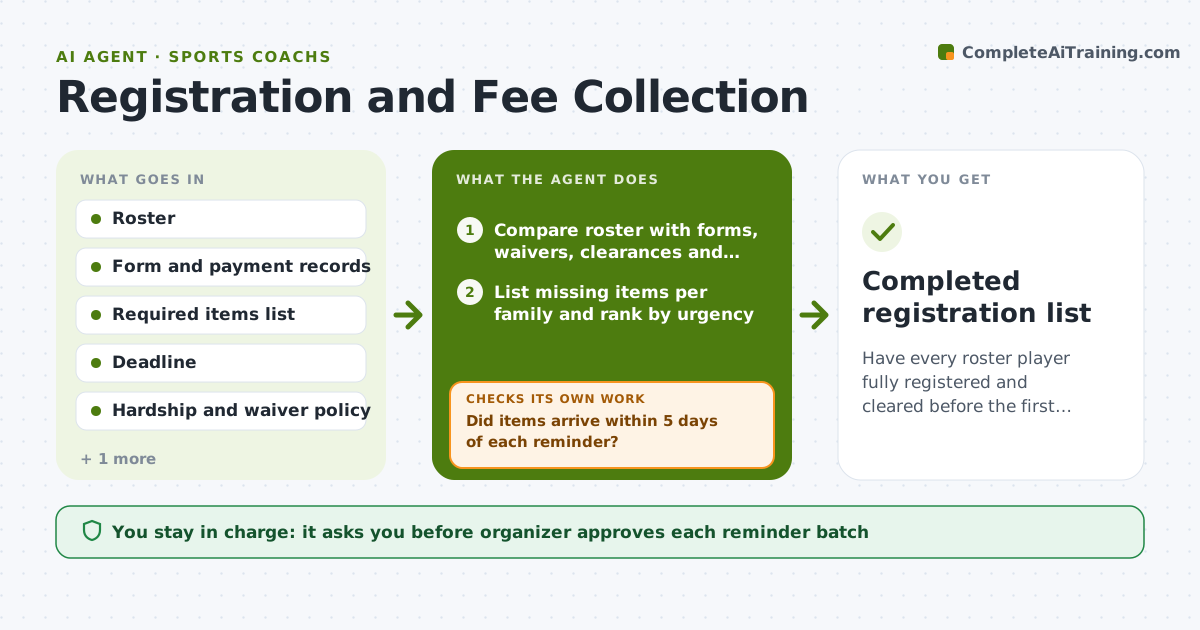
Have every roster player fully registered and cleared before the first game
What it does
Two weeks before the first game the organizer has a roster of 30 and an unclear pile of forms. This agent compares the roster with the forms, waivers, medical clearances and payments received. It lists what is missing for each family and sorts families by urgency. It sends reminders on a set schedule, polite at first, firmer closer to the deadline, then re-checks whenever an item arrives. It flags hardship cases, such as a family that has said they cannot pay, and does not chase them. The organizer approves each reminder batch and any fee waiver. Edge case: if a player is missing a medical clearance, the agent marks them as not cleared to play and alerts the coach.
How it works
Follow the arrows from top to bottom. The orange dashed arrow is the loop: when a check fails, the agent goes back and tries again.
Read the steps as a list
- Registration opens or an item arrives
- Compare roster with forms, waivers, clearances and payments
- List missing items per family and rank by urgency
- Draft the next reminder batch
- Organizer approves the reminders and any waiverThe agent waits here for your OK.
- Send reminders through the organizer's account
- Did items arrive within 5 days of each reminder?If not: Escalate tone one level and flag families for a personal call. Back to step 3.
- Are all players complete and cleared?If not: Recompare records and repeat the cycle until the deadline. Back to step 2.
- Mark players not cleared to play and alert the coach
- Completed registration list
How it decides
A family is complete when every required item and payment is received. Reminders are sent at 14, 7 and 2 days before the deadline, skipping hardship cases.
- Send reminders at 14, 7 and 2 days before the deadline
- Skip reminders for families marked as hardship
- Mark a player not cleared when a medical form is missing
- Escalate to a personal call after two reminders without reply
Make it yours
Every agent is a starting point. You choose these settings for your own situation.
- Reminder schedule (default 14, 7 and 2 days)
- Required items list (default registration, waiver, medical, payment)
- Reminder tone (default friendly then firm)
- Hardship and waiver rule (default organizer decides)
What keeps you in control
It always asks you first
- Organizer approves each reminder batch
- Organizer approves fee waivers
Hard limits
- Never send a reminder without organizer approval
- Never chase a family marked as hardship
- Keep payment details with the organizer only
It stops when
- Done: Every player complete and cleared
- Stop: Deadline passes with missing items, so hand the list to the organizer
Set it up
We guide you through the set-up, step by step
Members get the full set-up guide for this agent. No technical skills needed: you copy, paste and upload.
- One set of instructions to paste into your AI, with the clicks for ChatGPT, Claude, Microsoft 365 Copilot, Gemini and Grok
- The agent then walks you through connecting your own data, one source at a time
- A downloadable copy with the flow chart, the rules and the full guide