AI agent for academic advisors
Registration Hold Clearance Agent
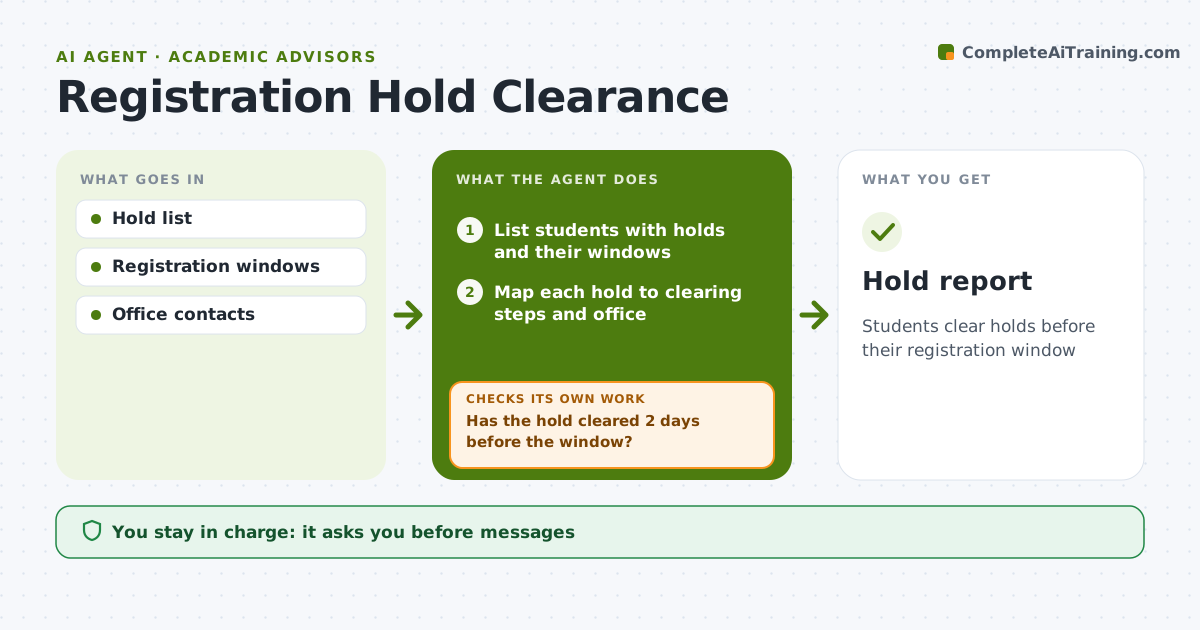
Students clear holds before their registration window
What it does
Holds for unpaid balances, missing advising, immunization records or probation forms block students from registering, and advisors often find out only when a student is already locked out. Two weeks before each registration window, this agent lists the advisor's students with holds, sorts them by window date, and identifies each hold type and the office that can clear it. It drafts a message to each student with exact steps and, for advising holds, offers booking slots with the advisor. The advisor approves the messages before they go out. Each day it checks which holds have cleared. Two days before a student's window, anyone still blocked gets flagged for a personal call. Edge case: holds the student cannot clear alone, such as a financial hold needing an aid appeal, are flagged so the advisor can connect the student with the right office.
How it works
Follow the arrows from top to bottom. The orange dashed arrow is the loop: when a check fails, the agent goes back and tries again.
Read the steps as a list
- Registration in two weeks
- List students with holds and their windows
- Map each hold to clearing steps and office
- Advisor approves messagesThe agent waits here for your OK.
- Send messages and booking links
- Has the hold cleared 2 days before the window?If not: send a final reminder and flag to the advisor. Back to step 4.
- Hold report
How it decides
Holds are ranked by registration date and how long they take to clear.
- Earliest windows first
- Financial holds get aid office contact
- Advising holds get booking slots
Make it yours
Every agent is a starting point. You choose these settings for your own situation.
- Lead time
- Hold types
- Message templates
- Reminder schedule
What keeps you in control
It always asks you first
- Messages
- Removing advising holds
Hard limits
- The agent never removes holds itself
It stops when
- Done: hold cleared
- Stop: student not registering this term
Set it up
We guide you through the set-up, step by step
Members get the full set-up guide for this agent. No technical skills needed: you copy, paste and upload.
- One set of instructions to paste into your AI, with the clicks for ChatGPT, Claude, Microsoft 365 Copilot, Gemini and Grok
- The agent then walks you through connecting your own data, one source at a time
- A downloadable copy with the flow chart, the rules and the full guide