AI agent for business analysts
Regulatory Change Impact Watch Agent
Flag relevant regulatory changes and their likely market impact
What it does
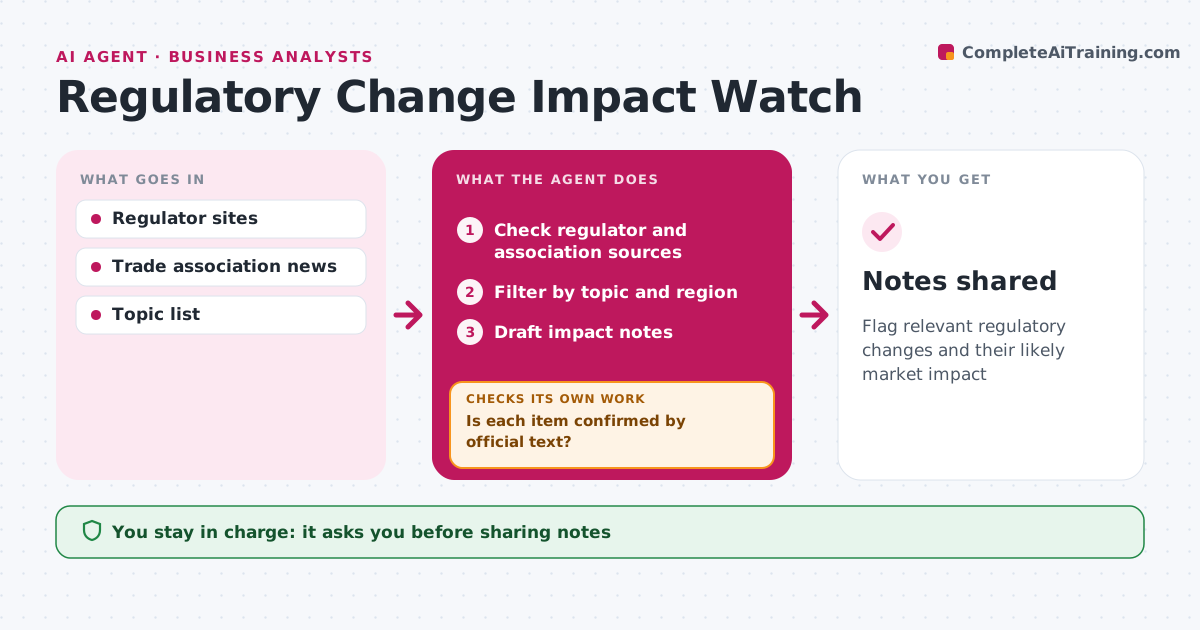
Regulation can change a market fast, and companies that hear late lose time to prepare. Each week this agent checks regulator sites, official journals and trade associations for proposed and final rules. It filters them to the company's topics and regions, summarizes each relevant change and identifies which products, markets and competitors it affects. Before anything is shared, it confirms each item against the official text. Items based only on news coverage or association summaries are held until the official source is found. It then drafts an impact note for the analyst. The analyst approves before notes go to other teams, and decides how to frame the business impact. Edge case: a proposed rule is clearly labeled as proposed, with its comment deadline, so nobody treats it as final law.
How it works
Follow the arrows from top to bottom. The orange dashed arrow is the loop: when a check fails, the agent goes back and tries again.
Read the steps as a list
- Weekly watch
- Check regulator and association sources
- Filter by topic and region
- Is each item confirmed by official text?If not: search for the official source or drop the item. Back to step 2.
- Draft impact notes
- Analyst approves sharingThe agent waits here for your OK.
- Notes shared
How it decides
Changes are relevant when they touch the company's topics and regions.
- Proposed rules labeled with deadlines
- Official text required
- Only company topics and regions
Make it yours
Every agent is a starting point. You choose these settings for your own situation.
- Topics
- Regions
- Sources
What keeps you in control
It always asks you first
- Sharing notes
Hard limits
- Never gives legal advice
- Never shares unconfirmed rules
It stops when
- Done: notes shared
- Stop: no relevant changes
Set it up
We guide you through the set-up, step by step
Members get the full set-up guide for this agent. No technical skills needed: you copy, paste and upload.
- One set of instructions to paste into your AI, with the clicks for ChatGPT, Claude, Microsoft 365 Copilot, Gemini and Grok
- The agent then walks you through connecting your own data, one source at a time
- A downloadable copy with the flow chart, the rules and the full guide