AI agent for qa managers
Release Readiness Evidence Agent
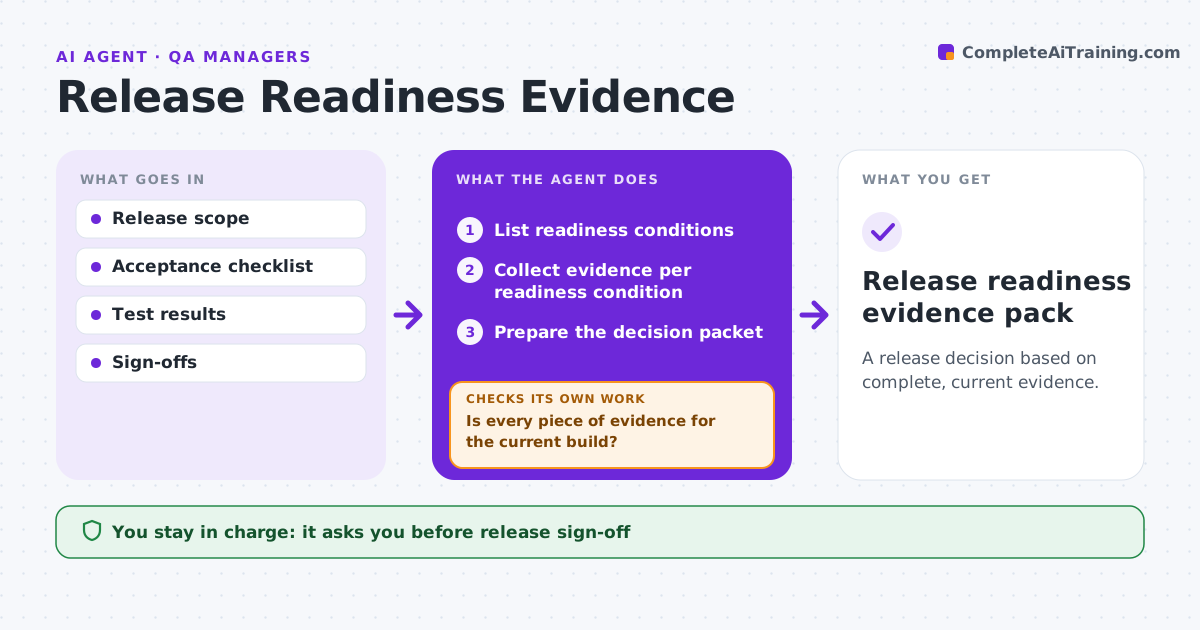
A release decision based on complete, current evidence.
What it does
Release decisions mean chasing evidence across issue trackers, build systems and documents. When a release candidate is cut, this agent collects evidence for every readiness condition, such as test results, security scans, open critical bugs and documentation sign-off. It checks that each test result and scan belongs to the current build by matching build IDs. When evidence is missing or stale, it requests updated evidence from the owner and checks again. It refreshes the decision packet using only current evidence. The release manager signs off, deploys and decides any waiver. Edge case: passing integration tests belong to the previous build, so the agent requests a rerun on the candidate.
How it works
Follow the arrows from top to bottom. The orange dashed arrow is the loop: when a check fails, the agent goes back and tries again.
Read the steps as a list
- Release candidate cut
- List readiness conditions
- Collect evidence per readiness condition
- Is every piece of evidence for the current build?If not: request updated evidence from the owner. Back to step 3.
- Does every condition pass?If not: note the failure and request owner action. Back to step 3.
- Prepare the decision packet
- Release manager signs offThe agent waits here for your OK.
- Release readiness evidence pack
How it decides
It investigates the next missing or stale condition and verifies build identifiers.
- Build ID must match the candidate.
- Stale evidence is requested again, never reused.
- Only the release manager can waive a condition.
Make it yours
Every agent is a starting point. You choose these settings for your own situation.
- Readiness conditions and their evidence sources
- How build IDs are matched
- Owners for each condition
- Packet format for the release manager
What keeps you in control
It always asks you first
- Release sign-off
- Deployment
- Waiving conditions
Hard limits
- No sign-off.
It stops when
- Done: all conditions current.
Set it up
We guide you through the set-up, step by step
Members get the full set-up guide for this agent. No technical skills needed: you copy, paste and upload.
- One set of instructions to paste into your AI, with the clicks for ChatGPT, Claude, Microsoft 365 Copilot, Gemini and Grok
- The agent then walks you through connecting your own data, one source at a time
- A downloadable copy with the flow chart, the rules and the full guide