AI agent for energy engineers
Relief Valve and Pressure Equipment Inspection Agent
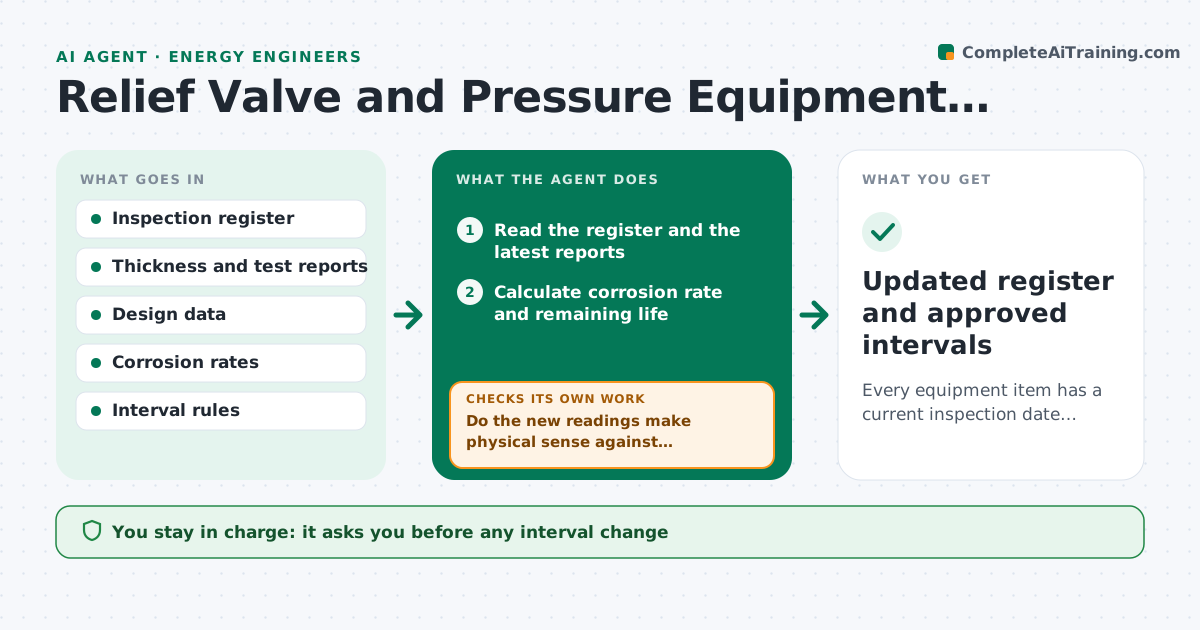
Every equipment item has a current inspection date, remaining life and approved interval
What it does
Inspection intervals for relief valves and pressure equipment are set by findings, yet the dates and results sit in different files. This agent reads the inspection register and each new finding, such as wall loss or valve test results. It recalculates remaining life and the next due date using the corrosion rate and the company rule. It flags overdue items and items whose interval should be shortened, and it requests missing records from the inspector or contractor. After each update it rechecks the calculations and the due list. The integrity lead approves any interval change. Edge case: a new thickness reading is higher than the last one, so the agent treats it as a measurement error to confirm rather than negative corrosion.
How it works
Follow the arrows from top to bottom. The orange dashed arrow is the loop: when a check fails, the agent goes back and tries again.
Read the steps as a list
- New inspection finding or weekly scan
- Read the register and the latest reports
- Calculate corrosion rate and remaining life
- Do the new readings make physical sense against history?If not: flag the reading for remeasurement and use the prior value. Back to step 3.
- Set the maximum interval from the rule
- Compare to current due dates and flag overdue or shortened items
- Request missing records from inspectors
- Are all requested records received and consistent?If not: chase the owner and hold the item as unverified. Back to step 6.
- Draft interval change proposals
- Integrity lead approves interval changesThe agent waits here for your OK.
- Updated register and approved intervals
How it decides
Remaining life is the margin over minimum thickness divided by the corrosion rate. The interval cannot exceed half the remaining life or the rule maximum.
- Set the interval to no more than half the remaining life
- Shorten the interval when the corrosion rate rises over 25%
- Treat a reading higher than the last as suspect
- List any item with no record for over 12 months as overdue
Make it yours
Every agent is a starting point. You choose these settings for your own situation.
- Interval rule (default half of remaining life)
- Overdue grace period
- Corrosion rate alert (default 25% rise)
- Equipment classes to include
What keeps you in control
It always asks you first
- Any interval change
- Any extension of a due date
Hard limits
- Never lengthens an interval on its own
- Never marks an item compliant without a record
It stops when
- Done: register current and changes approved
- Stop: design data missing for an item
Set it up
We guide you through the set-up, step by step
Members get the full set-up guide for this agent. No technical skills needed: you copy, paste and upload.
- One set of instructions to paste into your AI, with the clicks for ChatGPT, Claude, Microsoft 365 Copilot, Gemini and Grok
- The agent then walks you through connecting your own data, one source at a time
- A downloadable copy with the flow chart, the rules and the full guide