AI agent for sales engineers
Renewal Technical Health Check Agent
Find and fix technical risks before renewal so the customer sees value
What it does
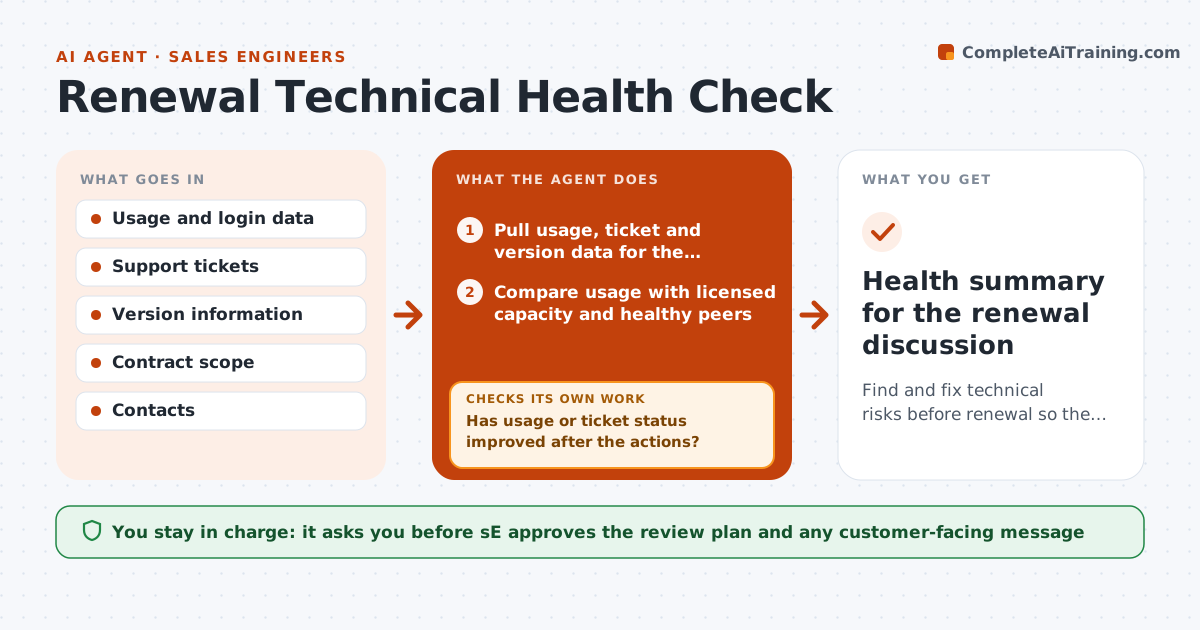
A customer's renewal is 30 days away and the SE learns they use a third of their licenses, run an old version and have an open ticket from March. The renewal turns into a negotiation. This agent starts 90 days earlier. It reads usage, support tickets and version data, finds adoption gaps and risks, such as unused modules, declining logins or unresolved problems, and drafts a technical review plan with fixes, training and an upgrade path. After the fixes are done it checks the data again to see whether usage rose. The SE approves the plan before it goes to the customer. Edge case: the customer changed teams and the champion left. The agent flags the contact gap.
How it works
Follow the arrows from top to bottom. The orange dashed arrow is the loop: when a check fails, the agent goes back and tries again.
Read the steps as a list
- 90 days before renewal
- Pull usage, ticket and version data for the customer
- Compare usage with licensed capacity and healthy peers
- List risks: low adoption, old tickets, unsupported version, lost contacts
- Draft a technical review plan with fixes and training
- SE approves the plan before it goes to the customerThe agent waits here for your OK.
- Send the plan and schedule the review call
- Track completion of each action
- Has usage or ticket status improved after the actions?If not: Revise the plan with another action and flag the account to the account owner. Back to step 4.
- Is the account healthy 30 days before renewal?If not: Escalate to the account executive with a risk summary. Back to step 5.
- Health summary for the renewal discussion
How it decides
It compares usage to licensed capacity and to similar healthy customers. A risk is flagged when usage is under 50 percent, a ticket is over 30 days old or the version is out of support.
- Usage under 50 percent of licensed capacity is a risk
- A ticket older than 30 days is flagged
- Unsupported versions need an upgrade path
- No contact for 90 days is a contact gap
Make it yours
Every agent is a starting point. You choose these settings for your own situation.
- Start window before renewal (default 90 days)
- Usage threshold (default 50 percent)
- Ticket age flag (default 30 days)
- Peer group for comparison
- Who receives the health summary
What keeps you in control
It always asks you first
- SE approves the review plan and any customer-facing message
Hard limits
- Never offers discounts or contract terms
- Does not contact customers without approval
It stops when
- Done: health summary delivered 30 days before renewal
- Stop: customer signals churn, hand to the account executive
Set it up
We guide you through the set-up, step by step
Members get the full set-up guide for this agent. No technical skills needed: you copy, paste and upload.
- One set of instructions to paste into your AI, with the clicks for ChatGPT, Claude, Microsoft 365 Copilot, Gemini and Grok
- The agent then walks you through connecting your own data, one source at a time
- A downloadable copy with the flow chart, the rules and the full guide