AI agent for real estate investors
Renovation Scope and Budget Agent
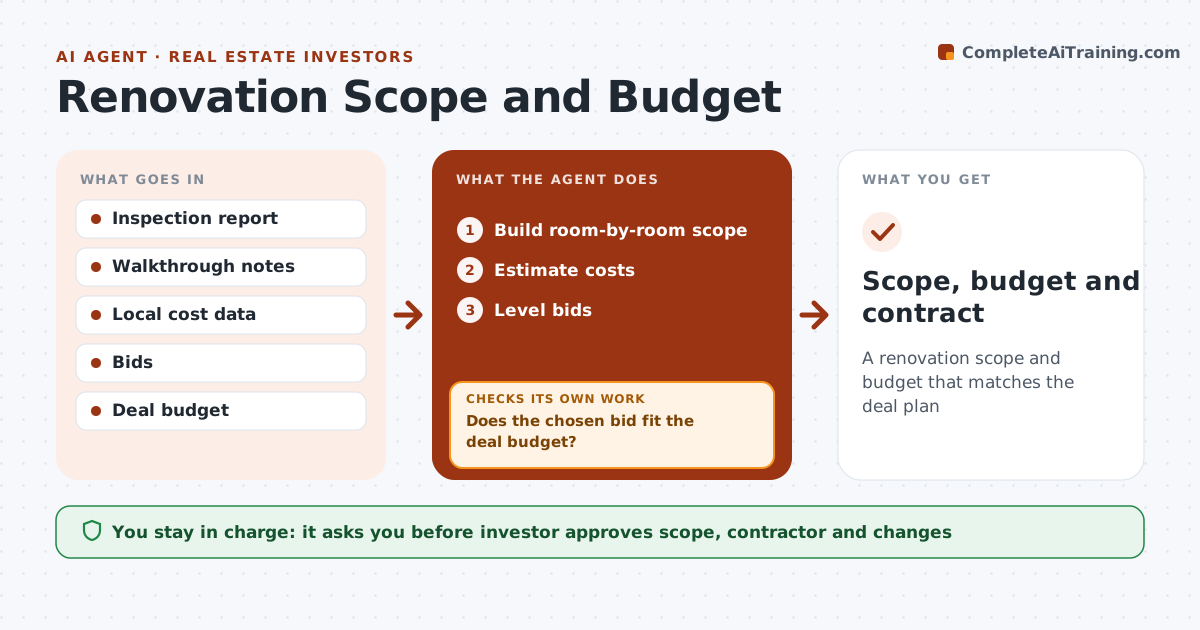
A renovation scope and budget that matches the deal plan
What it does
Investors renovating a property need a clear scope, a realistic budget and bids that can be compared fairly. This agent reads the inspection report and walkthrough notes, builds a room-by-room scope with quantities, and estimates costs from recent local jobs plus a 10 percent contingency. It flags work that needs permits. After the investor approves the scope, it sends it to contractors, levels their bids to the same scope, and checks the chosen bid against the deal budget. If it is over, it suggests deferrals ranked by their effect on rent, rescopes and checks again. During work, it tracks spending against the budget and flags change orders. The investor approves the scope, the contractor and every change. Edge case: a bid leaves out permit fees for electrical work, so the agent adds them before comparing.
How it works
Follow the arrows from top to bottom. The orange dashed arrow is the loop: when a check fails, the agent goes back and tries again.
Read the steps as a list
- Inspection complete
- Build room-by-room scope
- Estimate costs
- Investor approves scope and sends to contractorsThe agent waits here for your OK.
- Level bids
- Does the chosen bid fit the deal budget?If not: suggest deferrals and rescope. Back to step 2.
- Investor selects contractorThe agent waits here for your OK.
- Scope, budget and contract
How it decides
Bids leveled to the same scope. Total must fit the deal budget.
- Permit work flagged
- 10% contingency
- Deferrals ranked by rent impact
Make it yours
Every agent is a starting point. You choose these settings for your own situation.
- Contingency
- Cost sources
- Contractor list
- Budget
What keeps you in control
It always asks you first
- Investor approves scope, contractor and changes
Hard limits
- Never signs contracts
- Never pays contractors
It stops when
- Done: contractor selected
- Stop: deal canceled
Set it up
We guide you through the set-up, step by step
Members get the full set-up guide for this agent. No technical skills needed: you copy, paste and upload.
- One set of instructions to paste into your AI, with the clicks for ChatGPT, Claude, Microsoft 365 Copilot, Gemini and Grok
- The agent then walks you through connecting your own data, one source at a time
- A downloadable copy with the flow chart, the rules and the full guide