
Learning path
Learning AI as a Quantity Surveyor
This path helps quantity surveyors use AI for estimates, takeoffs, tenders, negotiations, cost reports, variations, and final accounts. It covers setup, connecting your AI, job-specific skills, this prompt course, and video courses with their certifications.

Your path
Everything in the Quantity Surveyor AI kit, in the order that makes sense. Members tick off each step and see their progress.
Set up your AI
We guide you through each click.
Let skills do your everyday tasks
Connect your apps and pick your AI apps
Hand whole tasks to AI agents
Build your own tools
Everything for quantity surveyors
All the courses, certifications, AI tools, MCP servers and apps for quantity surveyors, most relevant first. Open any list to see more.
Take the prompt courses
A short framework course to learn how to ask, then 8 lessons with ready-to-use prompts for quantity surveyors.
Start with this framework: how to talk to AI
RACE fits quantity surveyors because it defines role, action, context, and expectation for precise tasks like a bill of quantities.
Then your prompt course for quantity surveyorsWatch the video courses or add them to your Favorites for later
82 video courses our AI picked for quantity surveyors, most useful first. Save the ones you want to watch later with the heart.
Favorites are saved to your account: sign in or get your AI kit first.
Show all 82 video courses
Get certified, or add certifications to your Favorites
Every course ends in an exam and a certificate you can add to LinkedIn. Save the certifications you are aiming for with the heart.
Favorites are saved to your account: sign in or get your AI kit first.
More certifications for quantity surveyorsShow all 24 certifications
Try the AI tools for quantity surveyors
4 AI tools our AI matched to the work of quantity surveyors, best fit first. Each review shows what it does, its alternatives and the jobs it suits.
Favorites are saved to your account: sign in or get your AI kit first.
Connect your AI to the apps quantity surveyors use
MCP servers let ChatGPT, Claude or Copilot look things up and get work done in other apps, like your email, calendar or bookkeeping software. These 12 fit the work of quantity surveyors best, well-known apps first.

OfficeAgent MCP server
by ilia-sokolovLet your AI edit Word, PowerPoint and Excel files, with changes you can review before saving.
Productivity Official
Box MCP server
by boxLet your AI search your Box files, answer questions about them, and pull out details for you.
Productivity Official
Excel MCP server
by haris-musaLets your AI create, read and edit Excel workbooks for you, without opening Excel.

debim MCP server
by PRIDA-TAKONLet your AI build 3D building models from simple text files, calculate material amounts and costs, and make a viewable model.

OpenTakeoff MCP server
by Kentucky-aiMeasure rooms, walls and finishes on construction plan PDFs and get quantities back in chat.

Google Drive MCP server
by isaacphiLets your AI search and read your Google Drive files and read or edit your Google Sheets.
Show all 12 MCP servers

Excel Vision MCP server
by VOYAGER-IncLet your AI read Excel files fully, including the images and colors inside them.

Spreadsheet MCP server
by PSU3D0Lets your AI read, edit, and recalculate Excel files safely, without you opening Excel.
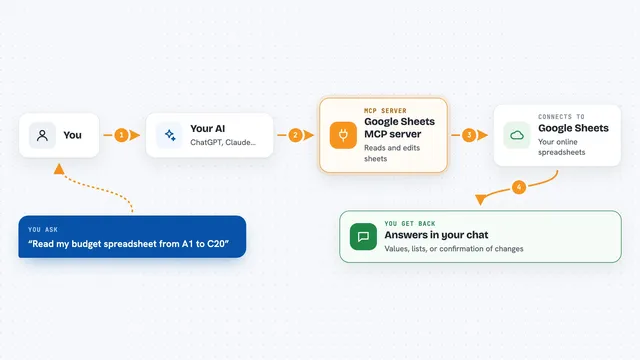
Google Sheets MCP server
by xing5Lets your AI read, write, and manage your Google Sheets for you, right from the chat.

LogiSheets MCP server
by logiskyLet your AI build and edit real Excel spreadsheets with live formulas, then save a .xlsx file you can open.
Productivity Official
Word document MCP server
by SecurityRoninLet your AI open, edit, and review Word files, with changes shown as tracked revisions.

Outlook Attachment Reader MCP server
by ZacccckLet your AI open and read the files attached to your Outlook emails, and send local files as drafts.
Build your own AI apps for quantity surveyors
Apps you build yourself with your own AI, no coding needed and no monthly fee. Our AI picked the 3 that fit the work of quantity surveyors.



















































































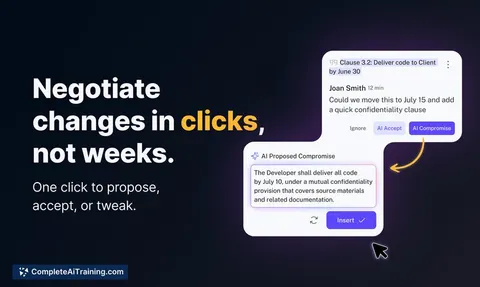
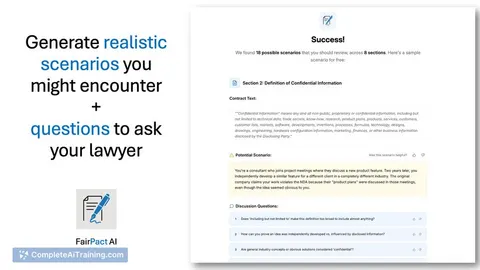
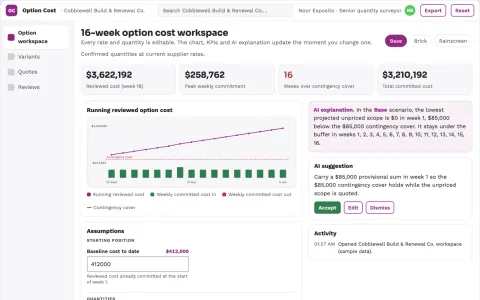
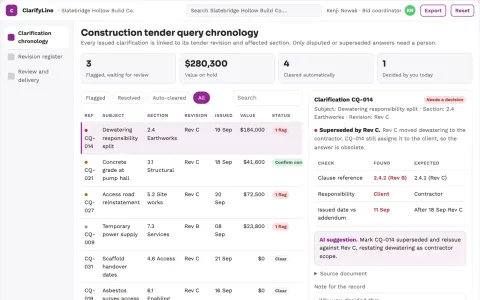
About this learning path
6 topicsAI for Quantity Surveyors: A Practical Learning Path
Quantity surveyors keep projects honest on cost. You estimate, measure, tender, negotiate, report, and close out. AI can help you do the drafting, checking, and comparing faster, but your judgement still decides.
This path is built for busy professionals who are not technical. You start with setup questions and connecting your AI, then practise skills for the job inside your AI. You finish with this prompt course and video courses chosen for quantity surveyors, including the certifications those courses offer.
Why AI matters now
Tenders, variations, and cost reports all create paperwork. Clients want clear answers sooner. AI helps you draft a first version, compare options, and spot missing items, so you spend less time on blank pages and more on commercial judgement.
What the path includes
You get setup questions to choose the right tool, guidance on connecting your AI to your work, and job-specific skills for quantity surveying. The path includes this prompt course plus video courses picked for the job and the certifications of those courses.
How it saves you time
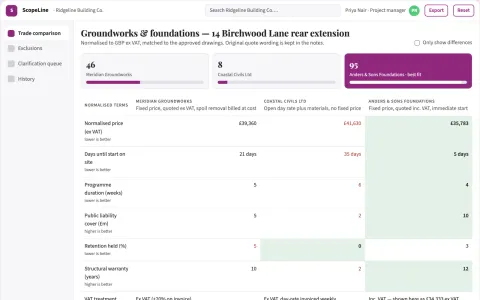
Use AI to turn a scope into a draft estimate, a takeoff sheet into standard descriptions, or three quotes into a comparison table. It also drafts tender preambles, cost reports, variation orders, and final account letters. You still check every number and contract term.
How it protects your career
Good quantity surveyors stand out when estimates are accurate, records are clear, and negotiations are prepared. AI helps you build that paper trail and ask better questions. You remain the professional who signs off, explains, and takes responsibility.
How to start
Start with one live task this week, such as a small estimate or a cost report section. Ask AI for a first draft, check it against your own data, and note what saved time and what needed fixing. Then move through the lessons in order.
Frequently asked questions
Do I need to be technical?
No. The path starts with simple setup and plain instructions. If you can write an email and use a spreadsheet, you can use these prompts.Will AI replace quantity surveyors?
No. AI can draft and compare, but it cannot visit site, judge risk, or take responsibility for a final account. It works best as a careful assistant you supervise.Can I use real project data?
Follow your employer and client rules. Many people start with anonymised scopes and public rates. Never paste confidential pricing or personal data into a tool unless your workplace allows it.How long does the path take?
You can work through it at your own pace. Many learners do one lesson per sitting and try the prompt on a live task the same week.