AI agent for credit analysts
Rent Roll and Appraisal Review Agent
Give underwriters a rent roll and appraisal they can trust, with coverage recalculated on checked numbers
What it does
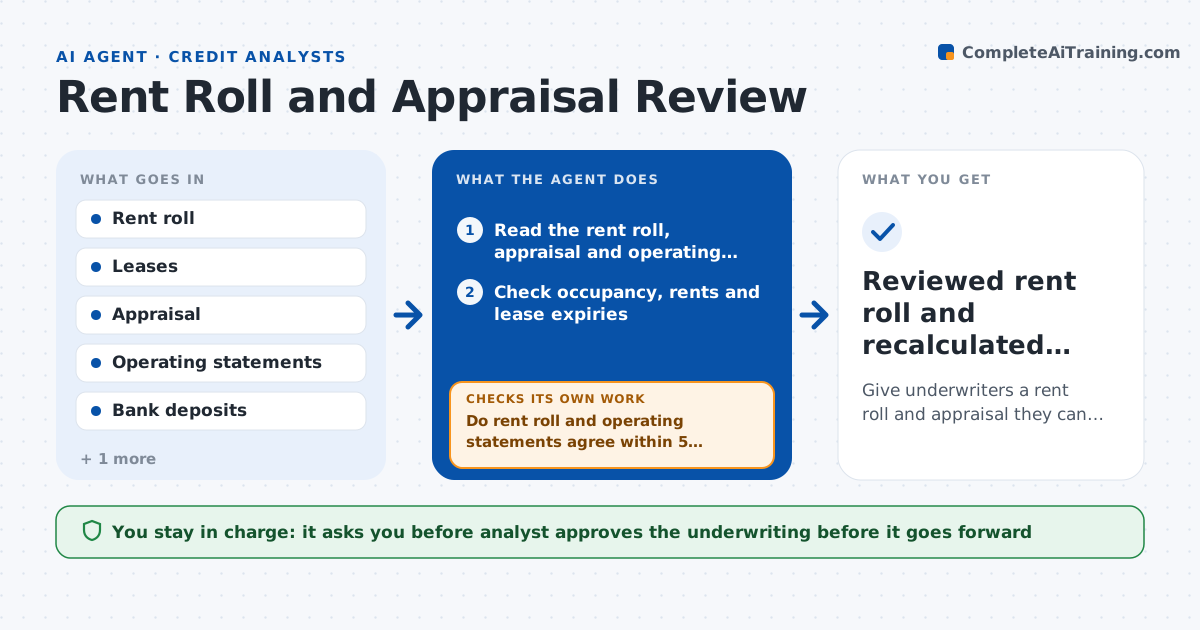
A rent roll shows 94 percent occupancy while the operating statement suggests 88. This agent reads the rent roll and the appraisal and checks the occupancy, lease expiries and income against the operating statements and bank deposits. It tests rents against the lease terms and flags unusual items, like a tenant paying far below the market rent or a large share of leases expiring in one year. It recalculates net operating income, value and debt service coverage using the corrected numbers. It sends a list of mismatches to the borrower and rechecks after answers. It repeats until the numbers reconcile or the differences are documented. The analyst approves the underwriting. Edge case: a master lease to an affiliate is flagged for separate review.
How it works
Follow the arrows from top to bottom. The orange dashed arrow is the loop: when a check fails, the agent goes back and tries again.
Read the steps as a list
- Real estate loan request received
- Read the rent roll, appraisal and operating statements
- Check occupancy, rents and lease expiries
- Do rent roll and operating statements agree within 5 percent?If not: List the mismatches and send them to the borrower. Back to step 3.
- Test rents against leases and bank deposits
- Recalculate NOI, value and debt service coverage
- Does the coverage still meet the policy minimum?If not: Rerun with the stressed rents and note the shortfall. Back to step 6.
- Draft the underwriting memo with flags
- Analyst approves the underwritingThe agent waits here for your OK.
- Reviewed rent roll and recalculated coverage
How it decides
It recalculates income from verified rents and flags occupancy or income differences above 5 percent.
- Flag occupancy or income differences above 5 percent
- Flag more than 30 percent of leases expiring within 12 months
- Flag affiliate leases for separate review
- Use verified rents, not stated rents
Make it yours
Every agent is a starting point. You choose these settings for your own situation.
- Difference tolerance (default 5 percent)
- Coverage minimum (default 1.25)
- Lease expiry flag (default 30 percent within 12 months)
- Stress case (default 10 percent rent decline)
What keeps you in control
It always asks you first
- Analyst approves the underwriting before it goes forward
Hard limits
- Never approve a loan
- Never rely on stated rents without support
- Keep borrower data inside bank systems
It stops when
- Done: Underwriting approved
- Stop: Borrower does not respond, so hand to the lender
Set it up
We guide you through the set-up, step by step
Members get the full set-up guide for this agent. No technical skills needed: you copy, paste and upload.
- One set of instructions to paste into your AI, with the clicks for ChatGPT, Claude, Microsoft 365 Copilot, Gemini and Grok
- The agent then walks you through connecting your own data, one source at a time
- A downloadable copy with the flow chart, the rules and the full guide