AI agent for property managers
Rental Application Screening Consistency Agent
Consistent, documented screening for every applicant
What it does
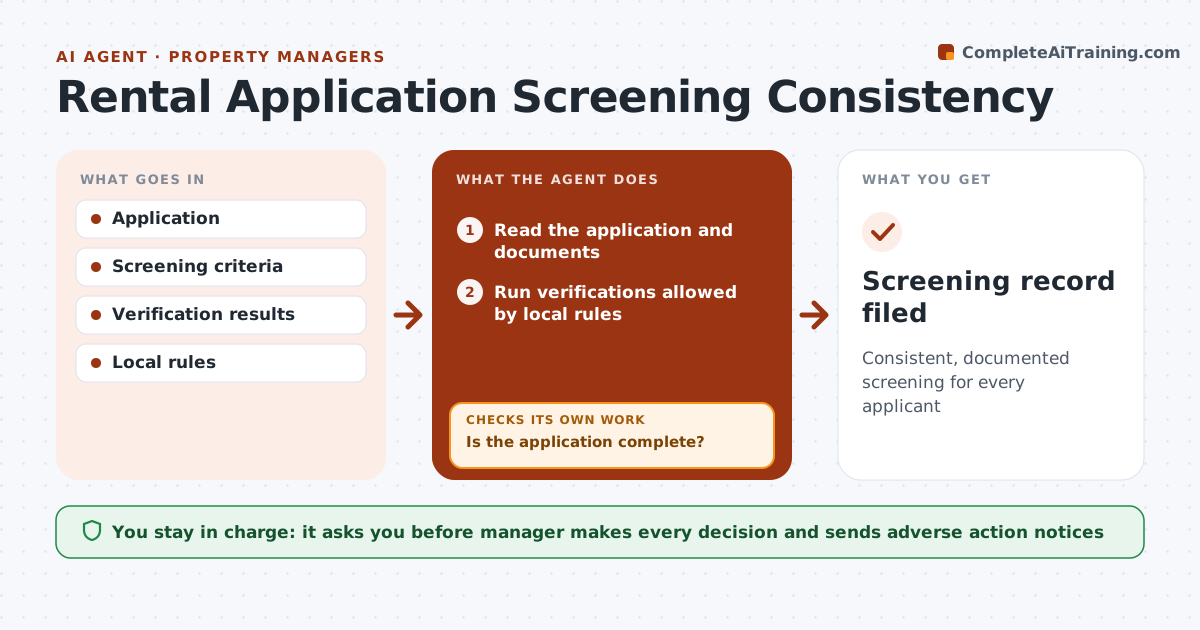
Fair housing rules require every applicant to be judged by the same written criteria, and inconsistency creates legal risk. This agent reads each application and its documents and checks that it is complete; if not, it drafts a request and waits for the applicant. It runs only the verifications allowed by local rules, such as limits on criminal history checks. It scores each written criterion, like income ratio, rental history and references, with evidence. It then checks that the same criteria were applied to every applicant for the unit and that no protected trait was used; if not, it rescores. Voucher income is counted as the law requires. Decisions near the line go to the manager, who makes every decision and sends notices. Edge case: applicants using housing vouchers are never screened out on voucher status.
How it works
Follow the arrows from top to bottom. The orange dashed arrow is the loop: when a check fails, the agent goes back and tries again.
Read the steps as a list
- Application submitted
- Read the application and documents
- Is the application complete?If not: draft a request for missing items and wait for the applicant. Back to step 2.
- Run verifications allowed by local rules
- Score each criterion with evidence
- Were the same criteria applied to every applicant for the unit?If not: rescore using the written criteria. Back to step 5.
- Manager decides and sends noticesThe agent waits here for your OK.
- Screening record filed
How it decides
Each criterion is pass or fail with evidence. Borderline cases go to the manager.
- Written criteria only
- Voucher income counted as law requires
- Local limits on background checks applied
Make it yours
Every agent is a starting point. You choose these settings for your own situation.
- Screening criteria
- Local rules
- Verification providers
- Notice templates
What keeps you in control
It always asks you first
- Manager makes every decision and sends adverse action notices
Hard limits
- Never uses protected traits
- Never decides applications
It stops when
- Done: decision made
- Stop: applicant withdraws
Set it up
We guide you through the set-up, step by step
Members get the full set-up guide for this agent. No technical skills needed: you copy, paste and upload.
- One set of instructions to paste into your AI, with the clicks for ChatGPT, Claude, Microsoft 365 Copilot, Gemini and Grok
- The agent then walks you through connecting your own data, one source at a time
- A downloadable copy with the flow chart, the rules and the full guide