AI agent for chief sales officers
Rep Attrition Risk Agent
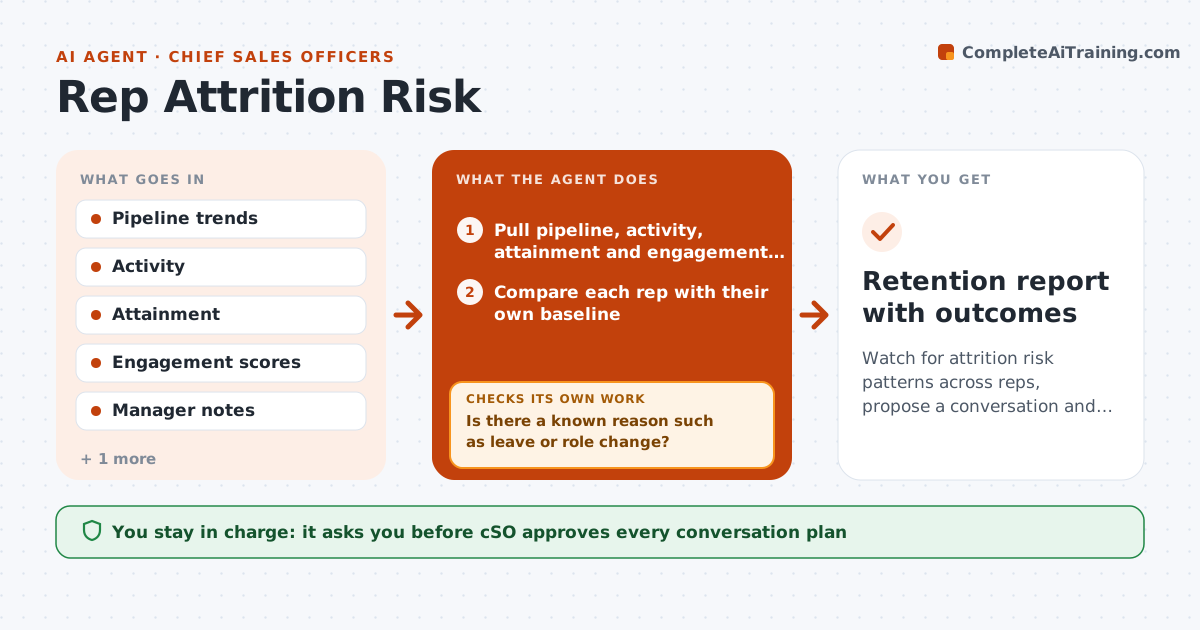
Watch for attrition risk patterns across reps, propose a conversation and track the outcome
What it does
Top reps often leave without warning. Each month the agent reads pipeline trends, activity, attainment against quota and engagement data for each rep. It compares each rep's current pattern with their own history and with the pattern seen before past departures, such as falling activity, a shrinking pipeline and fewer team interactions. It flags a pattern and proposes a conversation, with questions to ask and support to offer. After the conversation, it tracks how the pattern changes. It does not make decisions about the person. The CSO decides on any action. Edge case: a rep's activity dropped because of approved leave, so the agent clears the flag.
How it works
Follow the arrows from top to bottom. The orange dashed arrow is the loop: when a check fails, the agent goes back and tries again.
Read the steps as a list
- Monthly review
- Pull pipeline, activity, attainment and engagement data
- Compare each rep with their own baseline
- Flag risk patterns that match past departures
- Is there a known reason such as leave or role change?If not: Check calendar and notes and remove explained flags. Back to step 2.
- Draft a conversation plan with questions and support options
- CSO approves who is contacted and howThe agent waits here for your OK.
- Track the pattern for 60 days after the conversation
- Has the pattern returned toward baseline?If not: Update the plan and flag for a second conversation. Back to step 4.
- Log what helped
- Retention report with outcomes
How it decides
Risk is a pattern of changes against the rep's own history; the agent proposes a conversation, never an action about the person.
- Flag a drop in activity of 30% against the rep's 6-month baseline
- Require two signals before a flag
- Clear flags with a known reason
- Never rank people by risk to anyone but the CSO
Make it yours
Every agent is a starting point. You choose these settings for your own situation.
- Signals used
- Baseline period (default 6 months)
- Drop threshold (default 30%)
- Who sees reports
What keeps you in control
It always asks you first
- CSO approves every conversation plan
- CSO decides any action about a person
Hard limits
- Never take action against a person
- Report only to the CSO and keep data confidential
It stops when
- Done: flagged reps have a conversation and follow-up
- Stop: a rep asks for no monitoring under local rules
Set it up
We guide you through the set-up, step by step
Members get the full set-up guide for this agent. No technical skills needed: you copy, paste and upload.
- One set of instructions to paste into your AI, with the clicks for ChatGPT, Claude, Microsoft 365 Copilot, Gemini and Grok
- The agent then walks you through connecting your own data, one source at a time
- A downloadable copy with the flow chart, the rules and the full guide