AI agent for compensation analysts
Sales Compensation Plan Simulation Agent
A compensation plan whose cost and incentives have been tested before it launches
What it does
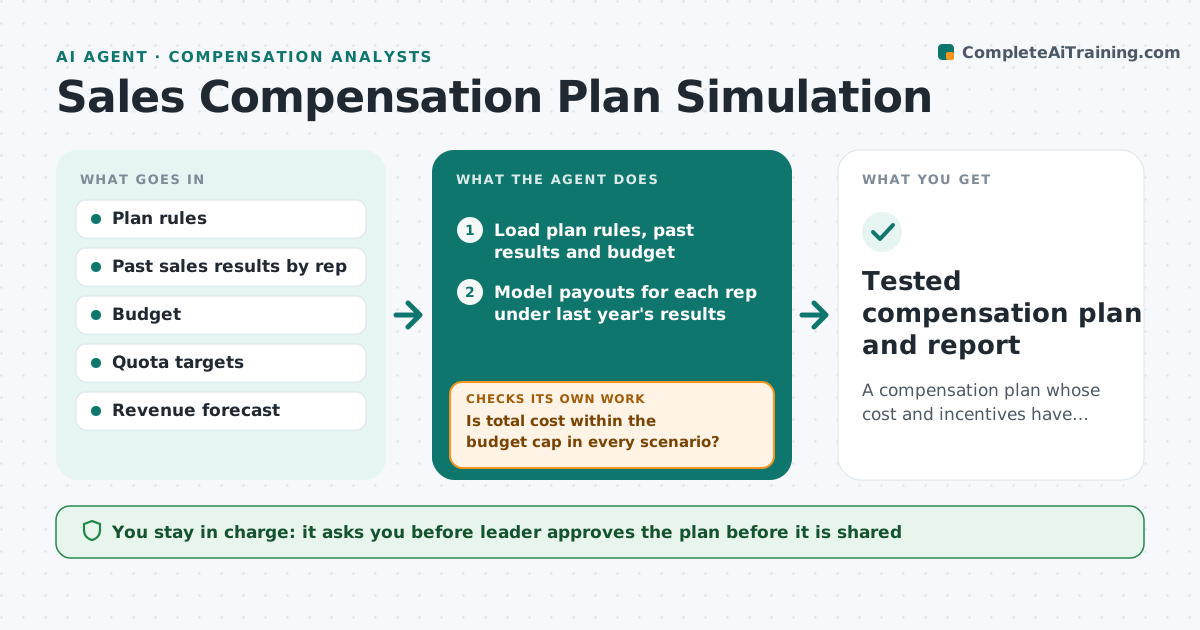
A new pay plan can cost more than planned or reward the wrong behavior, and the problem shows up only after payouts. This agent tests a plan before it launches. It models payouts using last year's results by rep, then runs scenarios: a strong year, a weak year, and a few reps beating quota by a lot. It checks total cost against the budget as a percent of revenue. It looks for odd incentives such as a rep earning more by pushing small deals, or accelerators that pay too early. When it finds a problem, it adjusts a rate, cap or threshold and reruns. It repeats until cost and incentives look right. The leader approves the plan. Edge case: a large deal in the base year inflates payouts for one rep, so the agent tests with and without it.
How it works
Follow the arrows from top to bottom. The orange dashed arrow is the loop: when a check fails, the agent goes back and tries again.
Read the steps as a list
- Draft plan submitted
- Load plan rules, past results and budget
- Model payouts for each rep under last year's results
- Run strong, weak and outlier scenarios
- Is total cost within the budget cap in every scenario?If not: adjust rates, caps or thresholds and rerun. Back to step 3.
- Search for odd incentives such as small-deal gaming or early accelerators
- Does any rep gain from an unwanted behavior?If not: change the rule that creates it and rerun all scenarios. Back to step 3.
- Prepare a summary of cost, winners and losers
- Leader approves the planThe agent waits here for your OK.
- Tested compensation plan and report
How it decides
A plan passes when cost stays under the budget cap in all scenarios and no rep can earn more by an unwanted behavior. Failed tests lead to a rate or cap change and a rerun.
- Cost must stay below the budget cap, for example 11 percent of revenue, in every scenario
- Test with and without the top deal of each rep
- Flag any rule where a rep earns more per hour of effort on a small deal
- Rerun every scenario after each rule change
Make it yours
Every agent is a starting point. You choose these settings for your own situation.
- Cost cap as percent of revenue
- Scenarios to run
- Rules that can be adjusted
- Reps included
What keeps you in control
It always asks you first
- Leader approves the plan before it is shared
- Leader approves any rule change made during testing
Hard limits
- Do not share individual pay data outside the leader
- Show assumptions
- Never set pay without approval
It stops when
- Done: all scenarios pass and the plan is approved
- Stop: no version passes and the leader changes the plan design
Set it up
We guide you through the set-up, step by step
Members get the full set-up guide for this agent. No technical skills needed: you copy, paste and upload.
- One set of instructions to paste into your AI, with the clicks for ChatGPT, Claude, Microsoft 365 Copilot, Gemini and Grok
- The agent then walks you through connecting your own data, one source at a time
- A downloadable copy with the flow chart, the rules and the full guide