AI agent for bioinformaticians
Research Dataset Documentation Agent
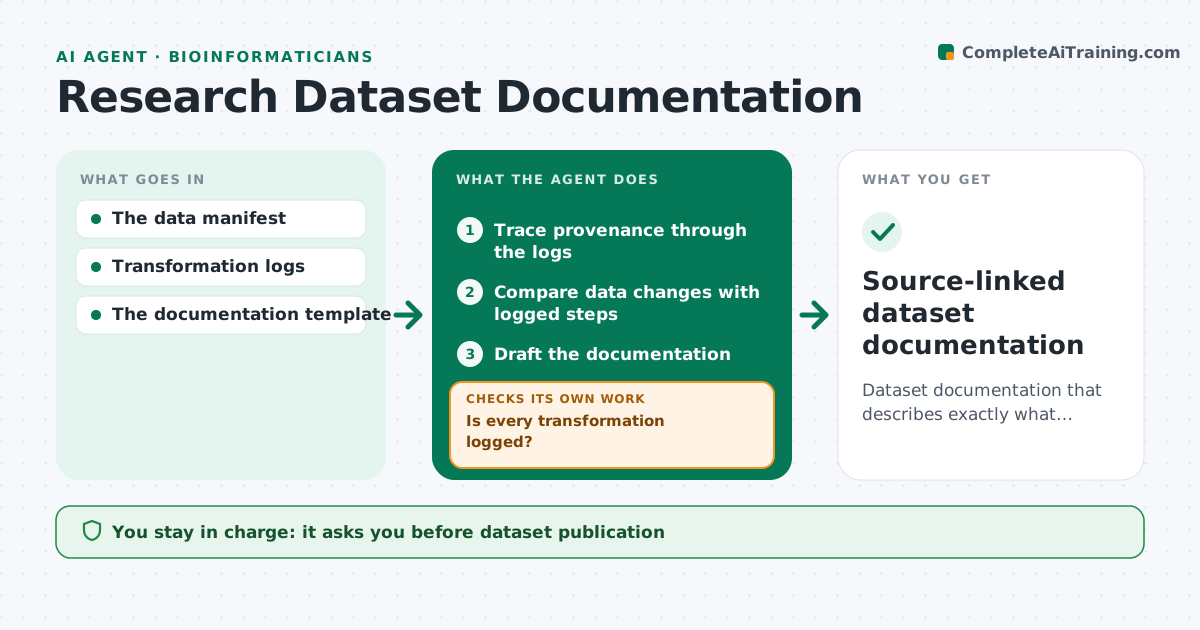
Dataset documentation that describes exactly what happened to the data.
What it does
Dataset documentation often leaves out processing steps that were actually applied, so other researchers cannot understand or trust the data. This agent runs when a dataset is prepared for sharing. It traces provenance through the transformation logs and scripts, step by step, from raw input to final file. It checks whether every change in the data, such as rows removed or values recoded, matches a logged step. When a change has no log, it records an explicit documentation gap for the data steward instead of inventing a method description. It then drafts documentation from what was observed, compares the draft with the logs once more, and the data steward approves publication. Edge case: a manual edit in a spreadsheet with no log is listed as an undocumented step, even if someone remembers doing it.
How it works
Follow the arrows from top to bottom. The orange dashed arrow is the loop: when a check fails, the agent goes back and tries again.
Read the steps as a list
- Dataset prepared
- Trace provenance through the logs
- Compare data changes with logged steps
- Is every transformation logged?If not: record a documentation gap. Back to step 3.
- Draft the documentation
- Does the draft match the logs exactly?If not: correct the description. Back to step 5.
- Data steward approves publicationThe agent waits here for your OK.
- Source-linked dataset documentation
How it decides
It documents observed transformations only.
- Undocumented steps become gaps, never invented methods.
- Row count changes must be explained by logged steps.
- The draft describes only what the logs show.
- The data steward approves publication.
Make it yours
Every agent is a starting point. You choose these settings for your own situation.
- Log and script locations to trace
- Documentation template (default: README with provenance table)
- Who resolves gaps (default: data steward)
- Whether to compare row counts at every step (default yes)
- Publication repository
What keeps you in control
It always asks you first
- Dataset publication
- Licensing
Hard limits
- No invented methods.
It stops when
- Done: documentation drafted.
Set it up
We guide you through the set-up, step by step
Members get the full set-up guide for this agent. No technical skills needed: you copy, paste and upload.
- One set of instructions to paste into your AI, with the clicks for ChatGPT, Claude, Microsoft 365 Copilot, Gemini and Grok
- The agent then walks you through connecting your own data, one source at a time
- A downloadable copy with the flow chart, the rules and the full guide