AI agent for ux researchers
Research Participant Incentive Payment Agent
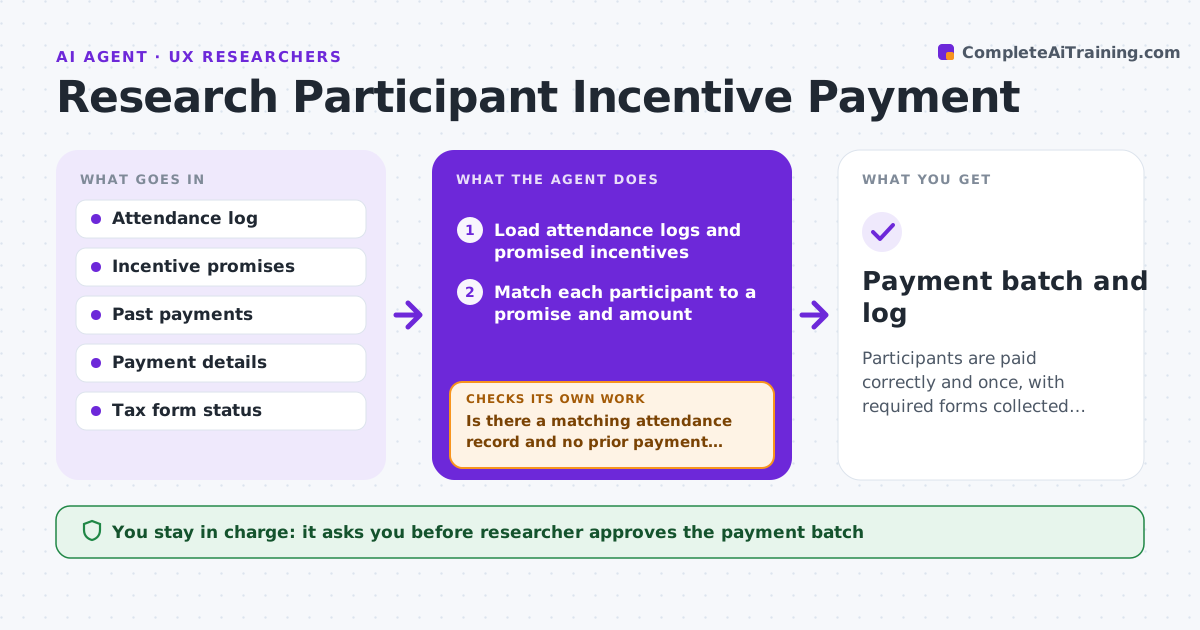
Participants are paid correctly and once, with required forms collected, after your approval.
What it does
After a round of interviews, you spend a day matching who attended to who was promised $75 and who has already been paid. Tax forms are forgotten until year end. This agent matches attendance logs to incentive promises, checks for duplicates and prior payments, and collects missing tax or payment details through the right form. It prepares a payment batch with amounts, names and reasons. If a record does not match, for example someone paid but marked a no-show, it asks you before including it. You approve the payment batch. Edge case: a participant who reached the annual payment limit that requires a tax form is held until the form is in.
How it works
Follow the arrows from top to bottom. The orange dashed arrow is the loop: when a check fails, the agent goes back and tries again.
Read the steps as a list
- Research sessions finish
- Load attendance logs and promised incentives
- Match each participant to a promise and amount
- Is there a matching attendance record and no prior payment for each?If not: List mismatches and ask the researcher to confirm or correct. Back to step 2.
- Check payment details and tax form status
- Request missing details with a message draft
- Build the payment batch with totals
- Does the batch total equal the sum of approved promises?If not: Find the difference and fix the batch. Back to step 3.
- Researcher approves the payment batchThe agent waits here for your OK.
- Payment batch and log
How it decides
A payment is included only when attendance is confirmed, no prior payment exists and any required form is on file.
- Pay only for confirmed attendance
- Hold payments over the tax form limit until the form is on file
- Never pay anyone twice for the same session
- Send reminders for missing details after 3 days
Make it yours
Every agent is a starting point. You choose these settings for your own situation.
- Incentive amounts
- Tax form threshold
- Reminder timing
- Payment batch format
What keeps you in control
It always asks you first
- Researcher approves the payment batch
- Researcher approves exceptions
Hard limits
- Never send money itself
- Never store payment details in notes
It stops when
- Done: batch approved and logged
- Stop: budget for the round not available
Set it up
We guide you through the set-up, step by step
Members get the full set-up guide for this agent. No technical skills needed: you copy, paste and upload.
- One set of instructions to paste into your AI, with the clicks for ChatGPT, Claude, Microsoft 365 Copilot, Gemini and Grok
- The agent then walks you through connecting your own data, one source at a time
- A downloadable copy with the flow chart, the rules and the full guide