AI agent for ux researchers
Research Repository Upkeep Agent
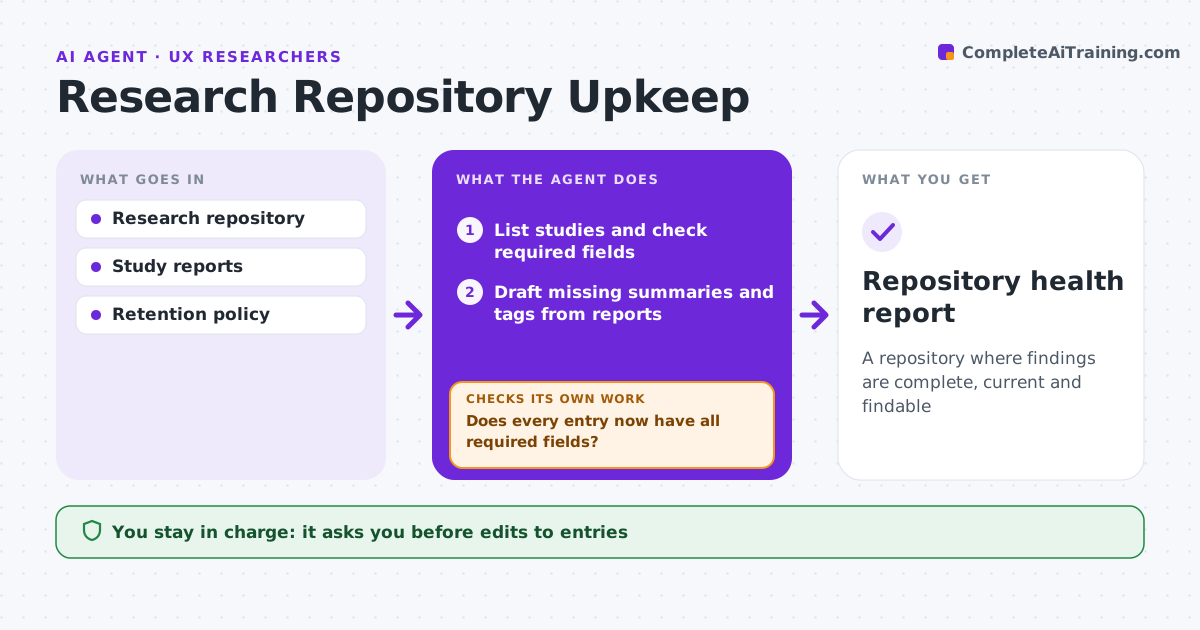
A repository where findings are complete, current and findable
What it does
A research repository only helps if people trust it, and it decays quickly when entries go stale or keep personal data. Each month this agent checks every study in the repository for a summary, date, method, research questions, tags and a report link. It drafts missing details from the report. It marks findings older than a set age, or contradicted by newer studies, as needing review. It checks that personal data has been removed and lists recordings past their retention date for deletion under policy. If an entry still fails a check after the drafts, the owner is asked to fix it. The researcher approves every edit and every deletion. Edge case: a finding cited in a current product decision is marked for review rather than archived.
How it works
Follow the arrows from top to bottom. The orange dashed arrow is the loop: when a check fails, the agent goes back and tries again.
Read the steps as a list
- Monthly repository check
- List studies and check required fields
- Draft missing summaries and tags from reports
- Does every entry now have all required fields?If not: ask the study owner for what the report does not cover. Back to step 3.
- Flag stale and contradicted findings
- Scan notes for personal data and list recordings past retention
- Does every entry pass the privacy check?If not: send the entry to its owner to remove personal data. Back to step 6.
- Researcher approves edits and recording deletionsThe agent waits here for your OK.
- Repository health report
How it decides
It marks entries complete only when required fields and privacy checks pass, and flags stale or contradicted findings.
- Findings older than two years are marked for review
- Contradicted findings link to the newer study
- Recordings past retention are deleted only with approval
Make it yours
Every agent is a starting point. You choose these settings for your own situation.
- Required fields
- Staleness age
- Retention period
- Check day
What keeps you in control
It always asks you first
- Edits to entries
- Deleting recordings
Hard limits
- Never deletes without approval
- Never moves data outside the repository
It stops when
- Done: all entries pass
- Stop: repository locked for migration
Set it up
We guide you through the set-up, step by step
Members get the full set-up guide for this agent. No technical skills needed: you copy, paste and upload.
- One set of instructions to paste into your AI, with the clicks for ChatGPT, Claude, Microsoft 365 Copilot, Gemini and Grok
- The agent then walks you through connecting your own data, one source at a time
- A downloadable copy with the flow chart, the rules and the full guide