
AI agent for social workers
Resource Referral Closure Agent
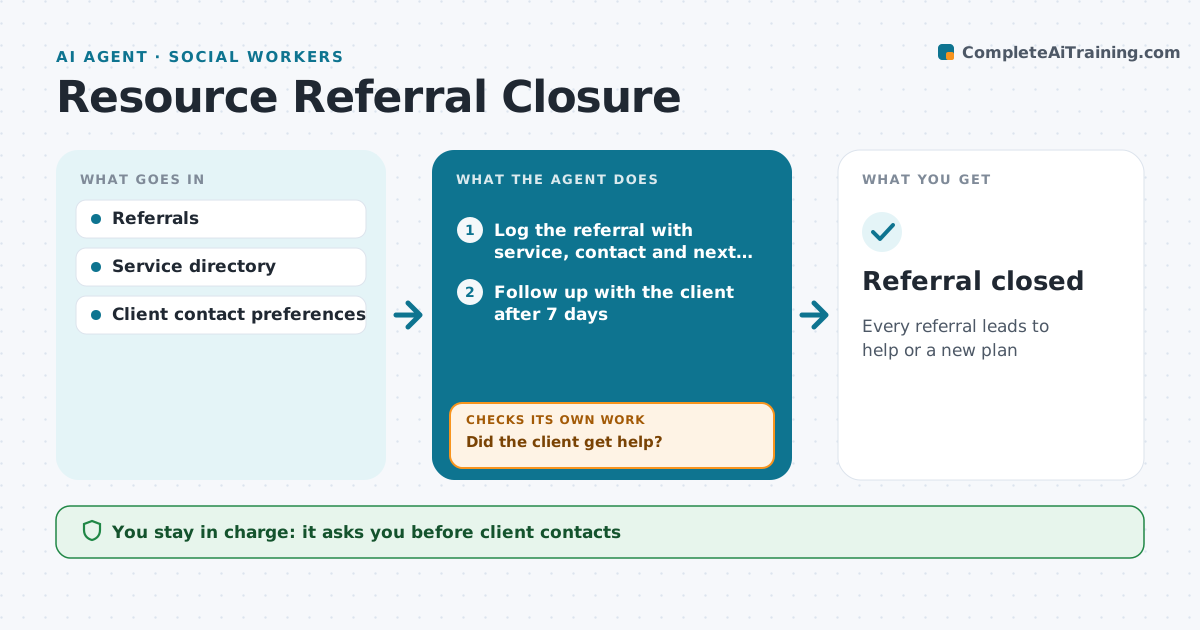
Every referral leads to help or a new plan
What it does
Social workers refer clients to food banks, housing programs, legal aid and other services, but many referrals fail without anyone noticing. This agent logs each referral with the service, contact and expected next step. After the set number of days, it checks with the client or the service whether contact was made and help received. If not, it notes the barrier, such as a waitlist, wrong eligibility or no transport, and suggests another service or support that removes it. It keeps checking until the client gets help or the worker closes the referral. The social worker approves every client contact and new referral. Edge case: services marked closed or full in the directory are flagged before a referral is made, so the client is not sent to a dead end.
How it works
Follow the arrows from top to bottom. The orange dashed arrow is the loop: when a check fails, the agent goes back and tries again.
Read the steps as a list
- Referral made
- Log the referral with service, contact and next step
- Follow up with the client after 7 days
- Confirm with the service if consent allows
- Did the client get help?If not: note the barrier and find an alternative service. Back to step 3.
- Draft a new referral or next step
- Social worker approves the next stepThe agent waits here for your OK.
- Referral closed
How it decides
Follow-up outcome decides next step.
- Follow up after 7 days
- Closed services flagged
- Barriers recorded
Make it yours
Every agent is a starting point. You choose these settings for your own situation.
- Follow-up days
- Directory
- Contact methods
- Reports
What keeps you in control
It always asks you first
- Client contacts
- New referrals
Hard limits
- Consent for sharing info
It stops when
- Done: help received
- Stop: client declines
Set it up
We guide you through the set-up, step by step
Members get the full set-up guide for this agent. No technical skills needed: you copy, paste and upload.
- One set of instructions to paste into your AI, with the clicks for ChatGPT, Claude, Microsoft 365 Copilot, Gemini and Grok
- The agent then walks you through connecting your own data, one source at a time
- A downloadable copy with the flow chart, the rules and the full guide



