AI agent for retail sales associates
Return Eligibility Check Agent
Apply the return policy correctly and quickly at the counter
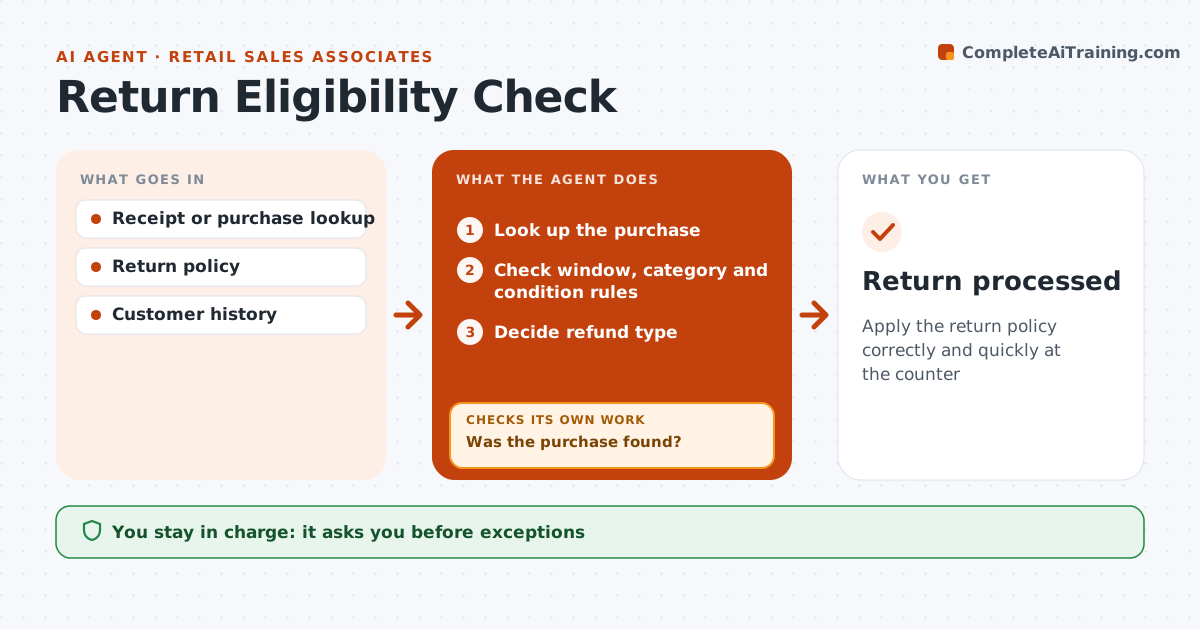
What it does
Returns follow rules about receipts, time windows and item condition, and getting them wrong costs money or upsets customers. When a customer starts a return, this agent looks up the purchase. If there is no receipt, it searches by card or loyalty number and checks again. Once the purchase is found, it checks the return window, the item's category rules, its condition and the customer's return history. It then tells the associate whether the return is allowed and which refund type applies, such as original payment or store credit. Without any proof of purchase, the rule is store credit. When a case falls outside policy, it drafts the exception with the reason for a manager, who decides. The associate processes the return. Edge case: items bought on sale are refunded at the price actually paid, not the current shelf price.
How it works
Follow the arrows from top to bottom. The orange dashed arrow is the loop: when a check fails, the agent goes back and tries again.
Read the steps as a list
- Customer starts a return
- Look up the purchase
- Was the purchase found?If not: search by card or loyalty number. Back to step 2.
- Check window, category and condition rules
- Decide refund type
- Manager approves any exceptionThe agent waits here for your OK.
- Return processed
How it decides
Eligibility comes from the purchase date, category rules and condition. Exceptions go to the manager.
- Sale items refunded at price paid
- No receipt means store credit
- Exceptions need a manager
Make it yours
Every agent is a starting point. You choose these settings for your own situation.
- Return window
- Category rules
- Exception approver
What keeps you in control
It always asks you first
- Exceptions
Hard limits
- Never overrides policy
- Never stores card numbers
It stops when
- Done: return processed
- Stop: customer leaves
Set it up
We guide you through the set-up, step by step
Members get the full set-up guide for this agent. No technical skills needed: you copy, paste and upload.
- One set of instructions to paste into your AI, with the clicks for ChatGPT, Claude, Microsoft 365 Copilot, Gemini and Grok
- The agent then walks you through connecting your own data, one source at a time
- A downloadable copy with the flow chart, the rules and the full guide