AI agent for warehouse managers
Returns Processing Backlog Agent
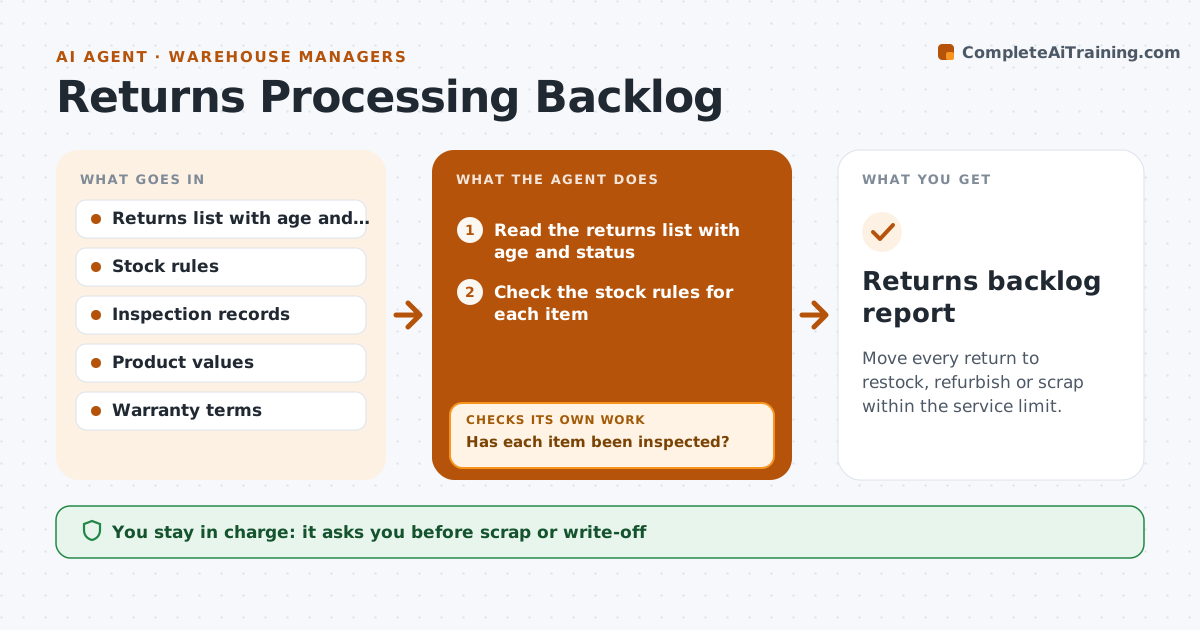
Move every return to restock, refurbish or scrap within the service limit.
What it does
Returns pile up in bins waiting for inspection, and cash stays tied up in stock that could be resold. Each day this agent lists returns by age and condition status, checks the stock rules for restock, refurbish or scrap, and updates draft dispositions. Items blocked by a missing inspection go to a queue with deadlines, and it checks the next day whether the inspection happened. After each decision it checks the next day that the item actually moved out of the bin, and it chases any that did not. The manager approves scrap or write-offs. Edge case: a returned item with a manufacturer warranty claim is held for the claim before any scrap decision.
How it works
Follow the arrows from top to bottom. The orange dashed arrow is the loop: when a check fails, the agent goes back and tries again.
Read the steps as a list
- Daily returns review begins
- Read the returns list with age and status
- Check the stock rules for each item
- Has each item been inspected?If not: Send it to the inspection queue with a deadline. Back to step 2.
- Draft the disposition: restock, refurbish or scrap
- Does any item have a warranty claim open?If not: Hold the item and flag it for the claim. Back to step 4.
- Manager approves scrap or write-offsThe agent waits here for your OK.
- Update the draft records
- Check the next day that the dispositions were carried out
- Returns backlog report
How it decides
Applies the stock rules by condition and value, and escalates any return older than the limit.
- Items older than 14 days are escalated
- Uninspected items cannot be disposed of
- Items above the value limit need manager approval to scrap
- Warranty items are held until the claim ends
Make it yours
Every agent is a starting point. You choose these settings for your own situation.
- Age limit for escalation (default 14 days)
- Value limit for approval
- Stock rules by category
- Inspection deadline
- Report time
What keeps you in control
It always asks you first
- Scrap or write-off
- Any change to stock rules
- Any supplier claim
Hard limits
- Never write off stock itself
- Never restock uninspected items
It stops when
- Done: backlog under the limit
- Stop: stock system down
- Stop: audit hold
Set it up
We guide you through the set-up, step by step
Members get the full set-up guide for this agent. No technical skills needed: you copy, paste and upload.
- One set of instructions to paste into your AI, with the clicks for ChatGPT, Claude, Microsoft 365 Copilot, Gemini and Grok
- The agent then walks you through connecting your own data, one source at a time
- A downloadable copy with the flow chart, the rules and the full guide