AI agent for business development managers
RFP Go or No-Go Agent
A clear, scored bid decision made before the team commits time
What it does
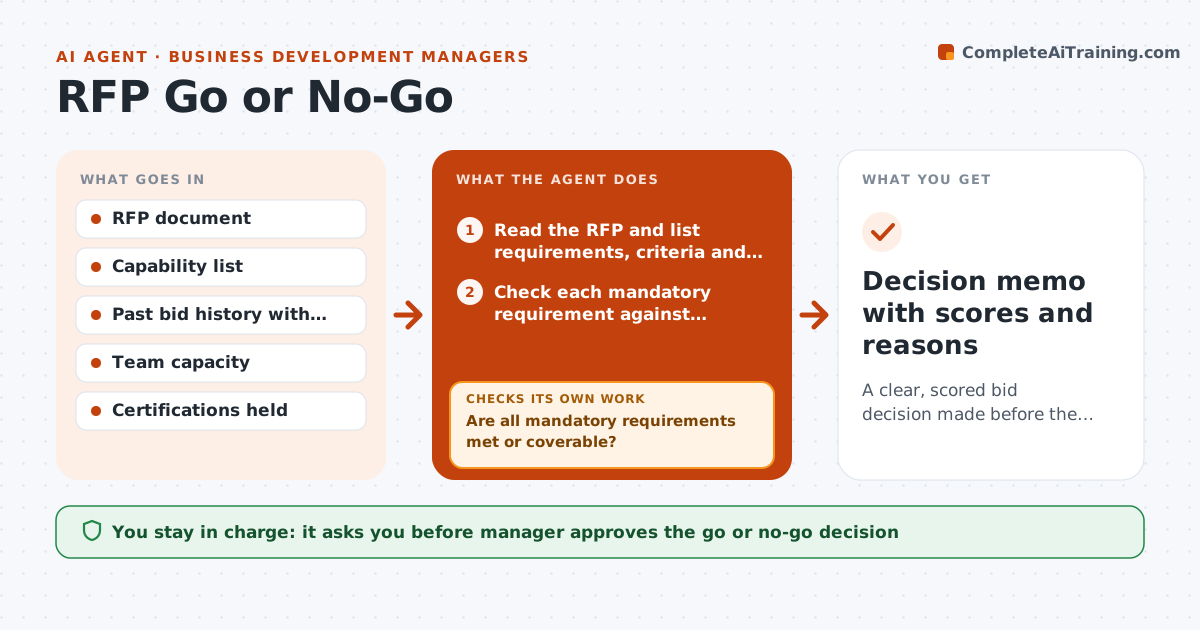
Bid teams can spend weeks on an RFP they were never going to win. This agent reads the document and builds a short go or no-go case before anyone starts writing. It pulls out mandatory requirements, deadlines, evaluation criteria and the buyer, then checks each requirement against what the company can deliver and past win data for similar bids. It estimates the effort needed. It scores fit and lists facts it cannot verify, such as whether a reference is available or a certification is held, and asks the manager for them. Then it rescored with the answers. The manager approves the decision. Edge case: the RFP requires a certification the company lacks, which is an automatic no unless a partner can supply it.
How it works
Follow the arrows from top to bottom. The orange dashed arrow is the loop: when a check fails, the agent goes back and tries again.
Read the steps as a list
- New RFP arrives
- Read the RFP and list requirements, criteria and deadlines
- Check each mandatory requirement against capabilities
- Are all mandatory requirements met or coverable?If not: mark as no-go unless a partner or workaround is confirmed. Back to step 2.
- Look up past bids for similar buyers and outcomes
- Estimate the effort and compare with team capacity
- Score fit and list facts that need confirmation
- Have the unknown facts been answered?If not: ask the manager and rescore with the answers. Back to step 7.
- Manager approves the go or no-go decisionThe agent waits here for your OK.
- Decision memo with scores and reasons
How it decides
A bid is a go when mandatory requirements are met, the fit score is above the threshold and effort fits capacity. Missing mandatory items force a no unless a partner fills them.
- Mark no-go when a mandatory requirement cannot be met
- Go only when fit score is at least 70 out of 100
- Lower the score when past wins with this buyer type are under 20 percent
- Stop and ask when any mandatory fact is unverified
Make it yours
Every agent is a starting point. You choose these settings for your own situation.
- Fit score threshold (default 70)
- Scoring criteria and weights
- Capacity limits
- Past win lookups
What keeps you in control
It always asks you first
- Manager approves the go or no-go decision
Hard limits
- Never submit a bid
- Do not guess about certifications
- Show every score and reason
It stops when
- Done: decision approved and recorded
- Stop: the deadline passes before facts are confirmed
Set it up
We guide you through the set-up, step by step
Members get the full set-up guide for this agent. No technical skills needed: you copy, paste and upload.
- One set of instructions to paste into your AI, with the clicks for ChatGPT, Claude, Microsoft 365 Copilot, Gemini and Grok
- The agent then walks you through connecting your own data, one source at a time
- A downloadable copy with the flow chart, the rules and the full guide