AI agent for robotics engineers
Robot Path Plan Collision Review Agent
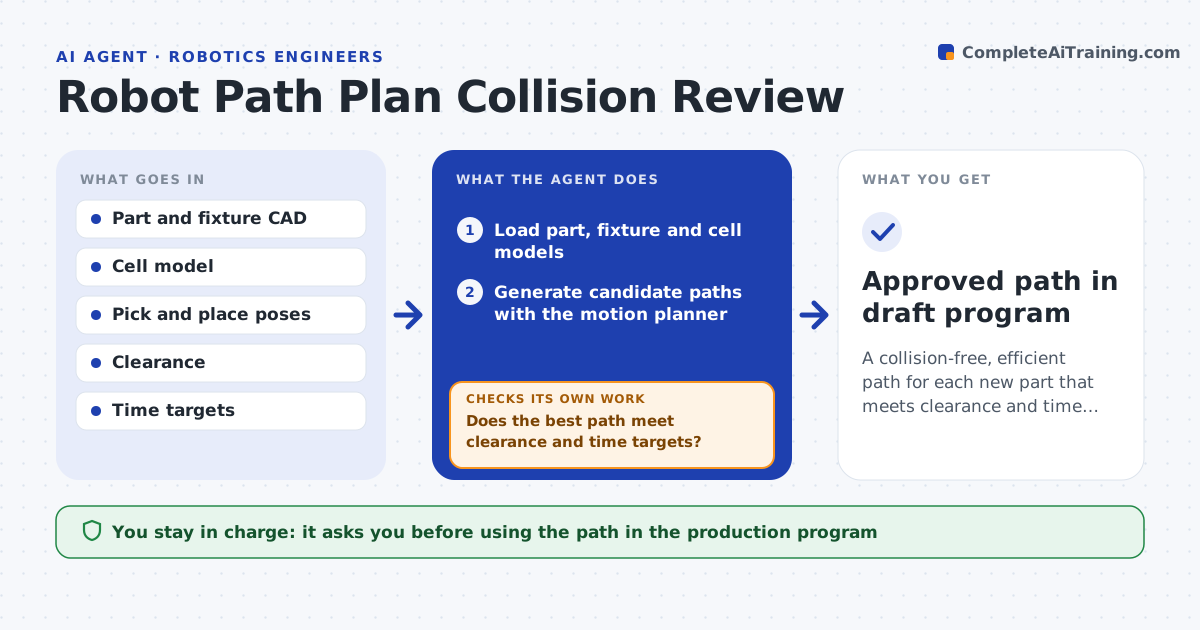
A collision-free, efficient path for each new part that meets clearance and time targets
What it does
When a new part or fixture arrives, the robot needs new pick, place and transfer paths, and planning them by trial and error takes many iterations. This agent reads the part and fixture models, generates candidate paths with a motion planner and scores each on cycle time, minimum clearance and joint smoothness. It discards paths that come too close to obstacles or need large wrist flips. It refines the best one with via points and blending, then checks clearance and timing again. If a check fails, it replans with a changed approach. If no path meets clearance, it reports which obstacle is limiting so the fixture can be moved. The engineer reviews the final path and approves it for the program. Edge case: a tight but legal path is shown with its clearance, not hidden.
How it works
Follow the arrows from top to bottom. The orange dashed arrow is the loop: when a check fails, the agent goes back and tries again.
Read the steps as a list
- New part or fixture added to the cell
- Load part, fixture and cell models
- Generate candidate paths with the motion planner
- Score paths on time, clearance and smoothness
- Does the best path meet clearance and time targets?If not: adjust planner settings or add via points and replan. Back to step 3.
- Refine with blending and export as draft program
- Engineer reviews and approves the pathThe agent waits here for your OK.
- Approved path in draft program
How it decides
It ranks candidate paths by cycle time but discards any with clearance under the minimum or a wrist rotation over 180 degrees.
- Minimum clearance of 15 mm by default
- Reject paths with wrist flips over 180 degrees
- Report the limiting obstacle when no path fits
Make it yours
Every agent is a starting point. You choose these settings for your own situation.
- Minimum clearance (default 15 mm)
- Target transfer time
- Planner algorithm settings
- Maximum replanning rounds (default 5)
What keeps you in control
It always asks you first
- Using the path in the production program
Hard limits
- Never writes to the live controller
- Never changes the cell layout model
It stops when
- Done: approved path meets targets
- Stop: no feasible path after five planner rounds, report the limiting obstacle
Set it up
We guide you through the set-up, step by step
Members get the full set-up guide for this agent. No technical skills needed: you copy, paste and upload.
- One set of instructions to paste into your AI, with the clicks for ChatGPT, Claude, Microsoft 365 Copilot, Gemini and Grok
- The agent then walks you through connecting your own data, one source at a time
- A downloadable copy with the flow chart, the rules and the full guide