AI agent for court reporters
Rush Quote Agent
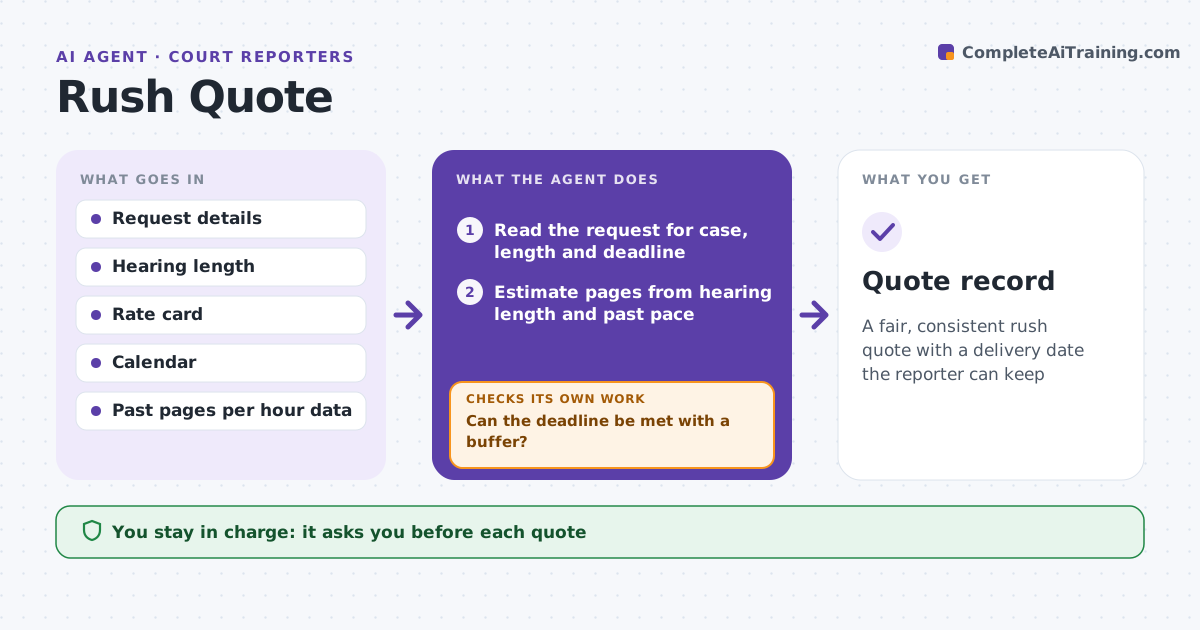
A fair, consistent rush quote with a delivery date the reporter can keep
What it does
Rush requests arrive with a deadline and little detail, and prices vary by who answers. This agent reads the request and estimates page count from the hearing length, the type of proceeding and the reporter's past pages per hour. It checks the reporter's calendar and other deadlines to see whether the delivery date is realistic, and whether help would be needed. It applies the rate card, including the rush rate for the requested speed, and drafts a quote with a delivery date. If scope or schedule changes, for example the hearing runs long or a new deadline appears, it rechecks and revises the quote. The reporter approves the quote before it goes to the attorney. Edge case: two rush jobs fall on the same day.
How it works
Follow the arrows from top to bottom. The orange dashed arrow is the loop: when a check fails, the agent goes back and tries again.
Read the steps as a list
- Rush request arrives
- Read the request for case, length and deadline
- Estimate pages from hearing length and past pace
- Check the calendar and other deadlines
- Can the deadline be met with a buffer?If not: offer a later date, partial delivery or flag the need for help. Back to step 3.
- Apply the rate card and the rush rate
- Draft the quote with price and delivery date
- Reporter approves the quoteThe agent waits here for your OK.
- Send the approved quote to the attorney
- Has the scope or schedule changed since the quote?If not: recalculate pages and delivery and draft a revised quote. Back to step 2.
- Quote record
How it decides
The delivery date must fit the reporter's calendar with a buffer. If it cannot, the quote offers a later date or a partial delivery.
- Estimate pages at the reporter's own pace
- Keep a 4-hour buffer before the deadline
- Offer partial delivery if the full set cannot be met
- Use the rate card, not ad hoc discounts
Make it yours
Every agent is a starting point. You choose these settings for your own situation.
- Rate card
- Buffer (default 4 hours)
- Pace per hour
- Which jobs count as fixed in the calendar
What keeps you in control
It always asks you first
- Each quote
- Revisions
Hard limits
- Never sends a quote without approval
- Never promises an unlisted discount
It stops when
- Done: quote accepted and delivery scheduled
- Stop: the deadline cannot be met and the attorney declines options
Set it up
We guide you through the set-up, step by step
Members get the full set-up guide for this agent. No technical skills needed: you copy, paste and upload.
- One set of instructions to paste into your AI, with the clicks for ChatGPT, Claude, Microsoft 365 Copilot, Gemini and Grok
- The agent then walks you through connecting your own data, one source at a time
- A downloadable copy with the flow chart, the rules and the full guide