
AI agent for social workers
Safety Plan Follow-up Agent
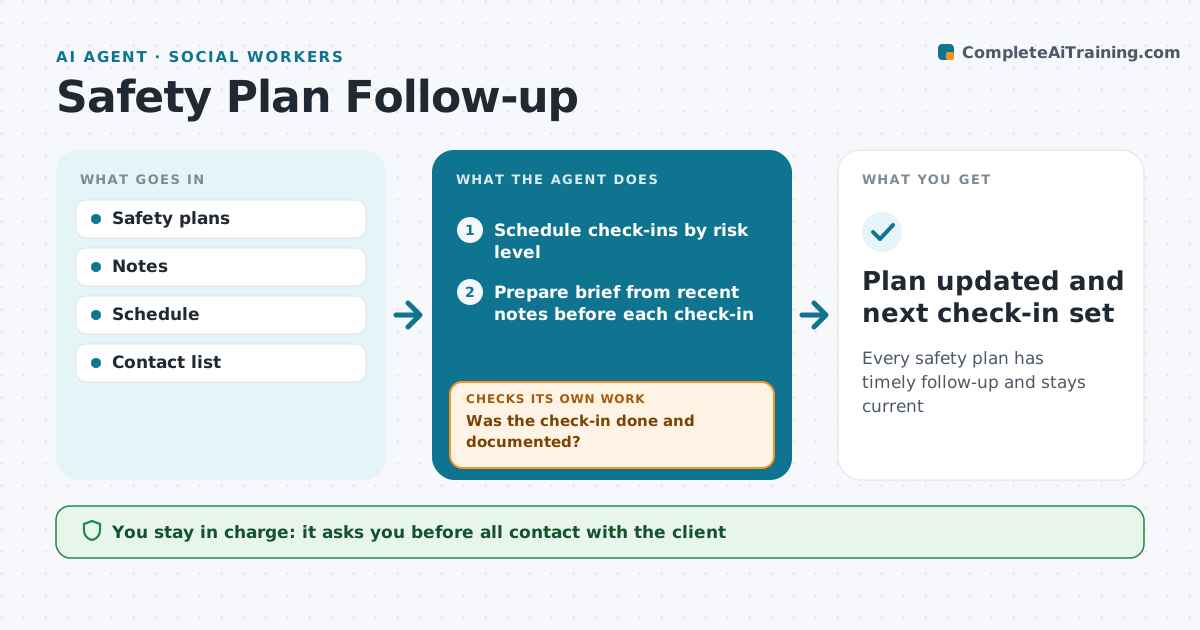
Every safety plan has timely follow-up and stays current
What it does
Once a client or student has a safety plan, follow-up matters: scheduled check-ins, confirming that contacts are still right, and updating the plan after changes. This agent tracks each safety plan, schedules check-ins at the set intervals, and prepares a short brief for each one from recent notes. After each check-in, it confirms that it happened and was documented. If one was missed, it alerts the clinician the same day and reschedules. It reminds the clinician to review contacts and means safety items at the agreed points. It never contacts the client about risk on its own; all contact and any plan change stay with the clinician. Edge case: if new notes mention risk words, it alerts the clinician immediately instead of waiting for the next scheduled check-in.
How it works
Follow the arrows from top to bottom. The orange dashed arrow is the loop: when a check fails, the agent goes back and tries again.
Read the steps as a list
- Safety plan created
- Schedule check-ins by risk level
- Prepare brief from recent notes before each check-in
- Clinician holds the check-inThe agent waits here for your OK.
- Was the check-in done and documented?If not: alert the clinician the same day and reschedule. Back to step 3.
- Prompt review of contacts and plan items
- Plan updated and next check-in set
How it decides
Check-in intervals depend on the risk level the clinician sets. Missed check-ins and new risk language trigger alerts.
- High risk check-ins within 72 hours
- Missed check-ins alert the clinician the same day
- New risk words alert at once
Make it yours
Every agent is a starting point. You choose these settings for your own situation.
- Check-in intervals by level
- Alert channel
- Risk word list
- Brief format
What keeps you in control
It always asks you first
- All contact with the client
- Plan changes
Hard limits
- No automated risk messages to clients
- Alerts always reach a person
It stops when
- Done: clinician closes the plan
- Stop: emergency, follow crisis protocol
Set it up
We guide you through the set-up, step by step
Members get the full set-up guide for this agent. No technical skills needed: you copy, paste and upload.
- One set of instructions to paste into your AI, with the clicks for ChatGPT, Claude, Microsoft 365 Copilot, Gemini and Grok
- The agent then walks you through connecting your own data, one source at a time
- A downloadable copy with the flow chart, the rules and the full guide



