AI agent for account executives
Sales Meeting Preparation Agent
Meetings that focus on what's still open.
What it does
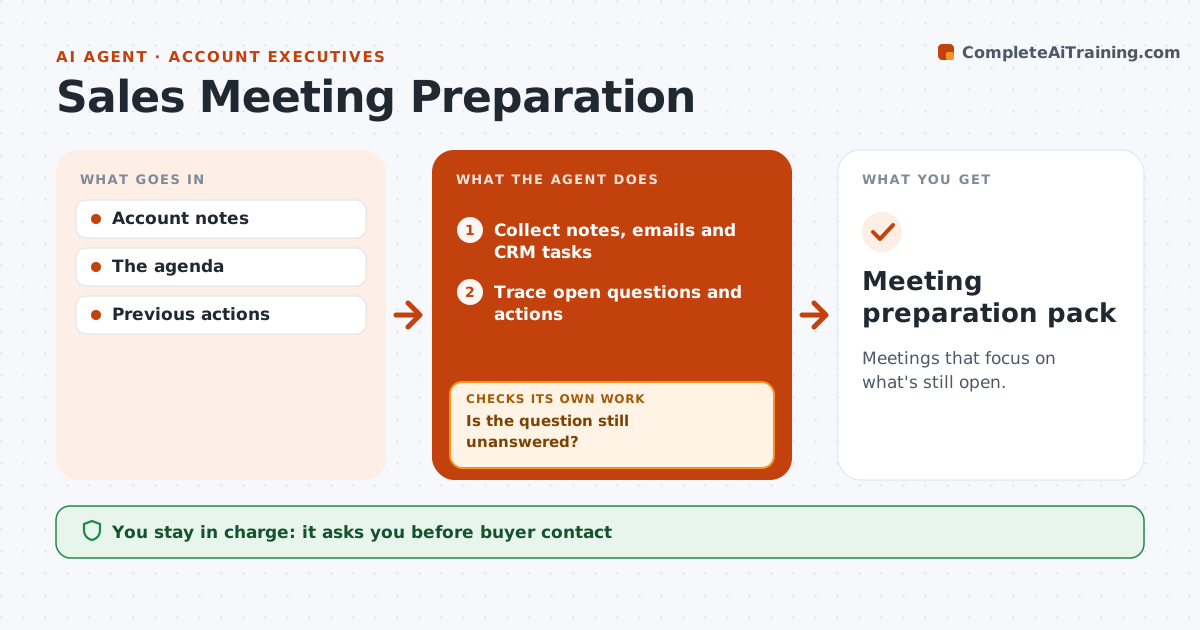
Briefs for buyer meetings often repeat old topics and miss open questions and commitments from earlier calls. This agent runs when a meeting is scheduled. It traces every open question and action from previous meeting notes, emails and the CRM, and checks which ones have already been answered or completed. Answered items are dropped. Open ones are ranked by how much they block the deal. It then prepares a focused agenda and a short brief with who owes what. The rep reviews and decides what to send to the buyer. Edge case: an answer given only verbally on a call, with no written record, is kept on the agenda to confirm in writing.
How it works
Follow the arrows from top to bottom. The orange dashed arrow is the loop: when a check fails, the agent goes back and tries again.
Read the steps as a list
- Meeting scheduled
- Collect notes, emails and CRM tasks
- Trace open questions and actions
- Is the question still unanswered?If not: drop it from the agenda. Back to step 3.
- Rank open items by how much they block the deal
- Prepare the agenda and brief
- Rep approves the agenda before it is sentThe agent waits here for your OK.
- Meeting preparation pack
How it decides
It drops answered items and prioritizes the next gap.
- Drop items with a written answer.
- Verbal answers stay on the agenda to confirm.
- Rank by impact on the deal.
- Nothing goes to the buyer without the rep.
Make it yours
Every agent is a starting point. You choose these settings for your own situation.
- Sources to trace (default: meeting notes, email, CRM tasks)
- How many days before the meeting to prepare (default 1)
- Maximum agenda points (default 4)
- Who approves sending the agenda (default: the rep)
- Brief format
What keeps you in control
It always asks you first
- Buyer contact
- Promises
Hard limits
- No promises.
It stops when
- Done: pack ready.
Set it up
We guide you through the set-up, step by step
Members get the full set-up guide for this agent. No technical skills needed: you copy, paste and upload.
- One set of instructions to paste into your AI, with the clicks for ChatGPT, Claude, Microsoft 365 Copilot, Gemini and Grok
- The agent then walks you through connecting your own data, one source at a time
- A downloadable copy with the flow chart, the rules and the full guide