AI agent for crm managers
Sales Reference Matching Agent
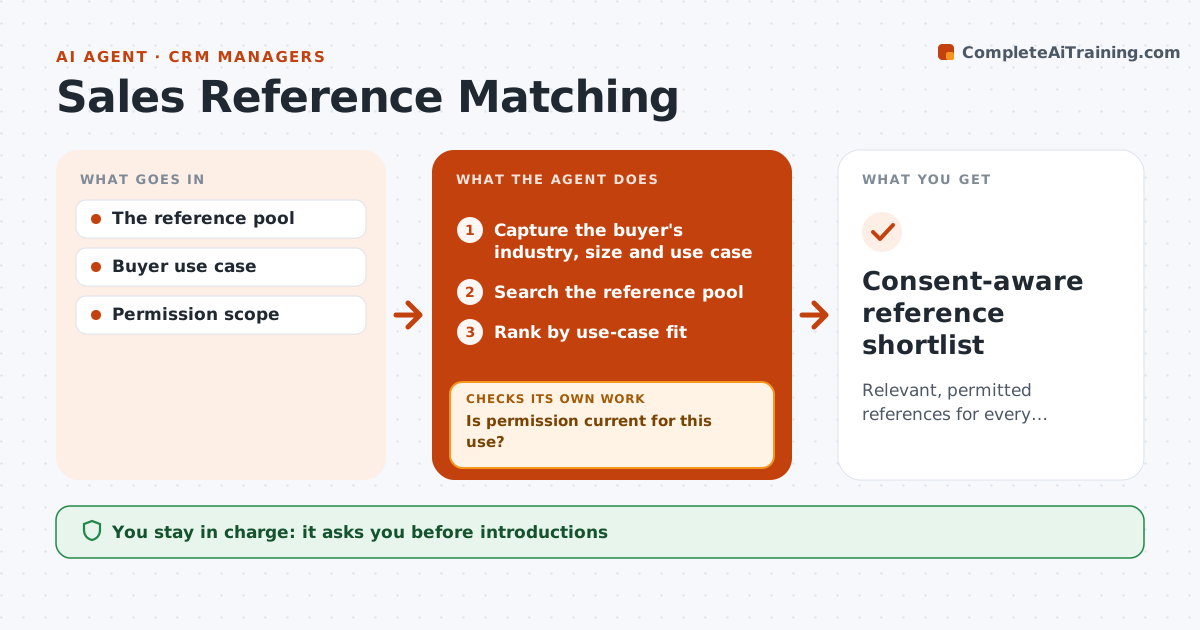
Relevant, permitted references for every request.
What it does
Customer reference requests often go to the same few happy customers, regardless of whether they fit the buyer or have agreed to be contacted again. This agent compares the buyer's industry, size and use case with the approved reference pool. For each candidate, it checks current permission: has the customer agreed to this kind of reference, and has the consent expired? It also checks how often the customer has been asked recently. Candidates without valid permission are removed. It ranks the rest by fit and prepares an internal shortlist. The reference coordinator approves any introduction and contacts the customer. Edge case: a customer who allowed a logo on the website but not calls cannot be offered for a phone reference.
How it works
Follow the arrows from top to bottom. The orange dashed arrow is the loop: when a check fails, the agent goes back and tries again.
Read the steps as a list
- References requested
- Capture the buyer's industry, size and use case
- Search the reference pool
- Is permission current for this use?If not: remove the candidate. Back to step 3.
- Is the customer under the request limit?If not: skip and pick the next candidate. Back to step 3.
- Rank by use-case fit
- Reference coordinator approves introductionsThe agent waits here for your OK.
- Consent-aware reference shortlist
How it decides
It matches use case and checks permission currency.
- Only references with current permission for the exact use are offered.
- Customers over the request limit are skipped.
- Ranking is by use-case fit.
- The coordinator makes every introduction.
Make it yours
Every agent is a starting point. You choose these settings for your own situation.
- Reference pool source and consent fields
- Maximum requests per customer per quarter (default 2)
- Fit criteria weights (industry, size, use case)
- Shortlist length (default 3)
- Who approves introductions (default: reference coordinator)
What keeps you in control
It always asks you first
- Introductions
- Disclosure
Hard limits
- No introductions.
It stops when
- Done: shortlist ready.
Set it up
We guide you through the set-up, step by step
Members get the full set-up guide for this agent. No technical skills needed: you copy, paste and upload.
- One set of instructions to paste into your AI, with the clicks for ChatGPT, Claude, Microsoft 365 Copilot, Gemini and Grok
- The agent then walks you through connecting your own data, one source at a time
- A downloadable copy with the flow chart, the rules and the full guide