AI agent for revenue operations managers
Sales Contract Data Handoff Agent
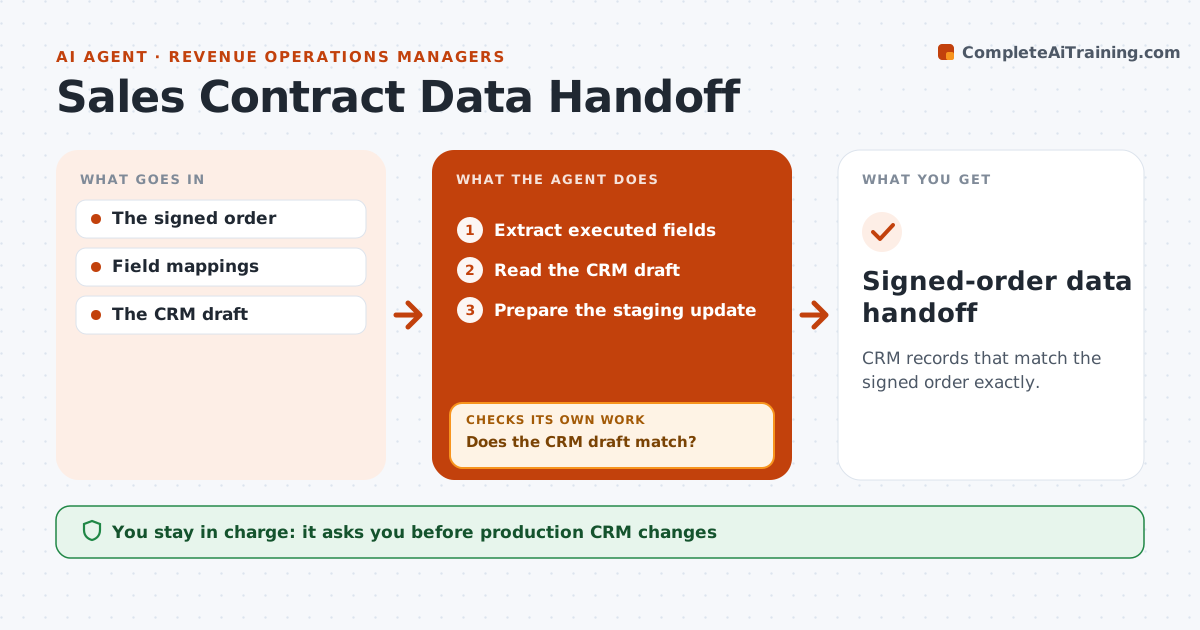
CRM records that match the signed order exactly.
What it does
After an order is signed, someone rekeys the commercial terms into the CRM, and typos in price, term or start date cause billing errors for years. This agent extracts the commercial fields from the executed order form: products, quantities, prices, term, start date, billing frequency and signatory. It compares each one with the CRM draft and prepares a correction for every mismatch. If an unsigned amendment or quote conflicts with the signed value, it stops and flags the conflict instead of choosing. It then prepares a staging update and checks it again against the signed document. RevOps approves changes before they go live. Edge case: a discount mentioned only in an email is not entered unless it appears in the signed order.
How it works
Follow the arrows from top to bottom. The orange dashed arrow is the loop: when a check fails, the agent goes back and tries again.
Read the steps as a list
- Order signed
- Extract executed fields
- Read the CRM draft
- Does the CRM draft match?If not: prepare a correction or flag a hierarchy conflict. Back to step 3.
- Prepare the staging update
- RevOps approves CRM changesThe agent waits here for your OK.
- Signed-order data handoff
How it decides
Executed source fields decide.
- The signed order controls over unsigned amendments and emails.
- Conflicts are flagged, never resolved by the agent.
- Every field change cites the signed document.
- No live CRM change without RevOps approval.
Make it yours
Every agent is a starting point. You choose these settings for your own situation.
- Fields to extract and compare
- CRM object and staging area to write to
- Document hierarchy rules (default: signed order over everything unsigned)
- Who approves CRM changes (default: RevOps)
- Notification channel for conflicts
What keeps you in control
It always asks you first
- Production CRM changes
- Legal interpretation
Hard limits
- Staging only.
It stops when
- Done: reconciled.
Set it up
We guide you through the set-up, step by step
Members get the full set-up guide for this agent. No technical skills needed: you copy, paste and upload.
- One set of instructions to paste into your AI, with the clicks for ChatGPT, Claude, Microsoft 365 Copilot, Gemini and Grok
- The agent then walks you through connecting your own data, one source at a time
- A downloadable copy with the flow chart, the rules and the full guide