AI agent for sales operations analysts
Sales Territory Record Quality Agent
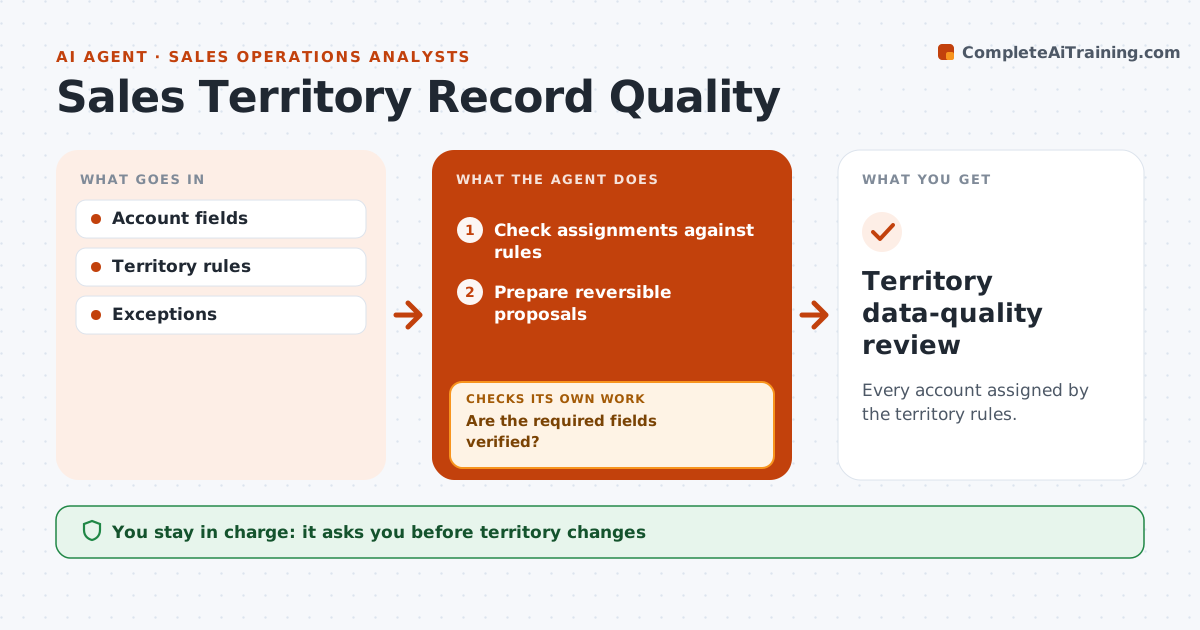
Every account assigned by the territory rules.
What it does
Territory assignment rules decide which rep owns an account, but account records often break them because location or size fields are missing or wrong. This agent runs a monthly review. It checks each account's owner against the territory rules and the evidence behind the deciding fields, such as the contracting entity's address or employee count. Missing fields are looked up in approved sources. If data is still missing or contradictory, it creates an exception rather than guessing an owner. It prepares reversible reassignment proposals with the reason for each. Sales operations approves changes, and nothing moves in the middle of an open deal without manager sign-off. Edge case: a company with a head office in one region and its contracting entity in another follows the rule's stated field only.
How it works
Follow the arrows from top to bottom. The orange dashed arrow is the loop: when a check fails, the agent goes back and tries again.
Read the steps as a list
- Monthly review
- Check assignments against rules
- Are the required fields verified?If not: look them up or create an exception. Back to step 2.
- Prepare reversible proposals
- Does any proposal affect an open deal?If not: (none) continue; otherwise hold it for manager sign-off. Back to step 4.
- Sales ops approves changesThe agent waits here for your OK.
- Territory data-quality review
How it decides
It applies rules to verified fields only.
- Missing or contradictory data creates an exception, not a guess.
- Use only the field the rule names.
- All proposals can be reversed.
- Accounts with open deals need manager sign-off.
Make it yours
Every agent is a starting point. You choose these settings for your own situation.
- Territory rules and the fields they use
- Approved lookup sources for missing data
- Review schedule (default: first Monday of the month)
- Whether accounts with open deals can move (default: only with manager sign-off)
- Who approves changes (default: sales operations)
What keeps you in control
It always asks you first
- Territory changes
- Compensation
Hard limits
- No compensation decisions.
It stops when
- Done: reviewed.
Set it up
We guide you through the set-up, step by step
Members get the full set-up guide for this agent. No technical skills needed: you copy, paste and upload.
- One set of instructions to paste into your AI, with the clicks for ChatGPT, Claude, Microsoft 365 Copilot, Gemini and Grok
- The agent then walks you through connecting your own data, one source at a time
- A downloadable copy with the flow chart, the rules and the full guide