AI agent for fashion designers
Sample Fit Comment Agent
Clear fit comments that get the next sample right
What it does
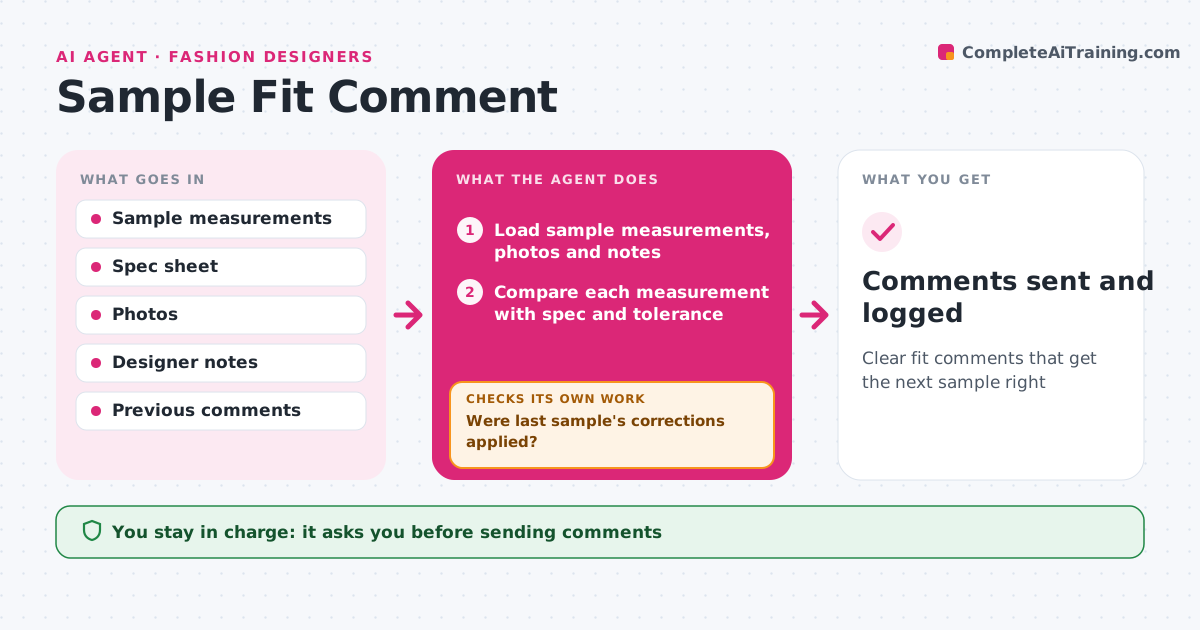
After a fit session, designers spend hours turning notes and tape readings into factory comments. This agent takes the sample measurements, fit photos and the designer's notes. It compares every measurement with the spec and its tolerance, and marks each one that is out. It turns loose notes into exact corrections, like 'reduce back neck by 1 cm', and links each one to a photo. It then checks the comments from the previous sample to see whether those corrections were made. Anything still wrong is marked as a repeat and moved to the top. Before drafting the sheet, it checks that every out-of-tolerance point has either a correction or a spec change. The designer approves the sheet before it goes to the factory. Edge case: a point outside tolerance that the designer liked on the fit model is logged as a spec change, not a correction.
How it works
Follow the arrows from top to bottom. The orange dashed arrow is the loop: when a check fails, the agent goes back and tries again.
Read the steps as a list
- Fit session done
- Load sample measurements, photos and notes
- Compare each measurement with spec and tolerance
- Turn notes into specific corrections linked to photos
- Were last sample's corrections applied?If not: mark repeats as priority corrections. Back to step 4.
- Does every out-of-tolerance point have a correction or spec change?If not: ask the designer which it is and add it. Back to step 4.
- Draft the fit comment sheet
- Designer approves sending to the factoryThe agent waits here for your OK.
- Comments sent and logged
How it decides
It compares against spec and tolerance, and checks earlier corrections were applied.
- Out-of-tolerance items need a correction
- Approved deviations become spec changes
- Repeats are top priority
Make it yours
Every agent is a starting point. You choose these settings for your own situation.
- Tolerances
- Comment sheet format
- Photo requirements
- Priority rules
What keeps you in control
It always asks you first
- Sending comments
- Spec changes
Hard limits
- Never sends without approval
- Never edits the spec without approval
It stops when
- Done: sample approved
- Stop: style dropped
Set it up
We guide you through the set-up, step by step
Members get the full set-up guide for this agent. No technical skills needed: you copy, paste and upload.
- One set of instructions to paste into your AI, with the clicks for ChatGPT, Claude, Microsoft 365 Copilot, Gemini and Grok
- The agent then walks you through connecting your own data, one source at a time
- A downloadable copy with the flow chart, the rules and the full guide