AI agent for geologists
Sample Shipment Tracking Agent
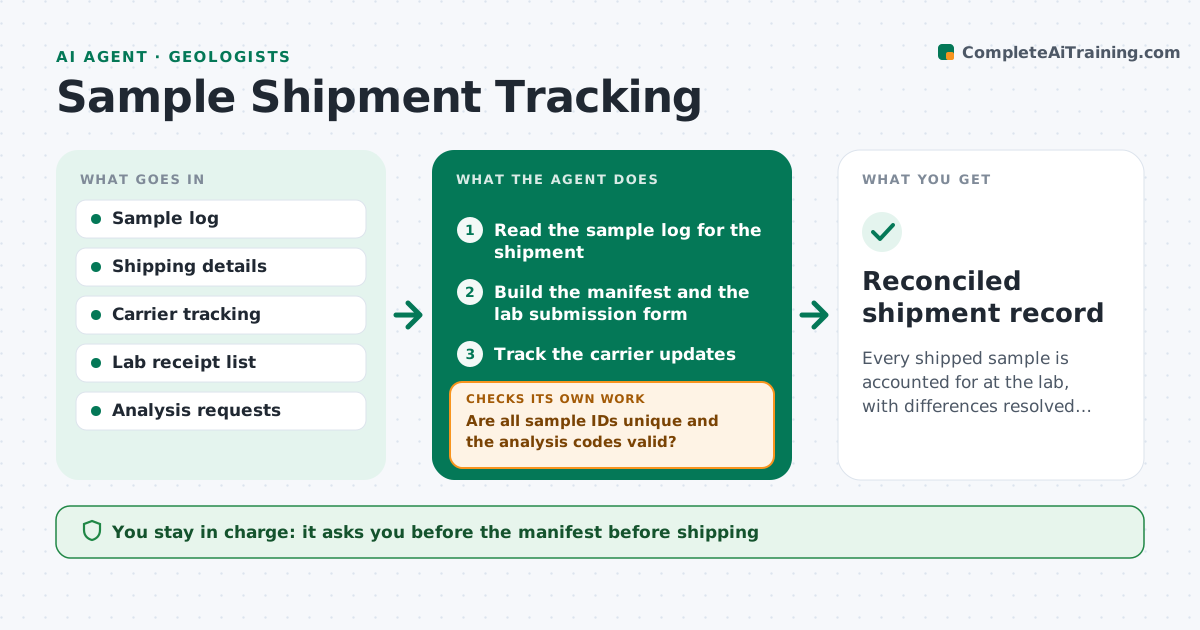
Every shipped sample is accounted for at the lab, with differences resolved before analysis starts.
What it does
A shipment of 240 samples leaves site, and three weeks later the lab says it received 236 or says it got different numbers. This agent builds the manifest from the sample log, with sample IDs, types, weights and analysis requested. It tracks the shipment by carrier updates and compares the lab's received list to what was sent. It flags missing or extra samples, mismatched IDs and analysis codes, and chases the lab with a draft message. After the lab replies, it updates the list and checks again. You approve the reconciled list. Edge case: duplicate IDs in the sample log are caught before the manifest is made.
How it works
Follow the arrows from top to bottom. The orange dashed arrow is the loop: when a check fails, the agent goes back and tries again.
Read the steps as a list
- Shipment prepared
- Read the sample log for the shipment
- Are all sample IDs unique and the analysis codes valid?If not: list duplicates and invalid codes and ask the geologist to correct the log. Back to step 2.
- Build the manifest and the lab submission form
- Geologist approves the manifest before shippingThe agent waits here for your OK.
- Track the carrier updates
- Read the lab receipt list when it arrives
- Compare the receipt list to the manifest
- Does the receipt list match the manifest exactly?If not: list missing, extra and mismatched samples and draft a query to the lab. Back to step 8.
- Geologist approves the query and the reconciled listThe agent waits here for your OK.
- Reconciled shipment record
How it decides
The lab list must match the manifest by ID, type and requested analysis. Differences are classed as missing, extra or mismatched.
- Sample on the manifest but not received after 5 days: query the lab and the carrier
- Sample received but not on the manifest: hold analysis and ask
- Analysis code differs from the request: ask the lab to correct before work starts
- Carrier shows no movement for 3 days: raise a tracking query
Make it yours
Every agent is a starting point. You choose these settings for your own situation.
- Manifest format
- Days before a missing-sample query (default 5)
- Carrier tracking source
- Lab contacts
- Analysis codes list
What keeps you in control
It always asks you first
- The manifest before shipping
- Queries to the lab
- The reconciled list
Hard limits
- Never alter the sample log
- Never allow analysis to proceed on unreconciled samples
It stops when
- Done: receipt matches the manifest
- Stop: shipment lost, geologist decides on resampling
Set it up
We guide you through the set-up, step by step
Members get the full set-up guide for this agent. No technical skills needed: you copy, paste and upload.
- One set of instructions to paste into your AI, with the clicks for ChatGPT, Claude, Microsoft 365 Copilot, Gemini and Grok
- The agent then walks you through connecting your own data, one source at a time
- A downloadable copy with the flow chart, the rules and the full guide