AI agent for innovation strategists
Scenario Planning Signal Monitor Agent
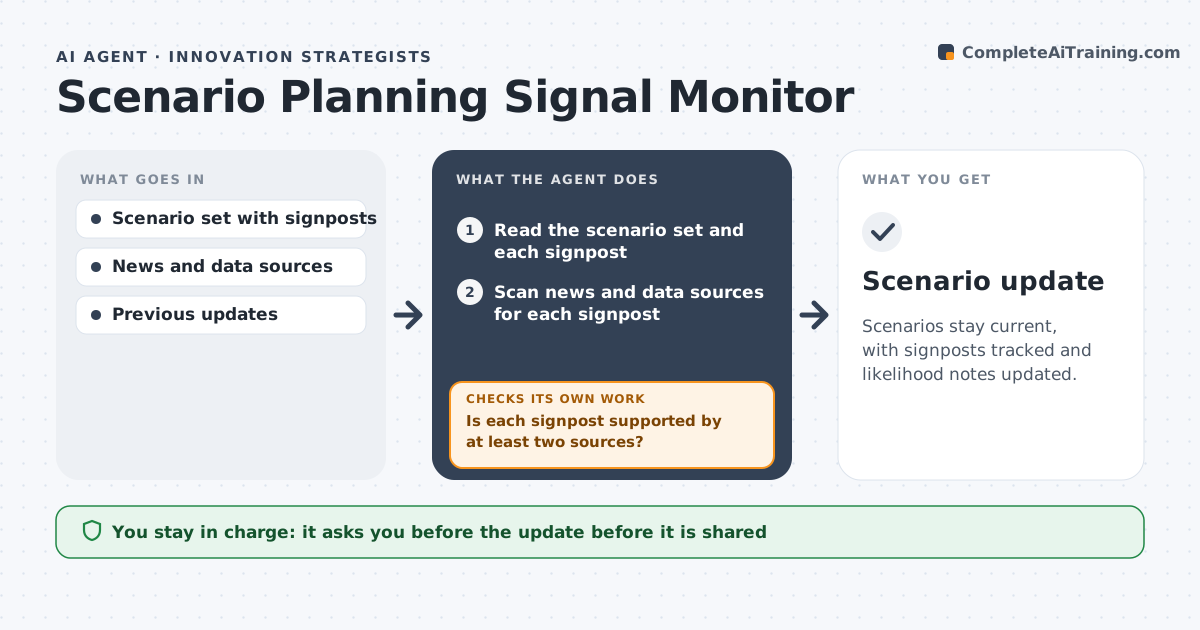
Scenarios stay current, with signposts tracked and likelihood notes updated.
What it does
A company writes scenarios for 2030, files them and never checks whether the world is moving toward any of them. This agent reads the scenario set and its signposts and scans news and data for each. It updates likelihood notes and drafts an update. It checks that every signpost was reviewed and rechecks claims against sources. It keeps the scenarios fixed and tracks only the evidence, so the team can see which story the world is moving toward. For each change it states the source, the date and why it matters, which makes the update easy to read in a few minutes. Edge case: a signpost appears in a single article, so the agent marks it as weak. The strategist approves what is shared.
How it works
Follow the arrows from top to bottom. The orange dashed arrow is the loop: when a check fails, the agent goes back and tries again.
Read the steps as a list
- Monthly scenario review
- Read the scenario set and each signpost
- Scan news and data sources for each signpost
- Is each signpost supported by at least two sources?If not: mark it weak or search more sources. Back to step 3.
- Update likelihood notes for each scenario
- Draft an update with changes and reasons
- Was every signpost reviewed?If not: review the missed signposts. Back to step 2.
- Strategist approves what is sharedThe agent waits here for your OK.
- Scenario update
How it decides
It rates a signpost as strengthening, weakening or unchanged based on at least two sources.
- Require two sources for a change in rating.
- Mark single-source items as weak.
- Note when a signpost has no new data.
- Do not change the scenarios themselves.
Make it yours
Every agent is a starting point. You choose these settings for your own situation.
- Signposts
- Source list
- Review frequency
- Rating scale
- Update format
What keeps you in control
It always asks you first
- The update before it is shared
Hard limits
- Do not change scenarios or share updates alone.
- Do not cite weak sources as proof.
It stops when
- Done: all signposts reviewed and the update approved
- Stop: sources are unavailable, so the agent notes the gap
Set it up
We guide you through the set-up, step by step
Members get the full set-up guide for this agent. No technical skills needed: you copy, paste and upload.
- One set of instructions to paste into your AI, with the clicks for ChatGPT, Claude, Microsoft 365 Copilot, Gemini and Grok
- The agent then walks you through connecting your own data, one source at a time
- A downloadable copy with the flow chart, the rules and the full guide