AI agent for filmmakers
Script Page Count and Budget Pressure Agent
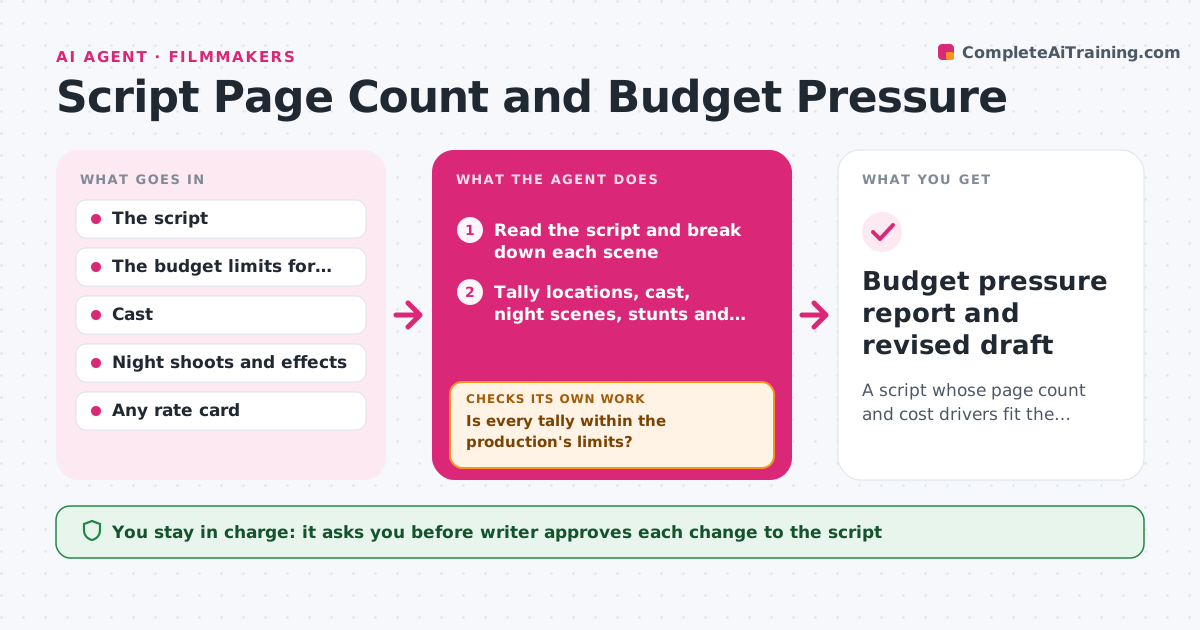
A script whose page count and cost drivers fit the production's limits, with each change approved by the writer
What it does
A script reads well, but the producer says it costs twice what the budget allows because of night shoots, a crowd scene and four locations. This agent reads the script and tallies the cost drivers: locations and how often they change, cast size and speaking roles, night and exterior scenes, stunts, effects, animals, vehicles and period items. It compares the tallies with the budget limits the producer gave and flags the most expensive scenes. It suggests combinations or cuts, such as merging two locations or moving a night scene to day, retallies after each suggestion, and loops until the script is under the limits. The writer approves each change. Edge case: a crowd scene that can be shot with a small group of extras is suggested as a rewrite before being cut.
How it works
Follow the arrows from top to bottom. The orange dashed arrow is the loop: when a check fails, the agent goes back and tries again.
Read the steps as a list
- Draft ready
- Read the script and break down each scene
- Tally locations, cast, night scenes, stunts and effects
- Compare the tallies with the budget limits
- Is every tally within the production's limits?If not: Rank the most expensive scenes and propose combinations or cuts. Back to step 2.
- Explain the story effect of each proposed change
- Writer approves the changes to tryThe agent waits here for your OK.
- Apply the changes to a copy and recount
- Do the new tallies fit and does the story still hold together?If not: Revert the change that hurts the story and propose another. Back to step 4.
- Budget pressure report and revised draft
How it decides
It scores each scene by cost drivers, picks the scenes with the highest cost per page, and proposes changes that remove the most cost for the least story damage.
- Rank scenes by cost drivers per page
- Propose merging locations before cutting scenes
- Flag more than 8 speaking roles or 12 locations for a low budget feature
- Keep scenes marked as essential
Make it yours
Every agent is a starting point. You choose these settings for your own situation.
- Budget limits for each cost driver
- Essential scenes
- Cost weights
- Script format
- Whether to include page count targets
What keeps you in control
It always asks you first
- Writer approves each change to the script
Hard limits
- Never rewrite the script without approval
- Never change the producer's budget limits
It stops when
- Done: All tallies fit the limits
- Stop: The limits cannot be met without losing essential scenes, so the agent reports the gap for the producer
Set it up
We guide you through the set-up, step by step
Members get the full set-up guide for this agent. No technical skills needed: you copy, paste and upload.
- One set of instructions to paste into your AI, with the clicks for ChatGPT, Claude, Microsoft 365 Copilot, Gemini and Grok
- The agent then walks you through connecting your own data, one source at a time
- A downloadable copy with the flow chart, the rules and the full guide