AI agent for filmmakers
Production Draft Lock and Revision Pages Agent
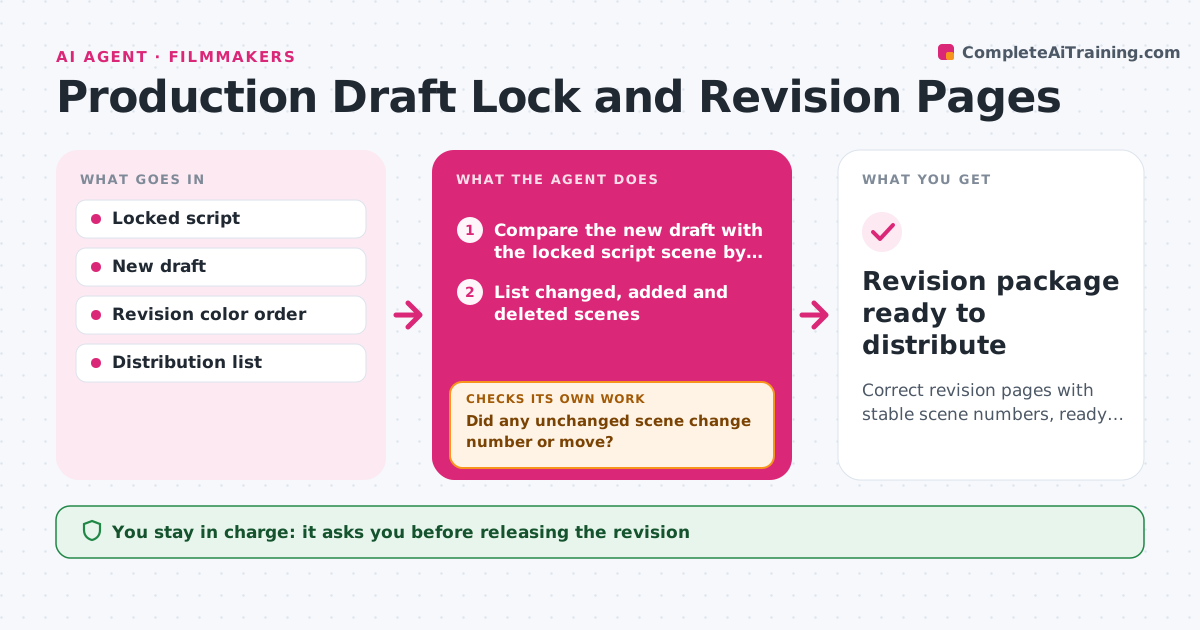
Correct revision pages with stable scene numbers, ready to distribute
What it does
Revised pages are mislabeled, and departments work from old versions. This agent compares the new draft with the locked one, identifies the changed scenes and creates revision pages with the right color and date. It checks scene numbers and page breaks, and verifies that no unchanged scene moved. It builds the distribution list for each department. If a check fails, for example an added scene that pushed later pages, it corrects the page numbering using the A-page rules and checks again. The writer approves before release. Edge case: a deleted scene is marked OMITTED so the numbering stays stable.
How it works
Follow the arrows from top to bottom. The orange dashed arrow is the loop: when a check fails, the agent goes back and tries again.
Read the steps as a list
- Revision finished
- Compare the new draft with the locked script scene by scene
- List changed, added and deleted scenes
- Create revision pages in the next color with the date
- Check scene numbers and page breaks
- Did any unchanged scene change number or move?If not: apply the A-page rules and rebuild the pages. Back to step 3.
- Build the distribution list by department
- Do the revision pages match the list of changes exactly?If not: add or remove the page and re-check. Back to step 3.
- Writer approves the releaseThe agent waits here for your OK.
- Revision package ready to distribute
How it decides
Scenes are changed when their text differs from the locked version. Unchanged scenes must keep their scene numbers and pages. Omitted scenes are kept with their number.
- Keep numbers on unchanged scenes
- Mark deleted scenes OMITTED
- Use the next color in the order
- Add added scenes as A-numbers
Make it yours
Every agent is a starting point. You choose these settings for your own situation.
- Revision color order
- Distribution list
- Date format
- Script format
What keeps you in control
It always asks you first
- Releasing the revision
- Locking the draft
Hard limits
- Never alters the script text
- Never releases without approval
It stops when
- Done: pages verified and the writer approved
- Stop: the locked script is missing
Set it up
We guide you through the set-up, step by step
Members get the full set-up guide for this agent. No technical skills needed: you copy, paste and upload.
- One set of instructions to paste into your AI, with the clicks for ChatGPT, Claude, Microsoft 365 Copilot, Gemini and Grok
- The agent then walks you through connecting your own data, one source at a time
- A downloadable copy with the flow chart, the rules and the full guide