AI agent for filmmakers
Animatic to Final Shot Drift Agent
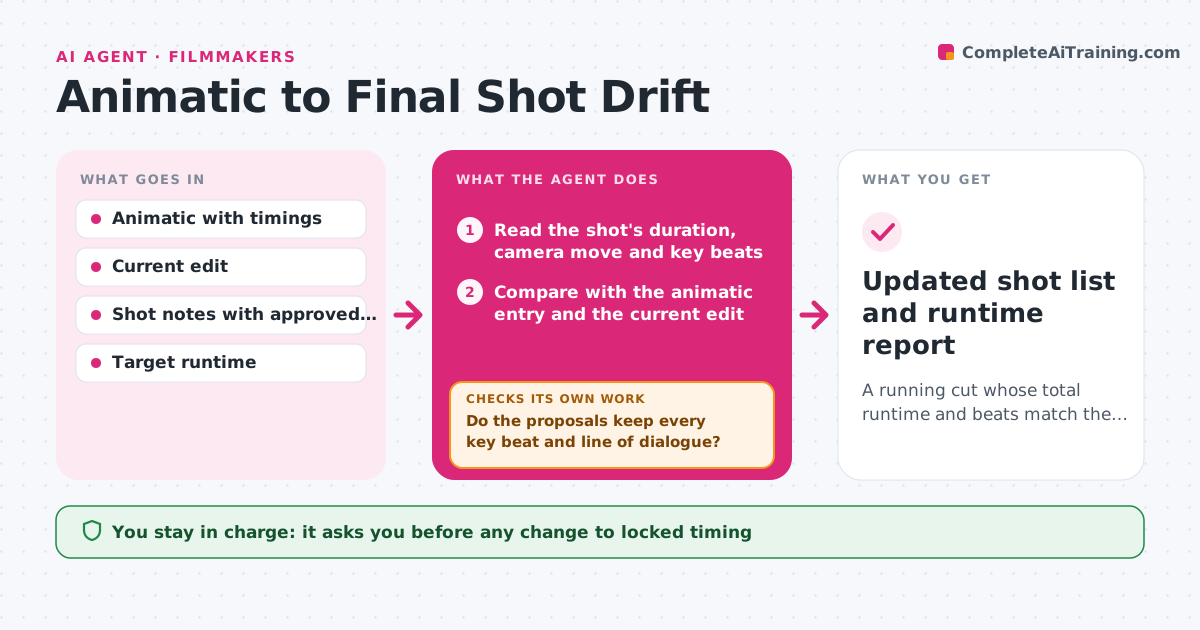
A running cut whose total runtime and beats match the locked animatic or an approved change
What it does
As shots are finished, their length, camera moves and beats drift from the approved animatic, and the edit slowly stops matching the plan. Each time a shot is published, this agent compares its duration, camera move and key beats with the animatic entry and the current edit. It flags shots that run long or short and recalculates the total runtime. Then it proposes trims or retimes that bring the cut back to target. It re-checks the proposed edit list against beat timing so a trim does not cut a story beat or dialogue. If a proposal fails, it tries another option, such as splitting a trim across two shots. The director approves any change to the locked timing. Edge case: a shot that is longer on purpose, marked as an approved change, is kept and absorbed elsewhere.
How it works
Follow the arrows from top to bottom. The orange dashed arrow is the loop: when a check fails, the agent goes back and tries again.
Read the steps as a list
- Shot published
- Read the shot's duration, camera move and key beats
- Compare with the animatic entry and the current edit
- Flag shots outside the tolerance and recalculate total runtime
- Propose trims or retimes to land on target
- Do the proposals keep every key beat and line of dialogue?If not: choose a different trim point or spread the change over two shots. Back to step 4.
- Does the recalculated runtime match the target?If not: add another trim option from the next shot with slack. Back to step 4.
- Director approves any change to the locked timingThe agent waits here for your OK.
- Updated shot list and runtime report
How it decides
A shot is flagged when its length differs from the animatic by more than the tolerance or a key beat moves. Trims go to the shots with the most slack first.
- Flag a shot more than 12 frames from the animatic length
- Never trim through a key beat or dialogue line
- Take slack from establishing shots before action shots
- Keep approved changes and absorb the time elsewhere
Make it yours
Every agent is a starting point. You choose these settings for your own situation.
- Frame tolerance before a shot is flagged (default 12)
- Target runtime per sequence
- Which shots count as protected
- Where trims are taken first
What keeps you in control
It always asks you first
- Any change to locked timing
- Retimes that alter the camera move
Hard limits
- Never edits the locked edit
- Never removes a story beat on its own
It stops when
- Done: runtime matches target and the director approved the changes
- Stop: no combination of trims reaches the target
Set it up
We guide you through the set-up, step by step
Members get the full set-up guide for this agent. No technical skills needed: you copy, paste and upload.
- One set of instructions to paste into your AI, with the clicks for ChatGPT, Claude, Microsoft 365 Copilot, Gemini and Grok
- The agent then walks you through connecting your own data, one source at a time
- A downloadable copy with the flow chart, the rules and the full guide