AI agent for content creators
Script Timing Revision Agent
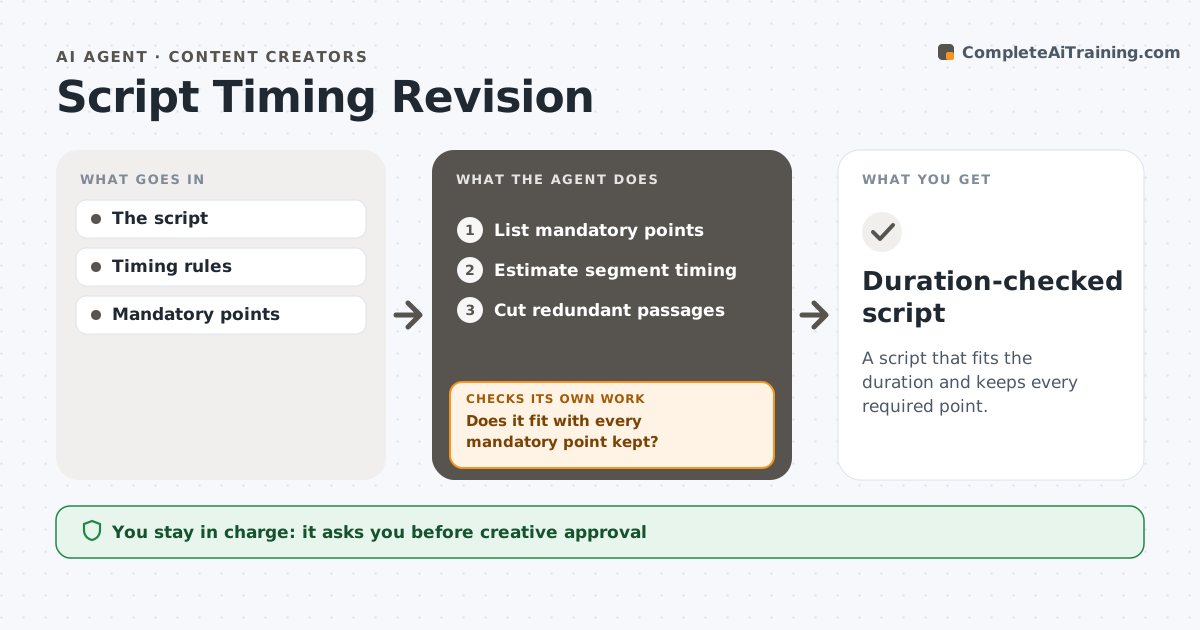
A script that fits the duration and keeps every required point.
What it does
Video scripts often run longer than the allowed duration, and cutting by hand can remove points that must stay in, such as a disclaimer or a call to action. This agent estimates the timing of each segment based on word count and speaking pace. It cuts redundant passages first, like repeated examples and long intros. After each round, it rechecks both the total timing and the list of mandatory points. If a cut removed a required point, it restores it and trims somewhere else. It never rewrites the message itself. The writer approves the final script. Edge case: a segment with on-screen text or a demo is timed by its visual length, not by word count.
How it works
Follow the arrows from top to bottom. The orange dashed arrow is the loop: when a check fails, the agent goes back and tries again.
Read the steps as a list
- Draft ready
- List mandatory points
- Estimate segment timing
- Cut redundant passages
- Does it fit with every mandatory point kept?If not: restore the point and trim elsewhere. Back to step 4.
- Writer approvesThe agent waits here for your OK.
- Duration-checked script
How it decides
Redundancy first, mandatory points protected.
- Cut repetition before content.
- Mandatory points are never removed.
- Visual segments are timed by their length on screen.
- The message itself is never rewritten.
Make it yours
Every agent is a starting point. You choose these settings for your own situation.
- Maximum duration (default 90 seconds)
- Speaking pace (default 150 words per minute)
- Mandatory points list
- Cut priority (default: repetition, then intro, then examples)
- Who approves (default: the writer)
What keeps you in control
It always asks you first
- Creative approval
- Recording commitments
Hard limits
- Draft only.
It stops when
- Done: fits.
Set it up
We guide you through the set-up, step by step
Members get the full set-up guide for this agent. No technical skills needed: you copy, paste and upload.
- One set of instructions to paste into your AI, with the clicks for ChatGPT, Claude, Microsoft 365 Copilot, Gemini and Grok
- The agent then walks you through connecting your own data, one source at a time
- A downloadable copy with the flow chart, the rules and the full guide