AI agent for economists
Seasonal Adjustment and Outlier Check Agent
Produce a seasonally adjusted series with each outlier handled and explained
What it does
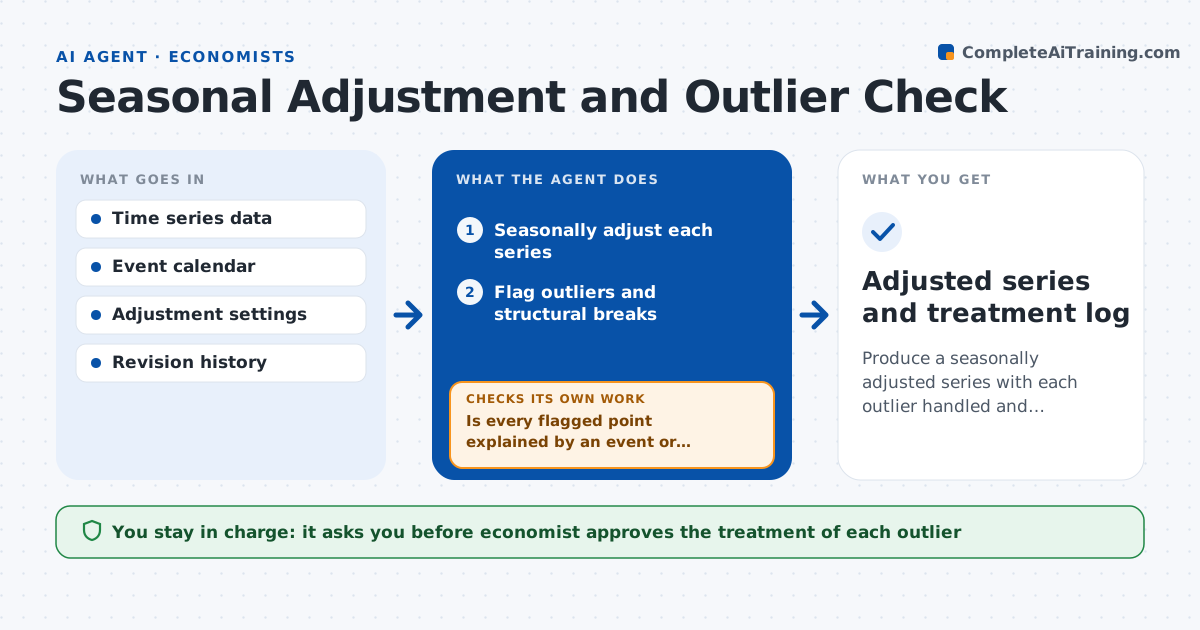
A monthly series shows a spike that turns out to be a strike, and the trend estimate swings. This agent seasonally adjusts each series and flags outliers and structural breaks. It checks each flagged point against a list of known events, such as strikes, storms, policy changes and data revisions. It tries alternative treatments, such as leaving the point, replacing it with an interpolated value or adding an intervention variable, and reruns the adjustment for each. It compares the trend and seasonal factors across treatments and records which choice changes the result most. It then proposes a treatment for each outlier with the reason. The economist approves how each is handled. Edge case: a flagged point close to the end of the series is marked as unstable and revisited next month.
How it works
Follow the arrows from top to bottom. The orange dashed arrow is the loop: when a check fails, the agent goes back and tries again.
Read the steps as a list
- New data arrives
- Seasonally adjust each series
- Flag outliers and structural breaks
- Check each flagged point against known events
- Is every flagged point explained by an event or revision?If not: Mark it unexplained and test alternative treatments. Back to step 3.
- Rerun the adjustment with each treatment
- Do the trend and seasonal factors stay stable across treatments?If not: Add the intervention variable and rerun. Back to step 6.
- Draft the treatment proposal for each outlier
- Economist approves how each outlier is handledThe agent waits here for your OK.
- Adjusted series and treatment log
How it decides
It flags points more than 3.5 standard deviations from the fitted value and prefers the treatment that explains the point with a known event.
- Flag points beyond 3.5 standard deviations
- Prefer treatments linked to a documented event
- Mark points in the last 3 months as unstable
- Keep every treatment in the log
Make it yours
Every agent is a starting point. You choose these settings for your own situation.
- Outlier threshold (default 3.5 standard deviations)
- Event calendar (default the economist's list)
- Unstable window (default last 3 months)
- Adjustment method (default the standard in use)
What keeps you in control
It always asks you first
- Economist approves the treatment of each outlier
Hard limits
- Never delete data points
- Never publish adjusted figures without approval
- Document every treatment
It stops when
- Done: Series adjusted and treatments approved
- Stop: Data quality problem found, so hand to the economist
Set it up
We guide you through the set-up, step by step
Members get the full set-up guide for this agent. No technical skills needed: you copy, paste and upload.
- One set of instructions to paste into your AI, with the clicks for ChatGPT, Claude, Microsoft 365 Copilot, Gemini and Grok
- The agent then walks you through connecting your own data, one source at a time
- A downloadable copy with the flow chart, the rules and the full guide