AI agent for hardware engineers
Second-Source Part Qualification Agent
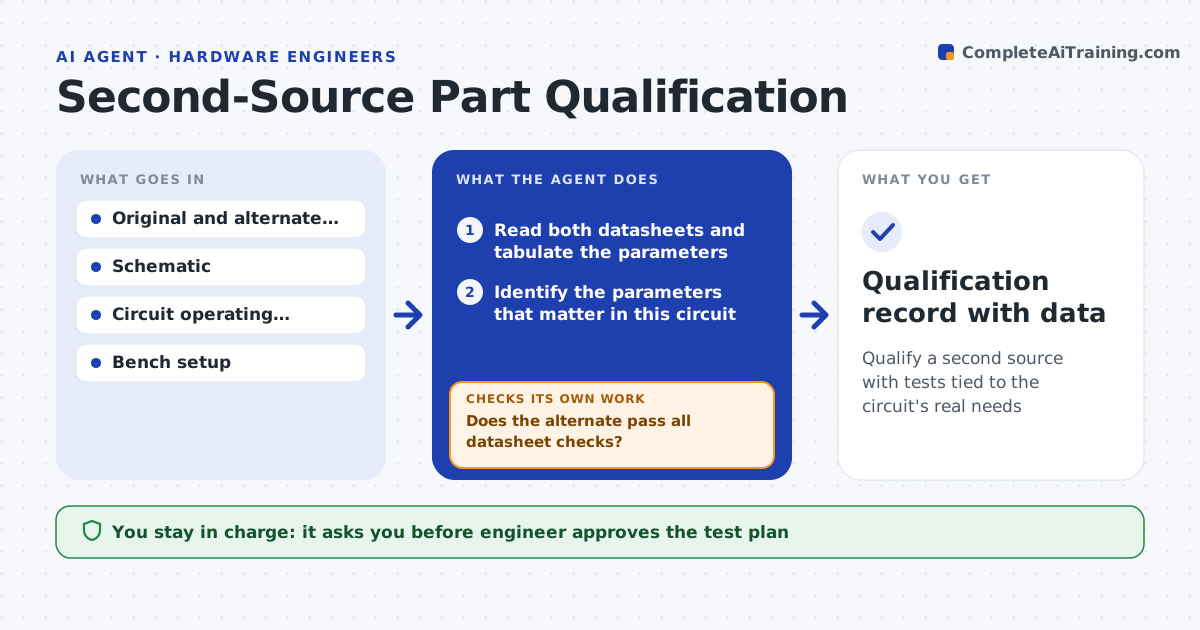
Qualify a second source with tests tied to the circuit's real needs
What it does
An alternate part can match the headline numbers and still fail in the circuit because of start-up behavior, noise or a tolerance. This agent compares the datasheet of the alternate with the original line by line. It then reads the circuit and works out which parameters really matter there, such as dropout voltage under load or input capacitance. It checks each against the circuit's needs with margin. It builds a test plan covering those parameters and records the bench results. If a parameter fails, it proposes the next candidate and starts again. When all tests pass, it writes the qualification record. The engineer approves the qualification. Edge case: the alternate is cheaper but its output noise doubles on an analog supply, so the agent rejects it.
How it works
Follow the arrows from top to bottom. The orange dashed arrow is the loop: when a check fails, the agent goes back and tries again.
Read the steps as a list
- Alternate part proposed
- Read both datasheets and tabulate the parameters
- Identify the parameters that matter in this circuit
- Check each against the circuit need with margin
- Does the alternate pass all datasheet checks?If not: drop it and pick the next candidate from the list. Back to step 2.
- Write the test plan for critical parameters
- Engineer approves the test planThe agent waits here for your OK.
- Run bench tests and record results
- Do all tests meet limits across temperature and load?If not: record the failing parameter and move to the next candidate. Back to step 2.
- Qualification record with data
How it decides
It selects critical parameters from the circuit and passes the alternate only if each has its required margin in both the datasheet and the bench test.
- Require 20% margin on voltage and current ratings
- Check start-up, noise and load transient even if not in the datasheet summary
- Reject on any failed critical parameter
- Test at minimum and maximum temperature and load
Make it yours
Every agent is a starting point. You choose these settings for your own situation.
- Critical parameters by circuit type
- Margin required (default 20%)
- Temperature range for tests
- Candidate sources to search
- Qualification record format
What keeps you in control
It always asks you first
- Engineer approves the test plan
- Engineer approves the final qualification
Hard limits
- Never approve on datasheet values alone
- Never use a part outside its rated range to pass
It stops when
- Done: an alternate passes all tests and the record is saved
- Stop: no candidate passes
Set it up
We guide you through the set-up, step by step
Members get the full set-up guide for this agent. No technical skills needed: you copy, paste and upload.
- One set of instructions to paste into your AI, with the clicks for ChatGPT, Claude, Microsoft 365 Copilot, Gemini and Grok
- The agent then walks you through connecting your own data, one source at a time
- A downloadable copy with the flow chart, the rules and the full guide