AI agent for sales engineers
Security Questionnaire Response Agent
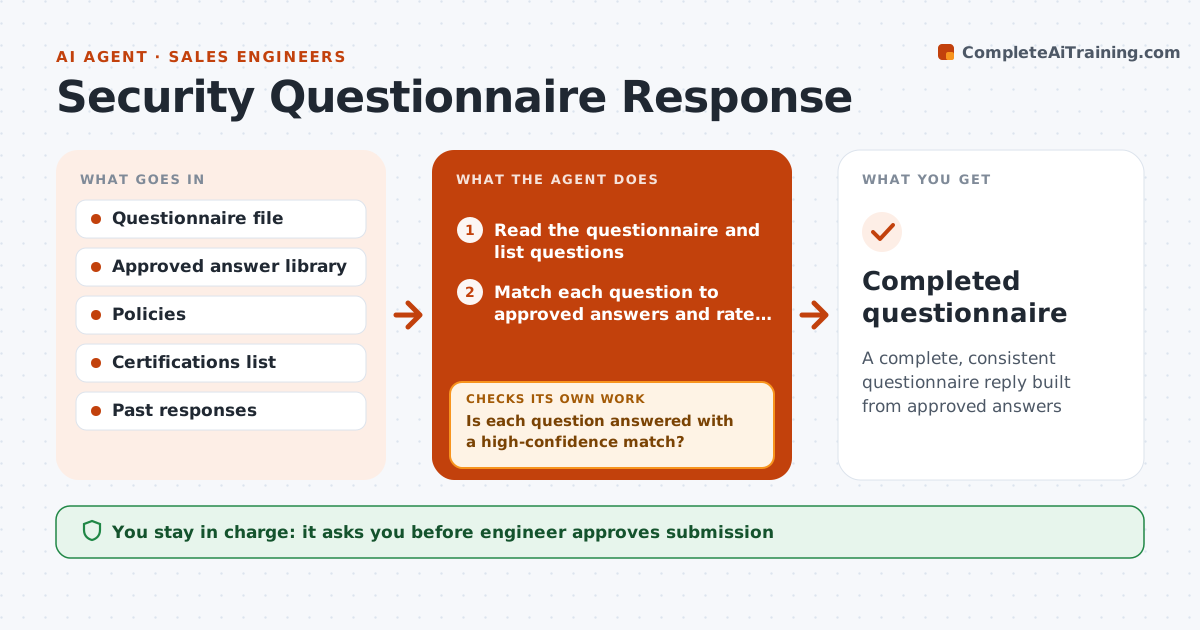
A complete, consistent questionnaire reply built from approved answers
What it does
Security questionnaires arrive with 200 questions and a due date next Friday, and the answers already exist in other places. This agent reads the questionnaire and matches each question to approved answers in the security library, policies and previous responses. It marks matches by confidence, flags gaps, and requests answers from security or legal for the rest. After it drafts the full response, it checks for contradictions between answers and with the company's current policies. It then fixes any inconsistency, rechecks and prepares the file. The engineer approves submission. Edge case: a question asks about a certification still in progress, so the agent uses the approved wording about status, not a claim of compliance.
How it works
Follow the arrows from top to bottom. The orange dashed arrow is the loop: when a check fails, the agent goes back and tries again.
Read the steps as a list
- Questionnaire received
- Read the questionnaire and list questions
- Match each question to approved answers and rate the confidence
- Is each question answered with a high-confidence match?If not: mark gaps and send them to security or legal with context. Back to step 3.
- Collect the answers from security or legal
- Fill the questionnaire
- Are all answers consistent with each other and with current policy?If not: correct the contradiction and recheck. Back to step 6.
- Add a cover note with open items
- Engineer approves submissionThe agent waits here for your OK.
- Completed questionnaire
How it decides
A question is answered only with approved text. Low-confidence matches and new topics go to security or legal. Final answers are checked for contradictions.
- Use only approved text
- Send low-confidence matches to an expert
- Use the approved status wording for work in progress
- Check dates on certifications
Make it yours
Every agent is a starting point. You choose these settings for your own situation.
- Confidence threshold
- Answer library sources
- Experts to ask
- Deadline buffer
What keeps you in control
It always asks you first
- Engineer approves submission
- Security or legal approves new answers
Hard limits
- Never invent a security claim
- Do not submit without approval
- Use current policies only
It stops when
- Done: questionnaire submitted
- Stop: the customer asks for a contract change that legal must review
Set it up
We guide you through the set-up, step by step
Members get the full set-up guide for this agent. No technical skills needed: you copy, paste and upload.
- One set of instructions to paste into your AI, with the clicks for ChatGPT, Claude, Microsoft 365 Copilot, Gemini and Grok
- The agent then walks you through connecting your own data, one source at a time
- A downloadable copy with the flow chart, the rules and the full guide