AI agent for robotics engineers
Sensor Integration Calibration Check Agent
Every sensor on the cell reads within tolerance of the robot's true position
What it does
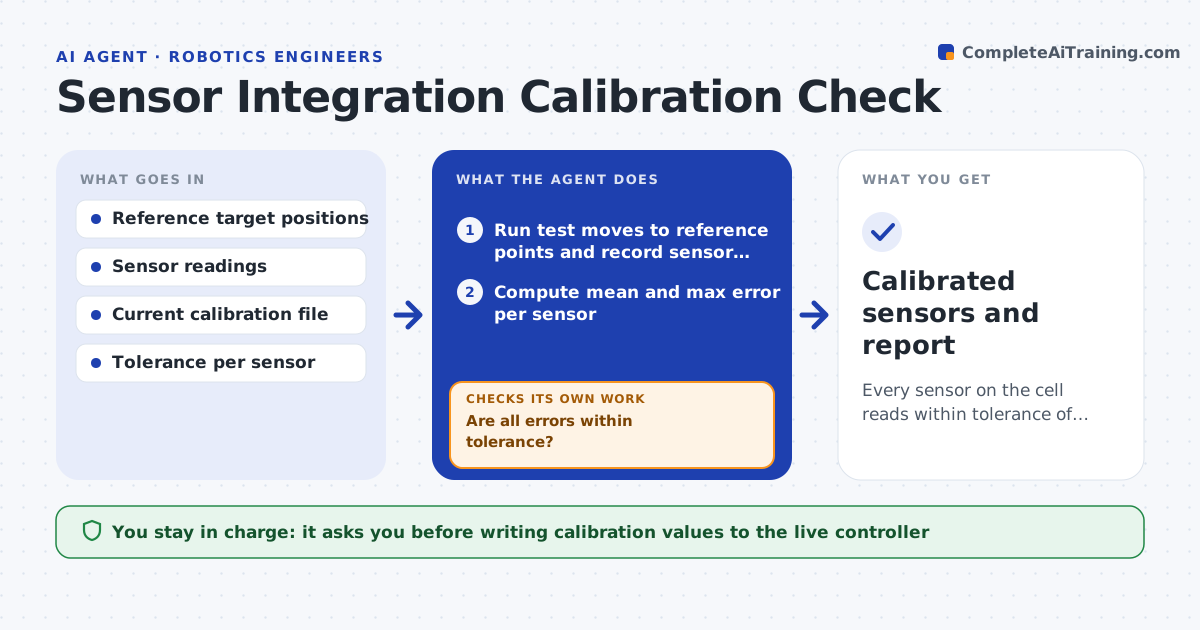
When a new camera, force sensor or encoder is added, or after a crash, the calibration between sensor and robot has to be checked, or the robot misses picks with no clear error. This agent runs a set of test moves to known reference points, reads what the sensor reports and compares it with where the robot actually is. It computes the error at each point and checks it against your tolerance. If the error is too large, it recomputes the hand-eye or offset calibration, writes the new values to a draft config and repeats the test moves, adding points if needed. It also compares errors across the day to catch heat-related drift. Once within tolerance, it prepares a calibration report. The engineer approves writing values to the live controller. Edge case: errors that grow with temperature are flagged as thermal drift.
How it works
Follow the arrows from top to bottom. The orange dashed arrow is the loop: when a check fails, the agent goes back and tries again.
Read the steps as a list
- Sensor installed, crash logged, or monthly date reached
- Run test moves to reference points and record sensor readings
- Compute mean and max error per sensor
- Are all errors within tolerance?If not: recompute calibration into a draft config, apply it in test mode, and rerun the test moves. Back to step 2.
- Compare today's errors with earlier runs for drift trends
- Write calibration report with before and after values
- Engineer approves writing new calibration to the live controllerThe agent waits here for your OK.
- Calibrated sensors and report
How it decides
It compares measured against expected positions at 9 or more reference points and recalibrates only when the mean or max error exceeds tolerance.
- Use at least 9 reference points spread over the work area
- Flag thermal drift if error correlates with cell temperature
- Stop after three recalibration attempts and ask for a mechanical check
Make it yours
Every agent is a starting point. You choose these settings for your own situation.
- Tolerance per sensor type (default 1.0 mm)
- Number of reference points (default 9)
- Schedule for routine checks (default monthly)
- Maximum recalibration attempts (default 3)
What keeps you in control
It always asks you first
- Writing calibration values to the live controller
Hard limits
- Runs test moves only at reduced speed in test mode
- Never overwrites the live calibration file
It stops when
- Done: all sensors within tolerance and report filed
- Stop: three failed recalibrations, likely loose mount
Set it up
We guide you through the set-up, step by step
Members get the full set-up guide for this agent. No technical skills needed: you copy, paste and upload.
- One set of instructions to paste into your AI, with the clicks for ChatGPT, Claude, Microsoft 365 Copilot, Gemini and Grok
- The agent then walks you through connecting your own data, one source at a time
- A downloadable copy with the flow chart, the rules and the full guide