AI agent for community moderators
Serious Harm Escalation Agent
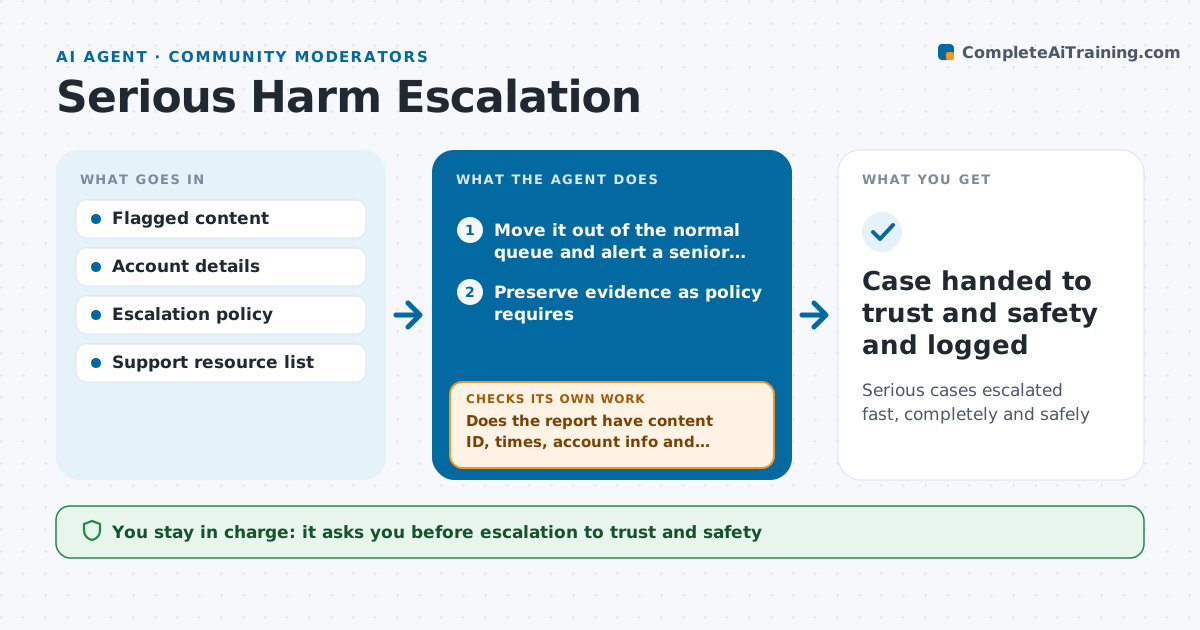
Serious cases escalated fast, completely and safely
What it does
Content about violence, self-harm or child safety cannot wait in the normal queue, and a sloppy handoff can lose key evidence. When this agent detects such content, it moves it out of the normal queue and alerts a senior moderator. It preserves the evidence as the escalation policy requires, collects the user's account details for the trust and safety team, and drafts the escalation report. It checks the report is complete: content ID, time stamps, account info and severity. If anything is missing, it collects it before going on. For self-harm cases it drafts the approved support resources message for the moderator. A senior moderator approves every escalation and any report to outside authorities. Edge case: child safety content is never copied around, only referenced by its ID.
How it works
Follow the arrows from top to bottom. The orange dashed arrow is the loop: when a check fails, the agent goes back and tries again.
Read the steps as a list
- Serious harm content detected
- Move it out of the normal queue and alert a senior moderator
- Preserve evidence as policy requires
- Collect account details from the account record
- Draft the escalation report
- Does the report have content ID, times, account info and severity?If not: collect the missing items from records before going on. Back to step 4.
- Draft the support resources message for self-harm cases
- Senior moderator approves escalation and any outside reportThe agent waits here for your OK.
- Case handed to trust and safety and logged
How it decides
It follows the escalation policy for each harm type and treats unclear cases as serious until a person decides.
- Unclear cases are treated as serious
- Child safety content is referenced by ID only
- Self-harm cases get the support resources message
Make it yours
Every agent is a starting point. You choose these settings for your own situation.
- Harm types and their routes
- Who gets alerts out of hours
- Support resources by country
- Evidence retention rules
What keeps you in control
It always asks you first
- Escalation to trust and safety
- Reports to outside authorities
Hard limits
- Never contacts authorities itself
- Never stores or forwards illegal content
It stops when
- Done: case handed over
- Stop: never stops itself; only a senior moderator closes a case
Set it up
We guide you through the set-up, step by step
Members get the full set-up guide for this agent. No technical skills needed: you copy, paste and upload.
- One set of instructions to paste into your AI, with the clicks for ChatGPT, Claude, Microsoft 365 Copilot, Gemini and Grok
- The agent then walks you through connecting your own data, one source at a time
- A downloadable copy with the flow chart, the rules and the full guide