AI agent for claims adjusters
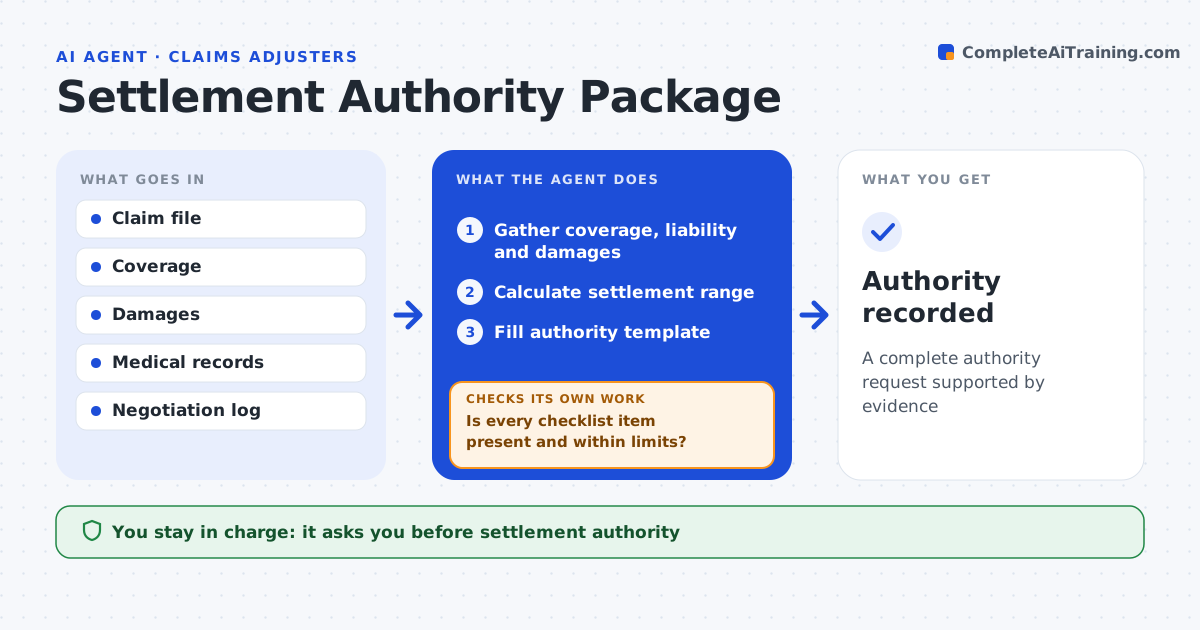
Settlement Authority Package Agent
A complete authority request supported by evidence
What it does
Settlement requests above an adjuster's authority often bounce back from supervisors for missing pieces, and time-limited demands can expire meanwhile. When an adjuster is ready to settle, this agent builds the authority package. It gathers coverage confirmation, liability analysis, damages, medical summaries, comparable settlements and the negotiation history. It calculates a settlement range from the damages and the liability split, showing a range for each split if liability is disputed. It fills the authority template and checks every checklist item and that coverage limits support the request. If items are missing, it lists them and asks the adjuster. Requests above the policy limit are escalated. The supervisor grants authority. Edge case: the demand includes a time limit, so the agent puts the deadline on the first page.
How it works
Follow the arrows from top to bottom. The orange dashed arrow is the loop: when a check fails, the agent goes back and tries again.
Read the steps as a list
- Authority needed
- Gather coverage, liability and damages
- Calculate settlement range
- Fill authority template
- Is every checklist item present and within limits?If not: list missing items and ask the adjuster. Back to step 2.
- Supervisor grants authorityThe agent waits here for your OK.
- Authority recorded
How it decides
It builds a range from damages and liability and checks the package against the checklist.
- Time-limited demand: flag deadline
- Request above policy limit: escalate
- Liability disputed: show range for each split
Make it yours
Every agent is a starting point. You choose these settings for your own situation.
- Authority checklist
- Range method
- Deadline alerts
- Template
What keeps you in control
It always asks you first
- Settlement authority
- Offers to claimants
Hard limits
- Never makes offers
- Never decides coverage
It stops when
- Done: authority decided
- Stop: coverage not confirmed
Set it up
We guide you through the set-up, step by step
Members get the full set-up guide for this agent. No technical skills needed: you copy, paste and upload.
- One set of instructions to paste into your AI, with the clicks for ChatGPT, Claude, Microsoft 365 Copilot, Gemini and Grok
- The agent then walks you through connecting your own data, one source at a time
- A downloadable copy with the flow chart, the rules and the full guide