AI agent for claims adjusters
Settlement Calculation Agent
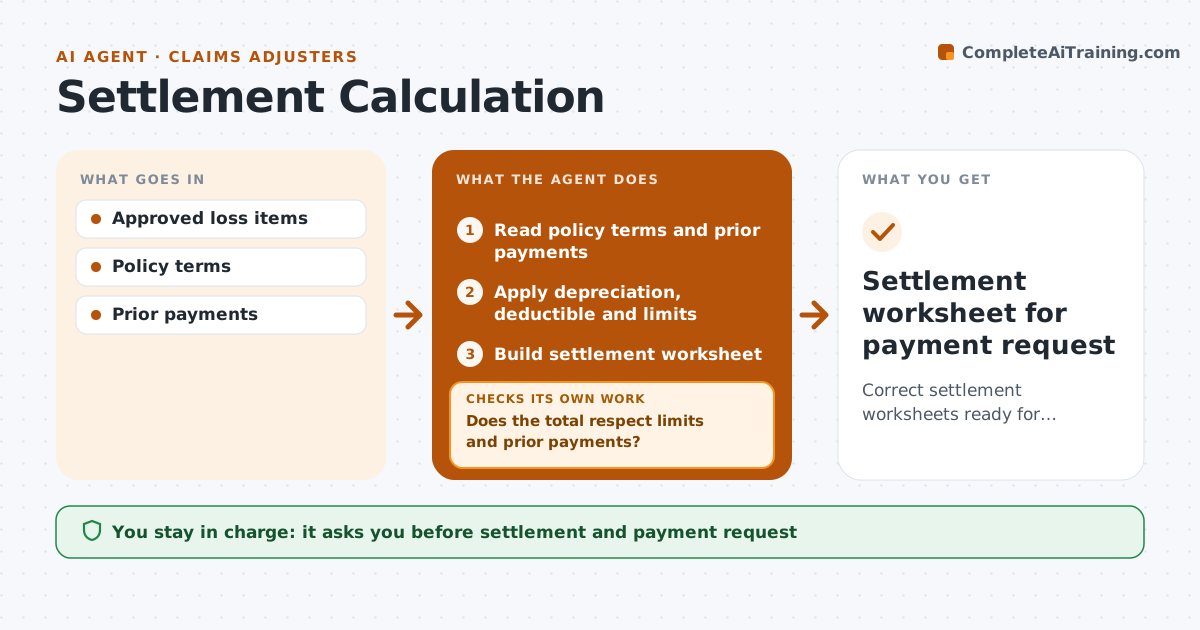
Correct settlement worksheets ready for approval
What it does
A settlement figure must apply limits, deductibles, depreciation, prior payments and any co-insurance in the right order, and one wrong step means overpaying or a complaint. Once loss items are approved, this agent reads the policy terms and payment history, then applies depreciation, the deductible and section limits in the order the policy sets. It builds a settlement worksheet that shows each step, so the adjuster can follow the math line by line. It then checks the total against every limit and against payments already made. If the total breaks a limit or does not add up, it finds the step that went wrong, corrects it and recalculates. The adjuster approves the settlement before any payment is requested; the agent never requests payment itself. Edge case: on replacement cost claims, recoverable depreciation is held back until proof of replacement arrives.
How it works
Follow the arrows from top to bottom. The orange dashed arrow is the loop: when a check fails, the agent goes back and tries again.
Read the steps as a list
- Loss items approved
- Read policy terms and prior payments
- Apply depreciation, deductible and limits
- Build settlement worksheet
- Does the total respect limits and prior payments?If not: correct the step and recalculate. Back to step 3.
- Adjuster approves settlementThe agent waits here for your OK.
- Settlement worksheet for payment request
How it decides
It applies terms in the order the policy sets and caps each section at its limit.
- Policy order of terms
- Section limits applied
- Recoverable depreciation held
Make it yours
Every agent is a starting point. You choose these settings for your own situation.
- Depreciation tables
- Order of terms
- Worksheet template
- Rounding
What keeps you in control
It always asks you first
- Settlement and payment request
Hard limits
- Never requests payment itself
- Never changes approved items
It stops when
- Done: approved
- Stop: policy terms unclear
Set it up
We guide you through the set-up, step by step
Members get the full set-up guide for this agent. No technical skills needed: you copy, paste and upload.
- One set of instructions to paste into your AI, with the clicks for ChatGPT, Claude, Microsoft 365 Copilot, Gemini and Grok
- The agent then walks you through connecting your own data, one source at a time
- A downloadable copy with the flow chart, the rules and the full guide