AI agent for investor relations managers
Shareholder Inquiry Response Agent
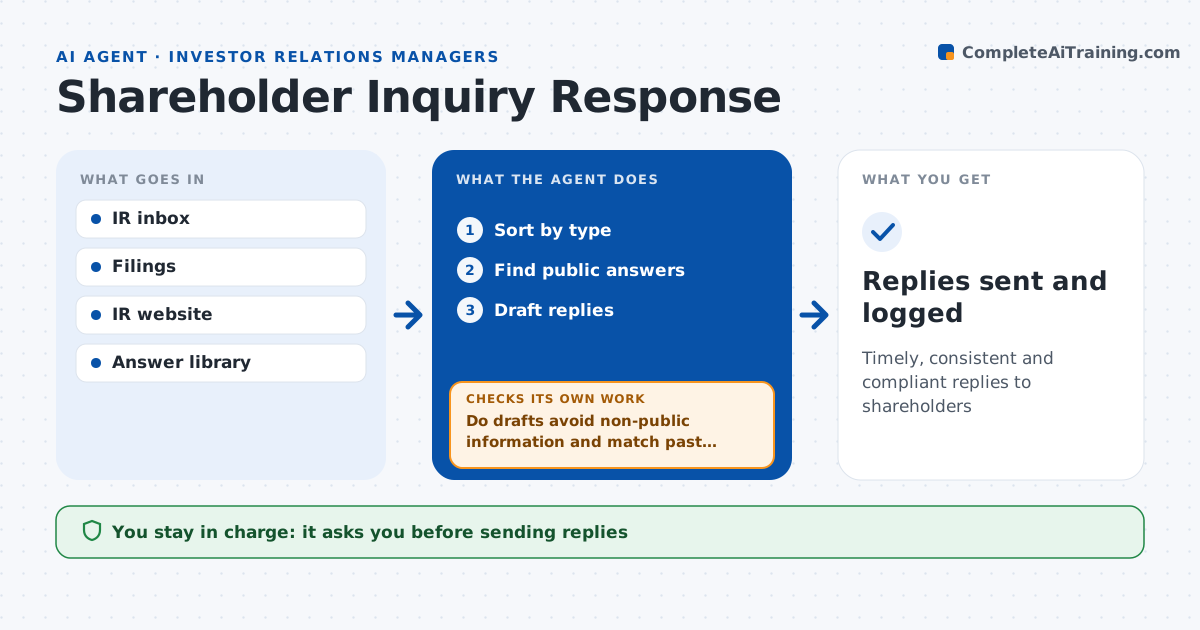
Timely, consistent and compliant replies to shareholders
What it does
An IR inbox mixes shareholder questions about dividends and transfers with media requests and rumor questions, and one careless answer can disclose non-public information. This agent sorts inquiries by type: transfer agent issues, dividend questions, meeting questions, company questions and media. It drafts answers using public information only, such as filings and the IR site. Transfer agent issues are routed with instructions, and media goes to communications. It then checks each draft for non-public information and for consistency with past answers. If a draft fails, it rewrites it or routes it to the IR manager when a policy answer is needed. The IR manager approves every reply before it is sent. Edge case: a shareholder asks about a rumored acquisition that has not been announced, so the agent drafts the standard no comment answer.
How it works
Follow the arrows from top to bottom. The orange dashed arrow is the loop: when a check fails, the agent goes back and tries again.
Read the steps as a list
- New inquiries
- Sort by type
- Find public answers
- Draft replies
- Do drafts avoid non-public information and match past answers?If not: rewrite or route to IR manager. Back to step 4.
- IR manager approves repliesThe agent waits here for your OK.
- Replies sent and logged
How it decides
It routes by type and answers only from public sources.
- Rumor or market question: standard answer
- Transfer agent issue: route with instructions
- Media: route to communications
Make it yours
Every agent is a starting point. You choose these settings for your own situation.
- Inquiry types
- Answer library
- Response time target
- Routing rules
What keeps you in control
It always asks you first
- Sending replies
Hard limits
- Never discloses non-public information
- Never gives investment advice
It stops when
- Done: inbox cleared
- Stop: legal hold on topic
Set it up
We guide you through the set-up, step by step
Members get the full set-up guide for this agent. No technical skills needed: you copy, paste and upload.
- One set of instructions to paste into your AI, with the clicks for ChatGPT, Claude, Microsoft 365 Copilot, Gemini and Grok
- The agent then walks you through connecting your own data, one source at a time
- A downloadable copy with the flow chart, the rules and the full guide